







Question: A MathVector object will be passed to your method. Return the 5th element inside of that object. If you look in the file MathVector.java you'll
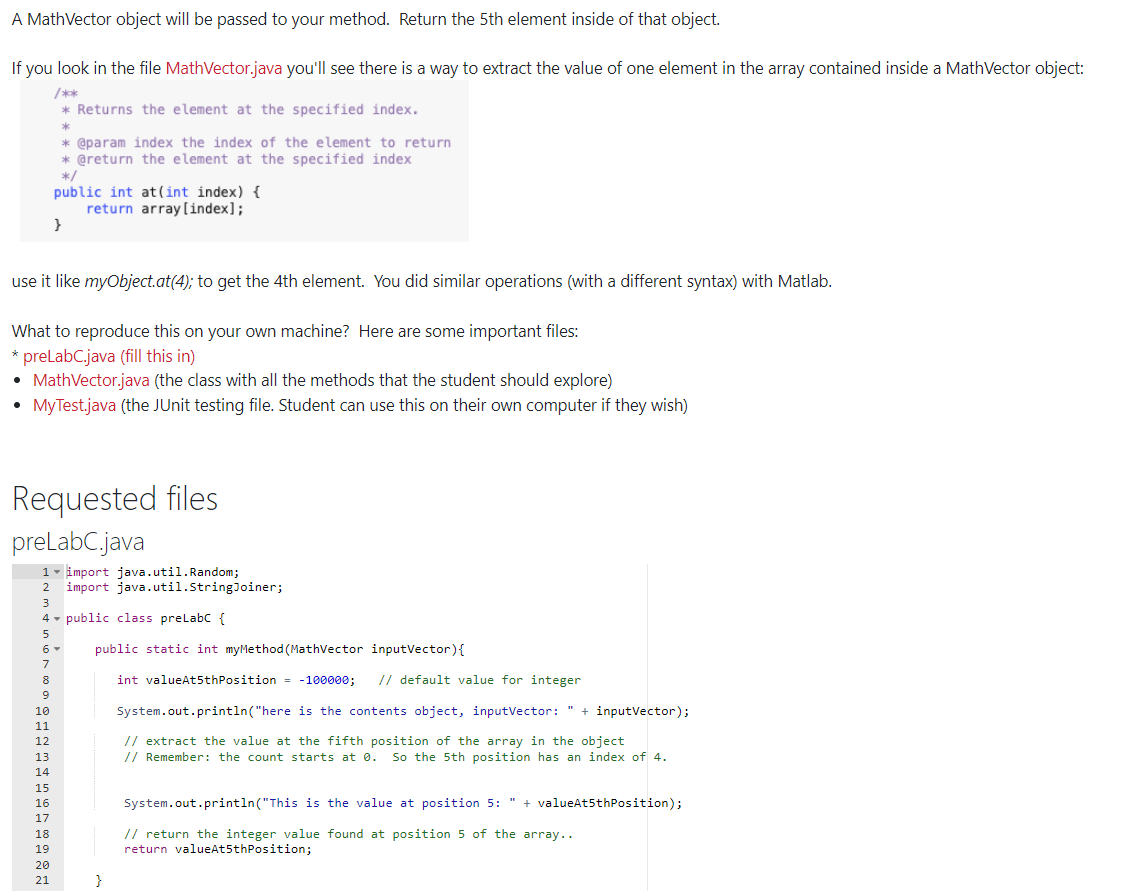
A MathVector object will be passed to your method. Return the 5th element inside of that object. If you look in the file MathVector.java you'll see there is a way to extract the value of one element in the array contained inside a MathVector object: * Returns the element at the specified index. * @param index the index of the element to return * @return the element at the specified index */ public int at(int index) { return array[index]; use it like myObject.at(4); to get the 4th element. You did similar operations (with a different syntax) with Matlab. What to reproduce this on your own machine? Here are some important files: * preLabC.java (fill this in) MathVector.java (the class with all the methods that the student should explore) MyTest.java (the JUnit testing file. Student can use this on their own computer if they wish) Requested files preLabC.java 1 - import java.util. Random; import java.util.StringJoiner; 2 public class preLabC { public static int myMethod(Mathvector inputVector){ 7 8 9 int valueAt5thPosition = -100000; // default value for integer System.out.println("here is the contents object, inputVector: " + inputVector); // extract the value at the fifth position of the array in the object // Remember: the count starts at 0. So the 5th position has an index of 4. 10 11 12 13 14 15 16 17 18 19 20 21 System.out.println("This is the value at position 5: " + valueAt5thPosition); // return the integer value found at position 5 of the array.. return valueAt5thPosition; }
Step by Step Solution
There are 3 Steps involved in it

Get step-by-step solutions from verified subject matter experts
 Study Help