







Question: Activity 1: The Components of a Vector Open the Vector Addition simulation (bgps://phet.colorado.edu/en/simulation/veetor-addition) and select the Explore 2D screen. The a few minutes to explore
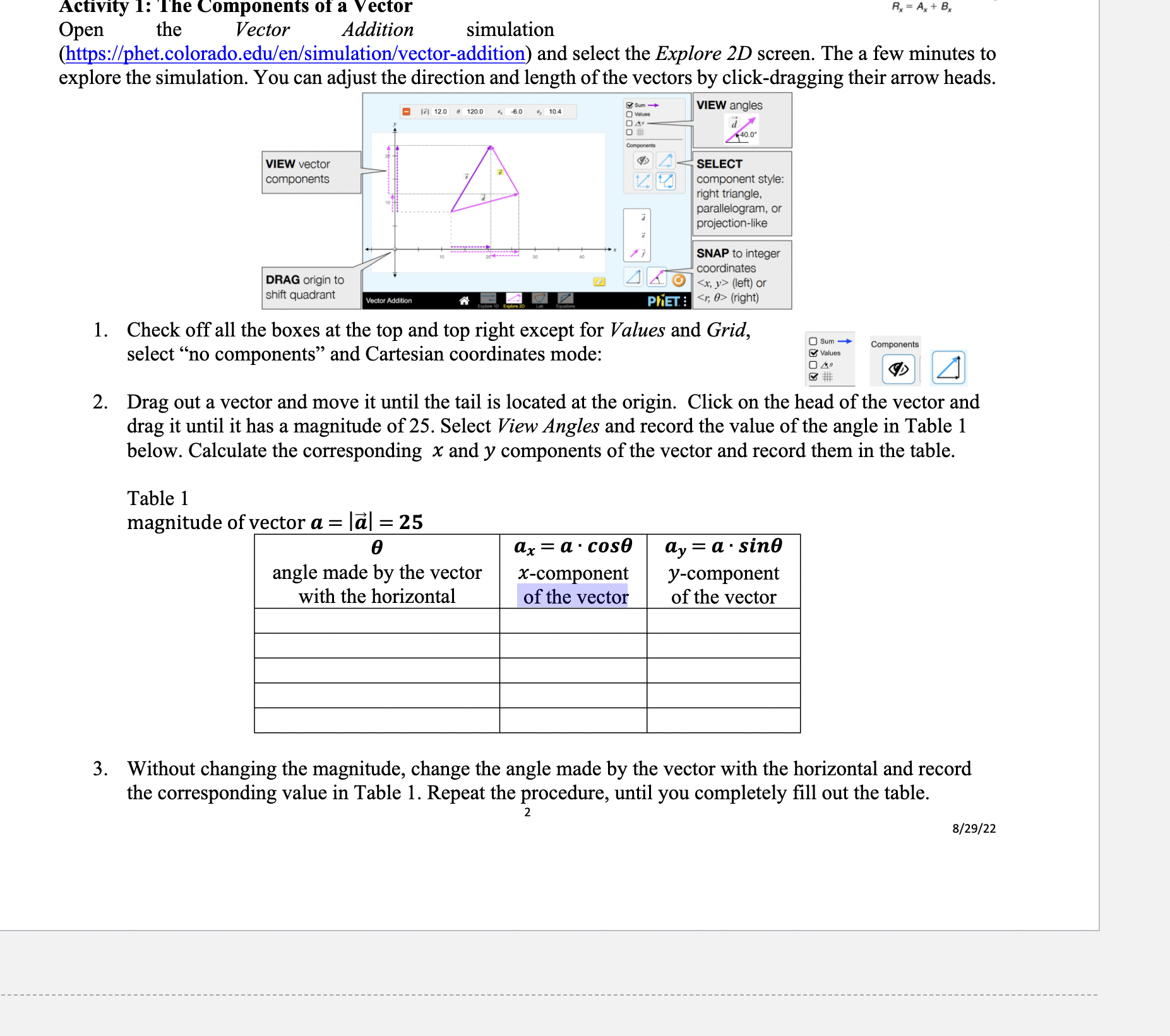
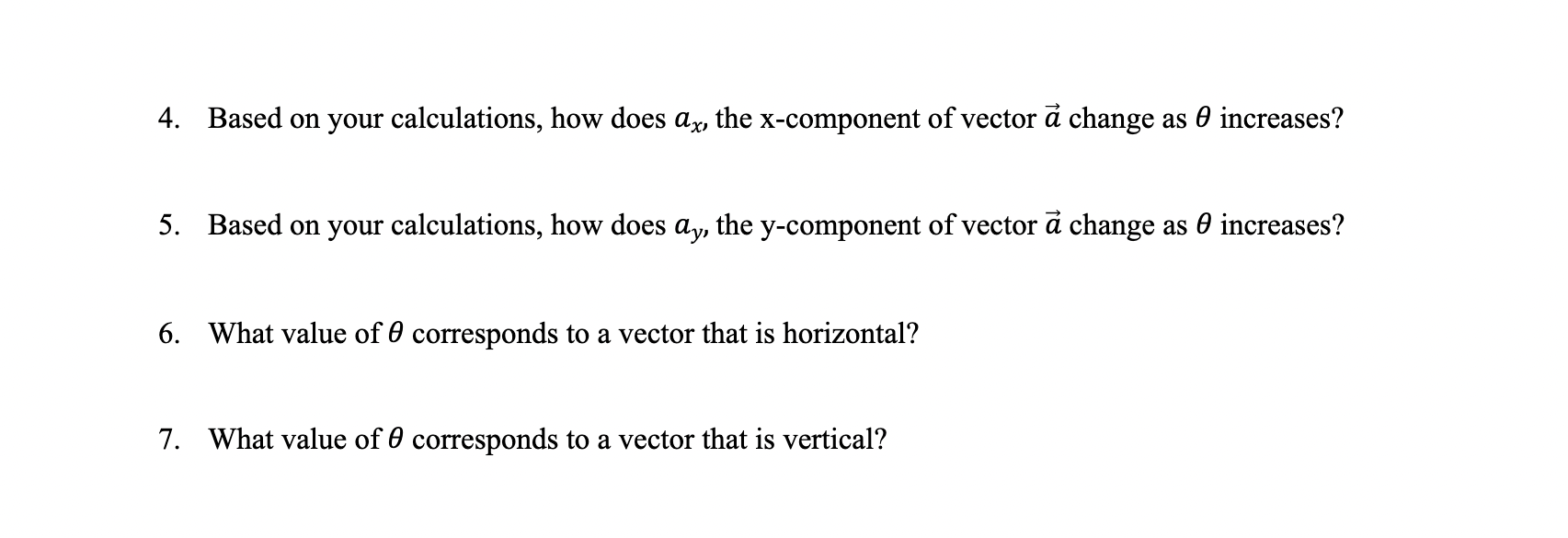
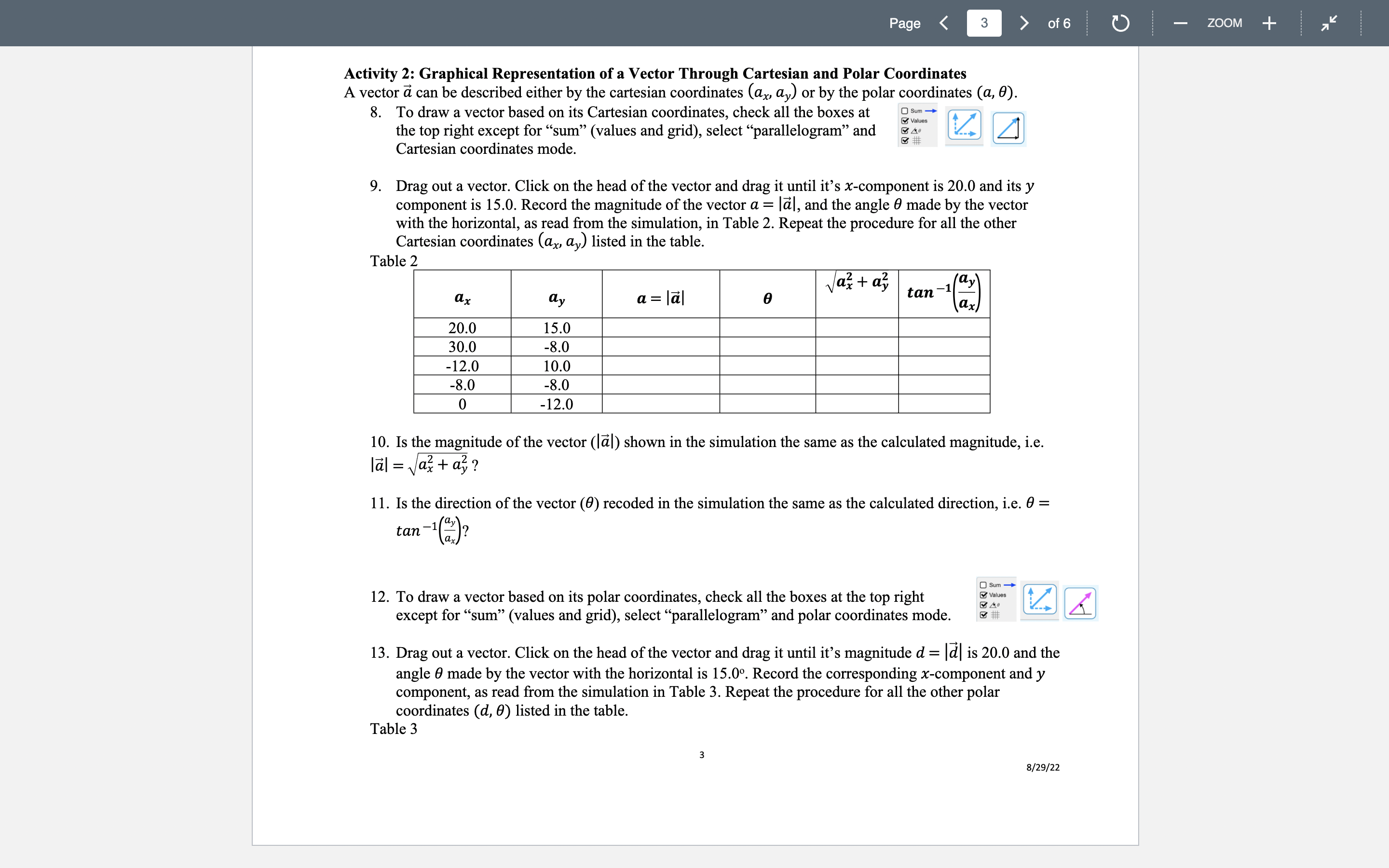
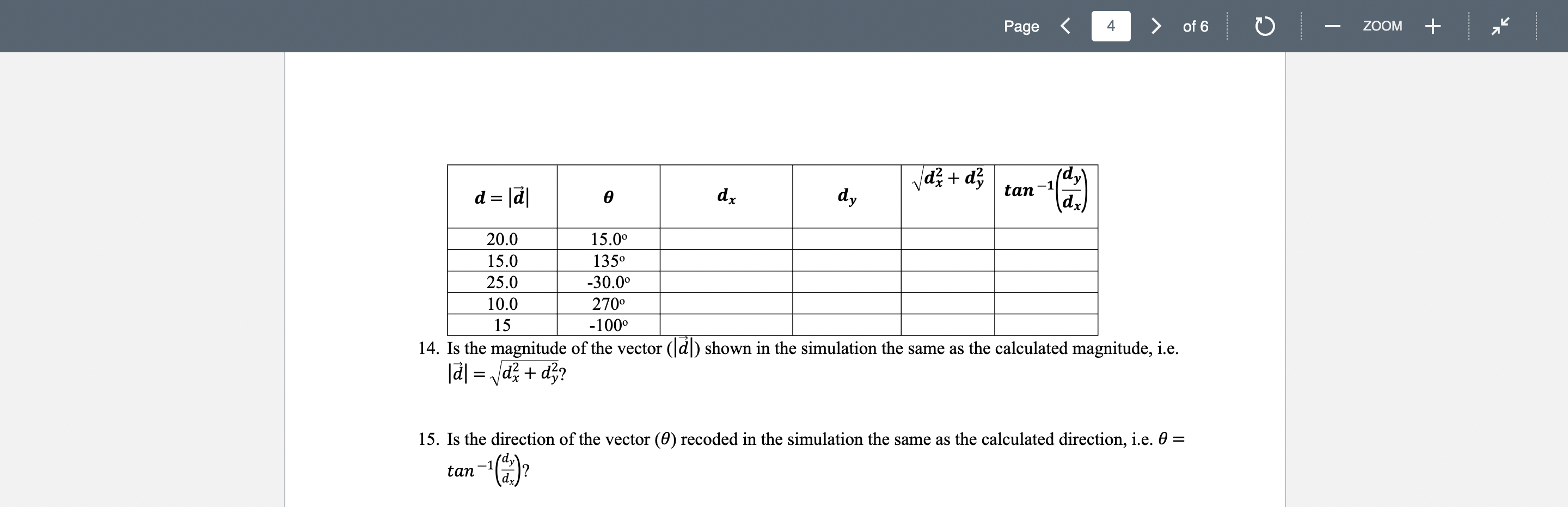
Activity 1: The Components of a Vector Open the Vector Addition simulation (bgps://phet.colorado.edu/en/simulation/veetor-addition) and select the Explore 2D screen. The a few minutes to explore the simulation. You can adjust the direction and length of the vectors by click-dragging their arrow heads. m=m+m a mum n 120,0 -. on ., an un ' ; aor 5 (right) 1. Check off all the boxes at the top and top right except for Values and Grid, UM _' select \"no components\" and Cartesian coordinates mode: '23- m a [Z] 2. Drag out a vector and move it until the tail is located at the origin. Click on the head of the vector and drag it until it has a magnitude of 25. Select View Angles and record the value of the angle in Table 1 below. Calculate the corresponding x and y components of the vector and record them in the table. Table 1 magnitude of vector u = Ifil = 25 0 angle made by the vector with the horizontal (1,.C = a - cos x-component of the vector (1,, = a - sine ycomponent of the vector 3. Without changing the magnitude, change the angle made by the vector with the horizontal and record the corresponding value in Table 1. Repeat the procedure, until you completely ll out the table. 2 8/29/22 Based on your calculations, how does ax, the xcomponent of vector Ei change as 6 increases? Based on your calculations, how does ay. the ycomponent of vector 3 change as 9 increases? What value of 6 corresponds to a vector that is horizontal? What value of 6 corresponds to a vector that is vertical? Page of6 Activity 2: Graphical Representation of a Vector Through Cartesian and Polar Coordinates A vector i can be described either by the cartesian coordinates (ax, ay) or by the polar coordinates (a, 0) 8. To draw a vector based on its Cartesian coordinates, check all the boxes at D a\". Q] . the top right except for \"sum\" (values and grid), select \"parallelogram\" and 3%" Cartesian coordinates mode. 9. Drag out a vector. Click on the head of the vector and drag it until it's xcomponent is 20.0 and its y component is 15.0. Record the magnitude of the vector (1 = IZiI, and the angle 9 made by the vector with the horizontal, as read 'om the simulation, in Table 2. Repeat the procedure for all the other Cartesian coordinates (ax, (13,) listed in the tablet Table 2 z z ax + try _1 \"y ax to a = Il 9 J m" a: 20.0 15.0 30.0 -8.0 -12.0 10.0 -8.0 -8.0 0 -12.0 10. Is the magnitude of the vector (IZiI) shown in the simulation the same as the calculated magnitude, i.e. |Zi|= a+a? 11. Is the direction of the vector (9) recoded in the simulation the same as the calculated direction, i.e. t9 = tan '1 (2)? \"X Deanv 12. To draw a vector based on its polar coordinates, check all the boxes at the top right 32* except for \"sum\" (values and grid), select \"parallelogram\" and polar coordinates mode. 3 a 13. Drag out a vector. Click on the head of the vector and drag it until it's magnitude d = Ial is 20.0 and the angle 9 made by the vector with the horizontal is 15.0\". Record the corresponding xcomponent and y component, as read from the simulation in Table 3. Repeat the procedure for all the other polar coordinates (d, 9) listed in the table. Table 3 8/15/11 0 ZOOM + d; + d2 _ dy d=|a| 9 dz d, J y \"m 1(a) 20.0 15.00 15.0 1350 25.0 .3000 10.0 270 15 -1000 14. Is the magnitude of the vector (IEI) shown in the simulation the same as the calculated magnitude, i.e. IEI =W? 15. Is the direction of the vector (9) recoded in the simulation the same as the calculated direction, i.e. 0 = 11 1 _y tan (x)? ZOOM +
Step by Step Solution
There are 3 Steps involved in it

Get step-by-step solutions from verified subject matter experts
 Study Help