







Question: Activity 2 : Putting what you have learned into practice using Cisco Packet Tracer Now it is time to implement your network in Cisco Packet
Activity : Putting what you have learned into practice using Cisco Packet Tracer
Now it is time to implement your network in Cisco Packet Tracer. Make sure to take screenshots of the networks you build, analysis, and verifications.
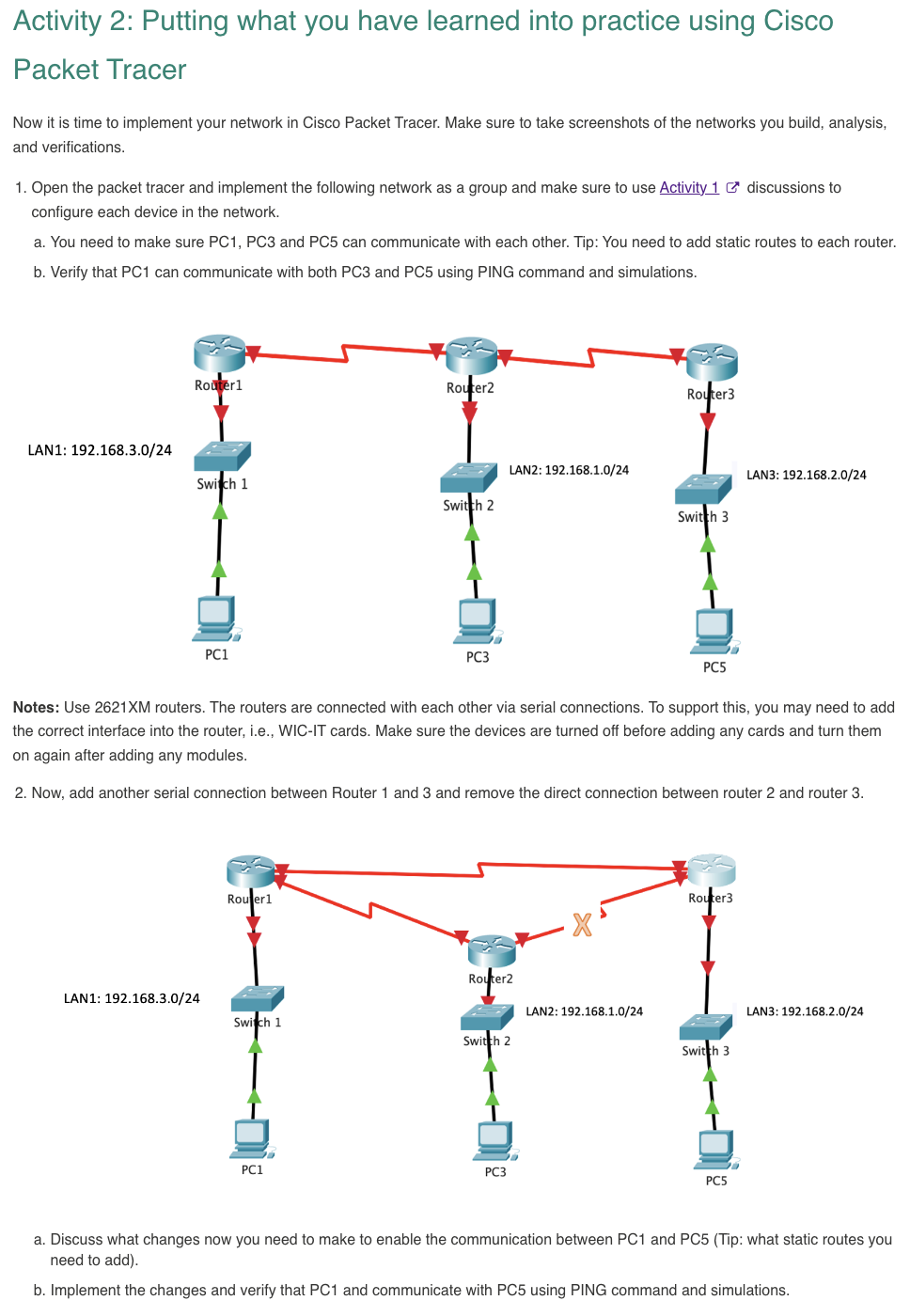
Open the packet tracer and implement the following network as a group and make sure to use Activity discussions to configure each device in the network.
a You need to make sure PC PC and PC can communicate with each other. Tip: You need to add static routes to each router.
b Verify that PC can communicate with both PC and PC using PING command and simulations.
Notes: Use routers. The routers are connected with each other via serial connections. To support this, you may need to add the correct interface into the router, ie WICIT cards. Make sure the devices are turned off before adding any cards and turn them on again after adding any modules.
Now, add another serial connection between Router and and remove the direct connection between router and router
a Discuss what changes now you need to make to enable the communication between PC and PCTip: what static routes you need to add
b Implement the changes and verify that PC and communicate with PC using PING command and simulations.
Step by Step Solution
There are 3 Steps involved in it
1 Expert Approved Answer
Step: 1 Unlock

Question Has Been Solved by an Expert!
Get step-by-step solutions from verified subject matter experts
Step: 2 Unlock
Step: 3 Unlock
 Study Help