







Question: Activity 3: Using rowspan This Activity introduces you to the attribute rowspan. The objective of this Activity is to create the following table. silver cell
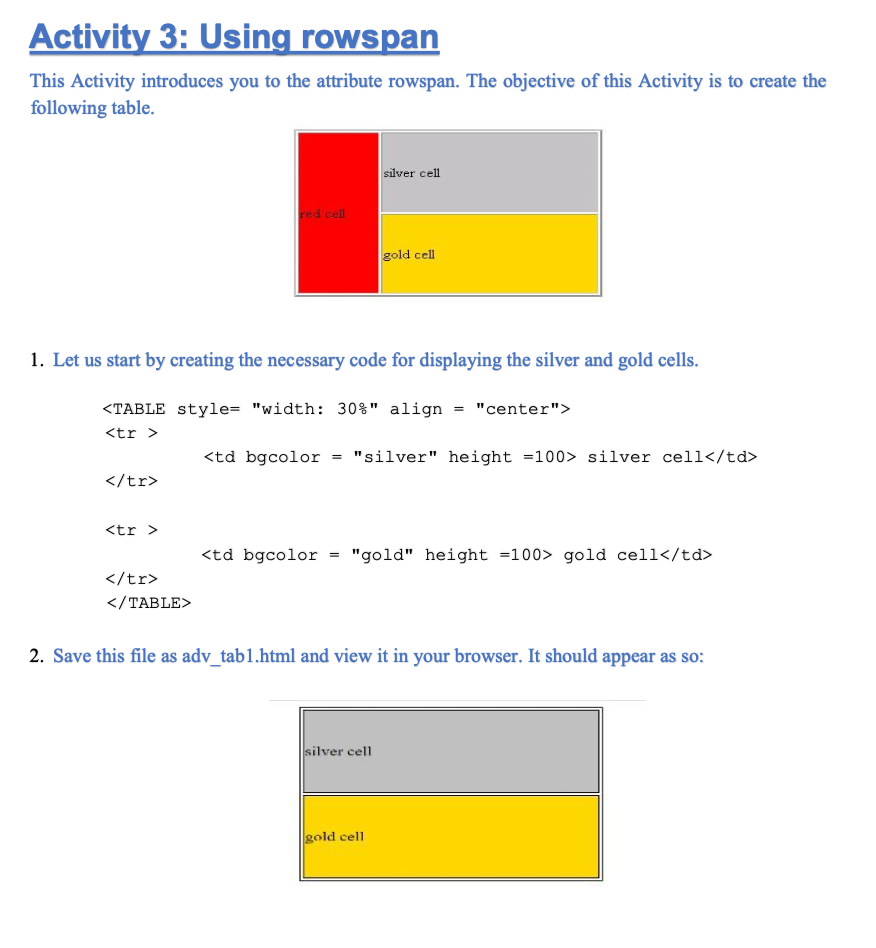
Activity 3: Using rowspan This Activity introduces you to the attribute rowspan. The objective of this Activity is to create the following table. silver cell red cell gold cell 1. Let us start by creating the necessary code for displaying the silver and gold cells. =
| silver cell |
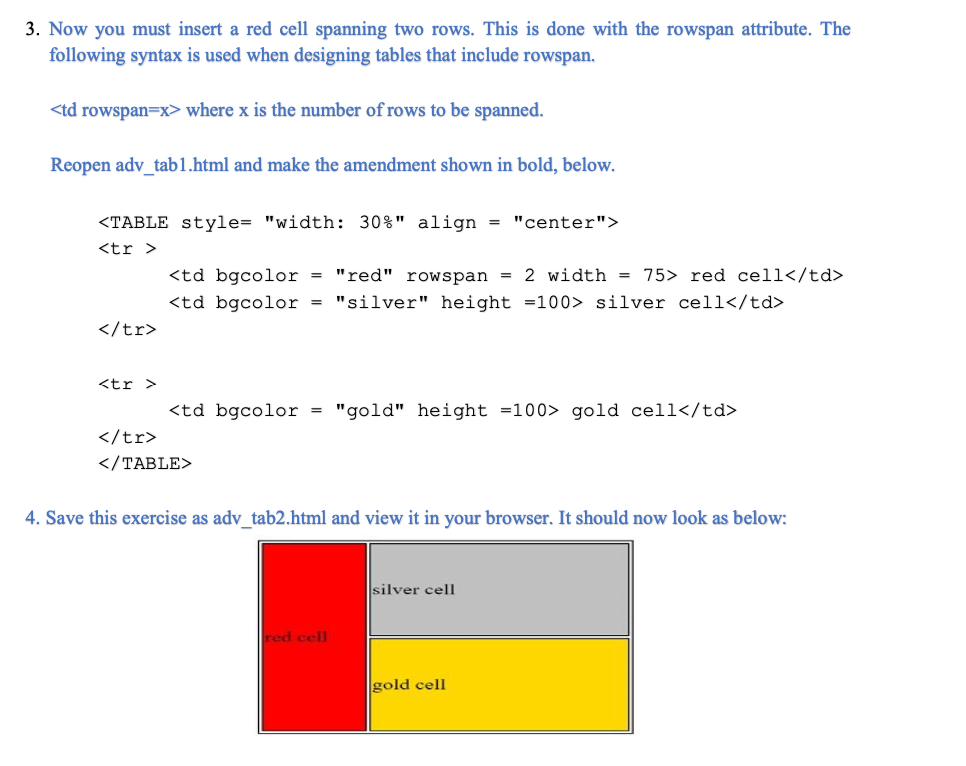
2. Save this file as adv_tab1.html and view it in your browser. It should appear as so: silver cell gold cell 3. Now you must insert a red cell spanning two rows. This is done with the rowspan attribute. The following syntax is used when designing tables that include rowspan.
| red cell | silver cell |
| gold cell |
Step by Step Solution
There are 3 Steps involved in it
1 Expert Approved Answer
Step: 1 Unlock

Question Has Been Solved by an Expert!
Get step-by-step solutions from verified subject matter experts
Step: 2 Unlock
Step: 3 Unlock
 Study Help