Question: Activity 4: Using colspan, cellspacing and cellpadding This Activity introduces you to the attributes colspan, cellspacing and cellpadding. The objective of this Activity is to
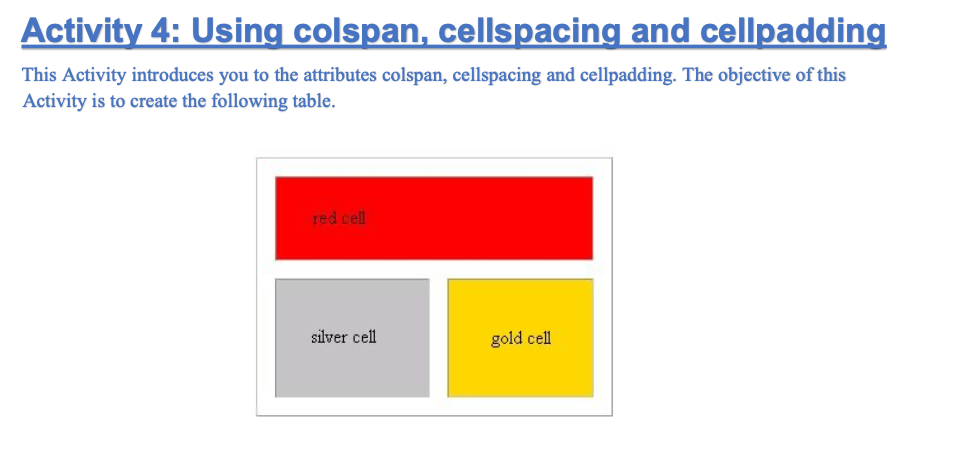
 Activity 4: Using colspan, cellspacing and cellpadding This Activity introduces youto the attributes colspan, cellspacing and cellpadding. The objective of this Activityis to create the following table. red cell silver cell gold cell1. Let us begin by creating the silver and gold cells. silver

Activity 4: Using colspan, cellspacing and cellpadding This Activity introduces you to the attributes colspan, cellspacing and cellpadding. The objective of this Activity is to create the following table. red cell silver cell gold cell 1. Let us begin by creating the silver and gold cells.
silver cell gold cell

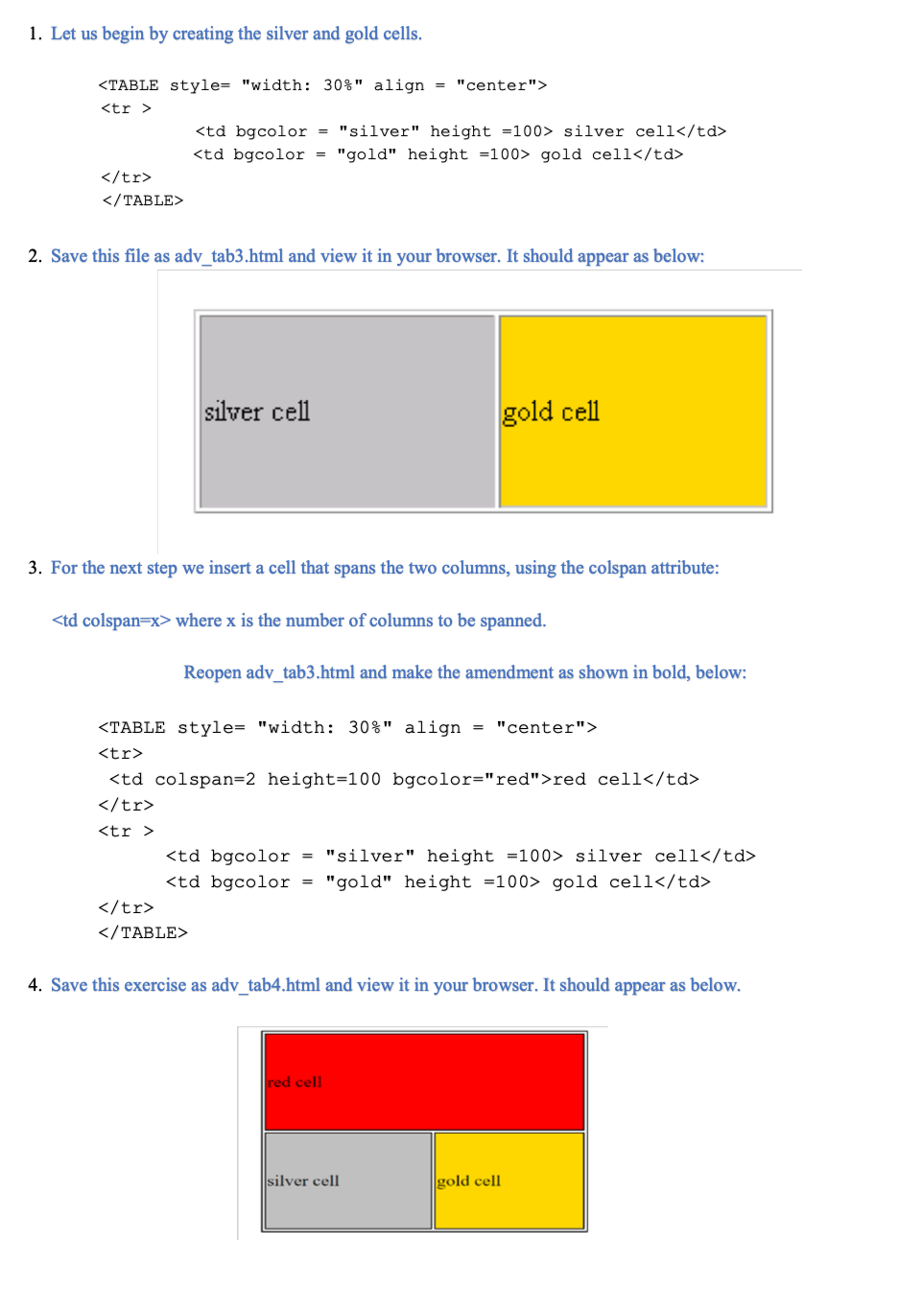
2. Save this file as adv_tab3.html and view it in your browser. It should appear as below: silver cell gold cell 3. For the next step we insert a cell that spans the two columns, using the colspan attribute:

where x is the number of columns to be spanned. Reopen adv_tab3.html and make the amendment as shown in bold, below:
red cell
silver cell gold cell
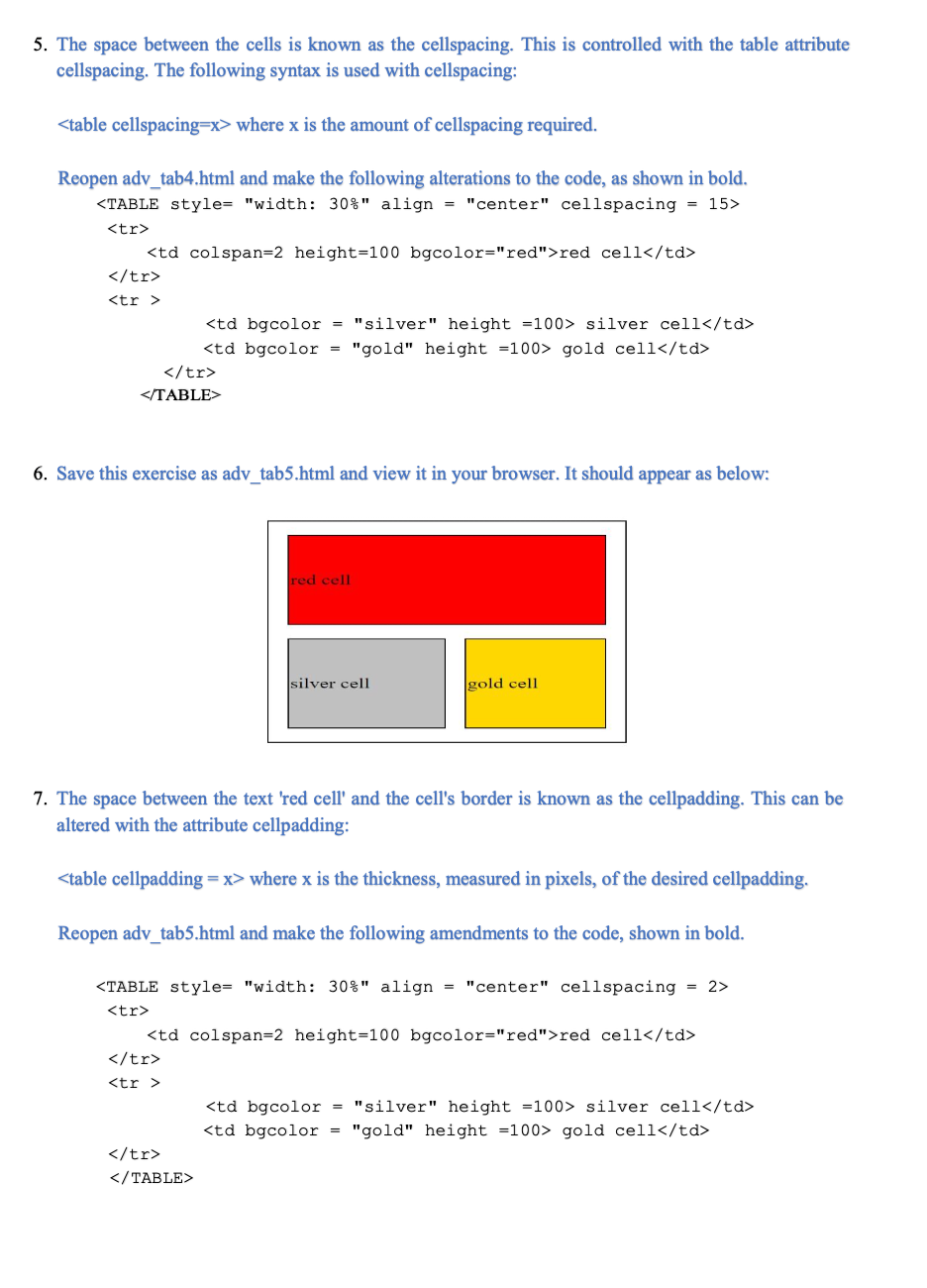
4. Save this exercise as adv_tab4.html and view it in your browser. It should appear as below. red cell silver cell gold cell 5. The space between the cells is known as the cellspacing. This is controlled with the table attribute cellspacing. The following syntax is used with cellspacing: where x is the amount of cellspacing required. Reopen adv_tab4.html and make the following alterations to the code, as shown in bold.
red cell
silver cell gold cell
6. Save this exercise as adv_tab5.html and view it in your browser. It should appear as below: red cell silver cell gold cell 7. The space between the text 'red cell' and the cell's border is known as the cellpadding. This can be altered with the attribute cellpadding: where x is the thickness, measured in pixels, of the desired cellpadding. Reopen adv_tab5.html and make the following amendments to the code, shown in bold.
red cell
silver cell gold cell
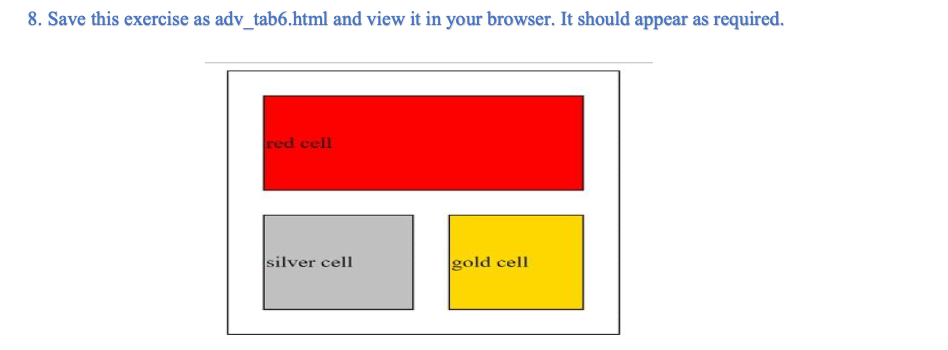
8. Save this exercise as adv_tab6.html and view it in your browser. It should appear as required. red cell silver cell gold cell

Step by Step Solution

There are 3 Steps involved in it

1 Expert Approved Answer
Step: 1 Unlock blur-text-image

Question Has Been Solved by an Expert!

Get step-by-step solutions from verified subject matter experts

Step: 2 Unlock
Step: 3 Unlock

Students Have Also Explored These Related Databases Questions!