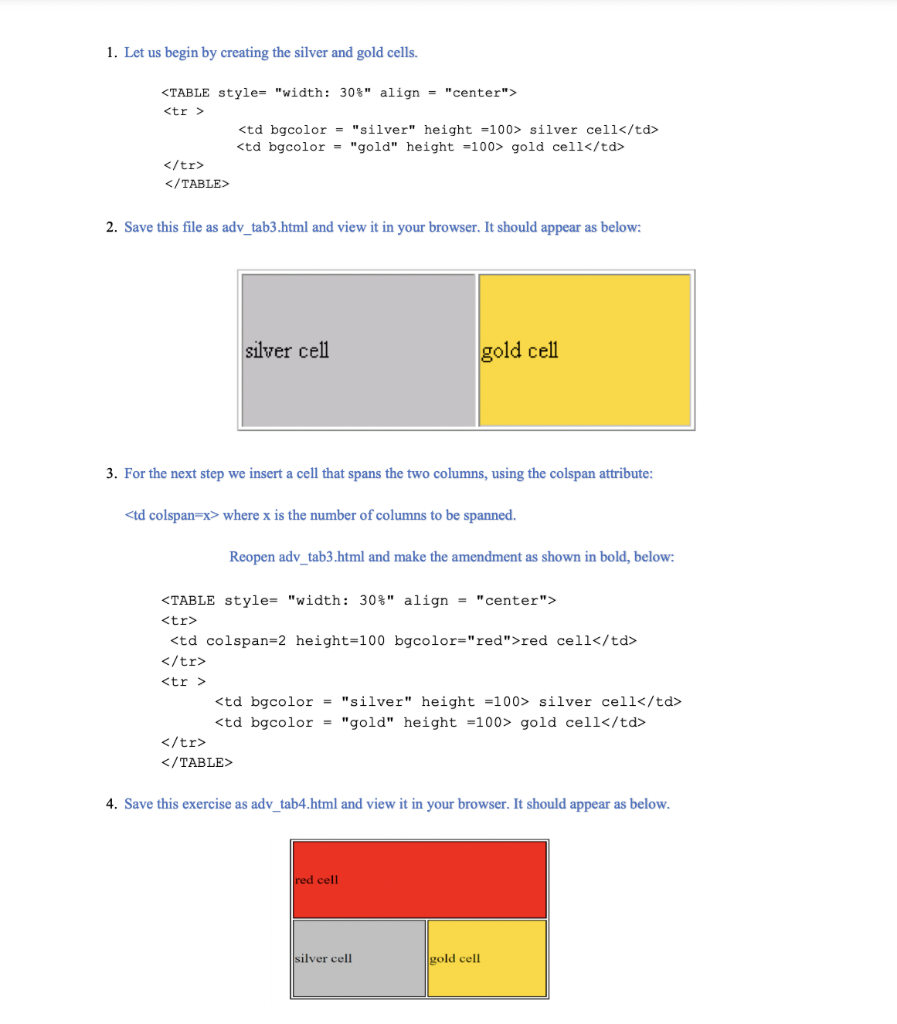
Question: PLEASE ANSWER THEM AS QUICK AS POSSIBLE!! WILL GIVE YOU A LIKE! THANK YOU! 1. Let us begin by creating the silver and gold cells.
 PLEASE ANSWER THEM AS QUICK AS POSSIBLE!! WILL GIVE YOU A LIKE! THANK YOU!
1. Let us begin by creating the silver and gold cells.
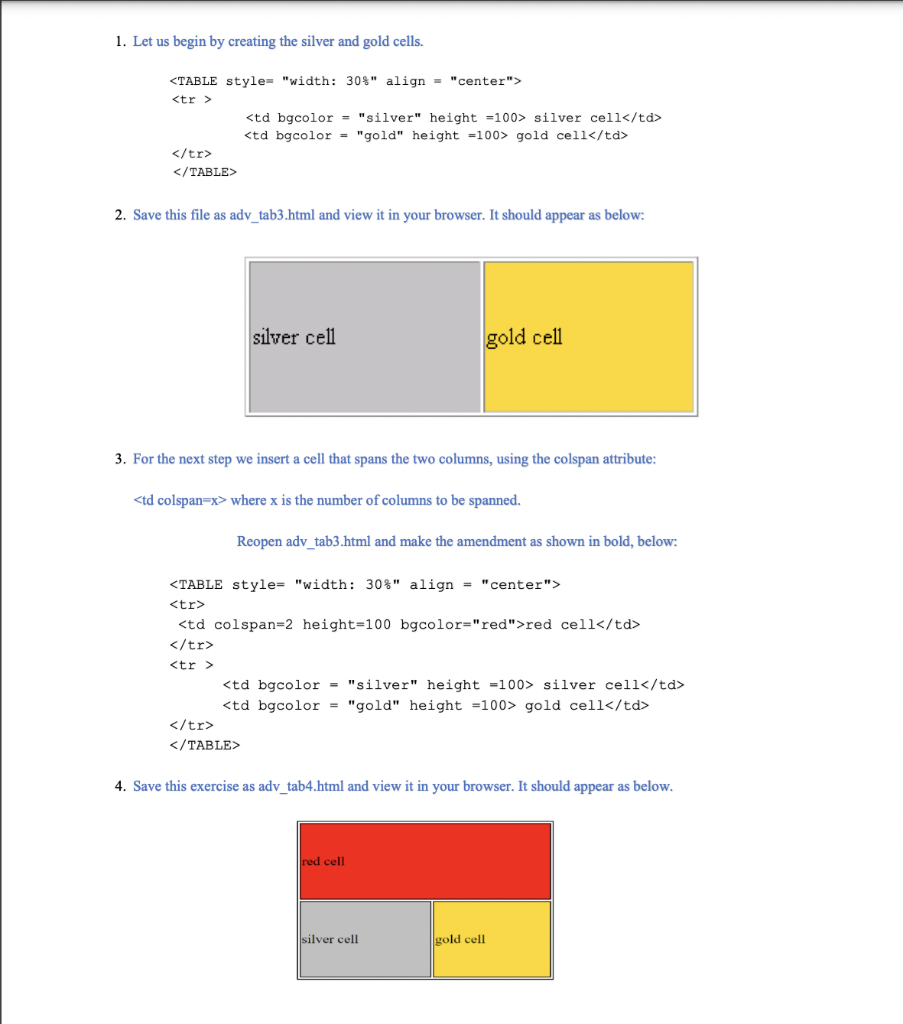
2. Save this file as adv_tab3.html and view it in your browser. It should appear as below: silver cell gold cell 3. For the next step we insert a cell that spans the two columns, using the colspan attribute:
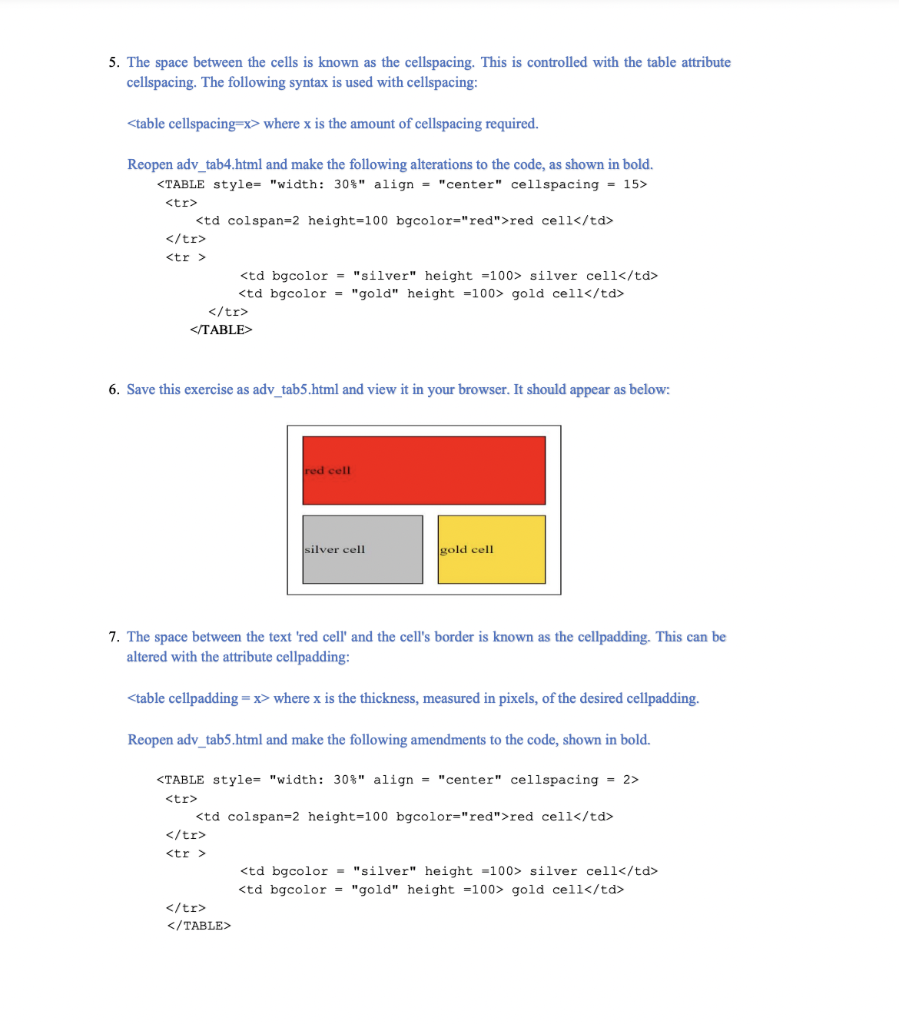
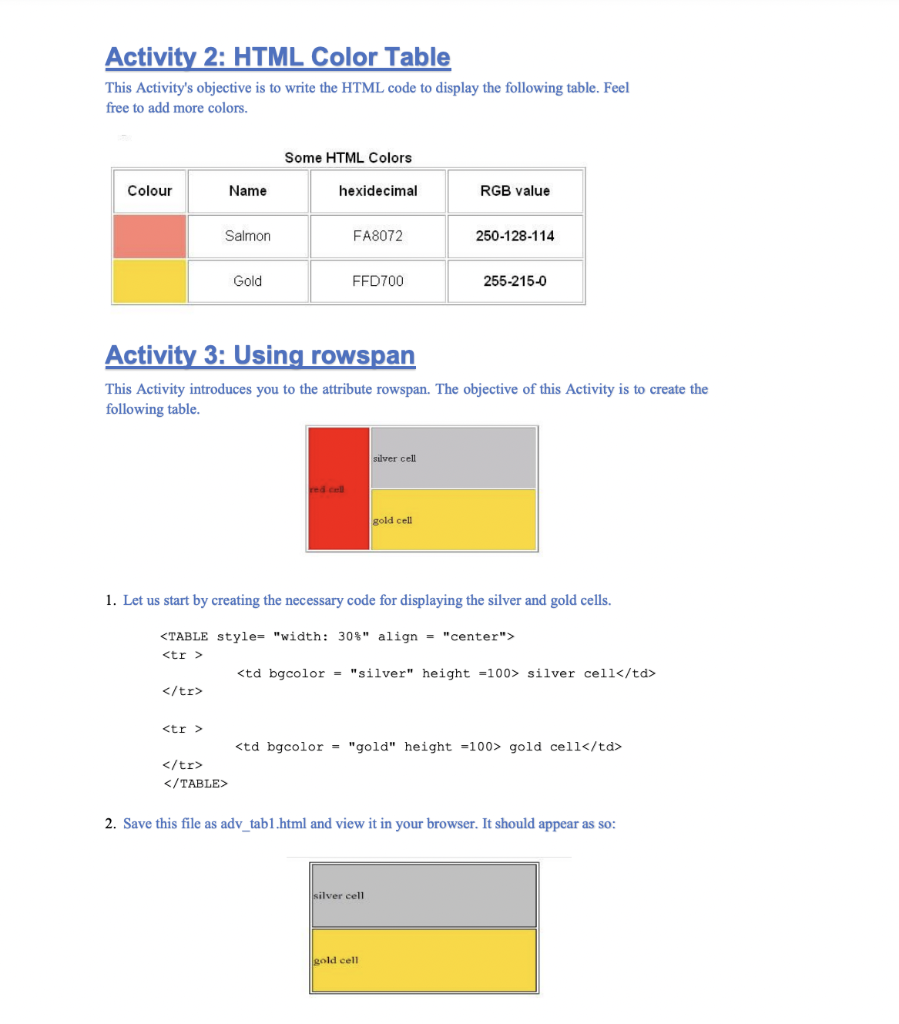
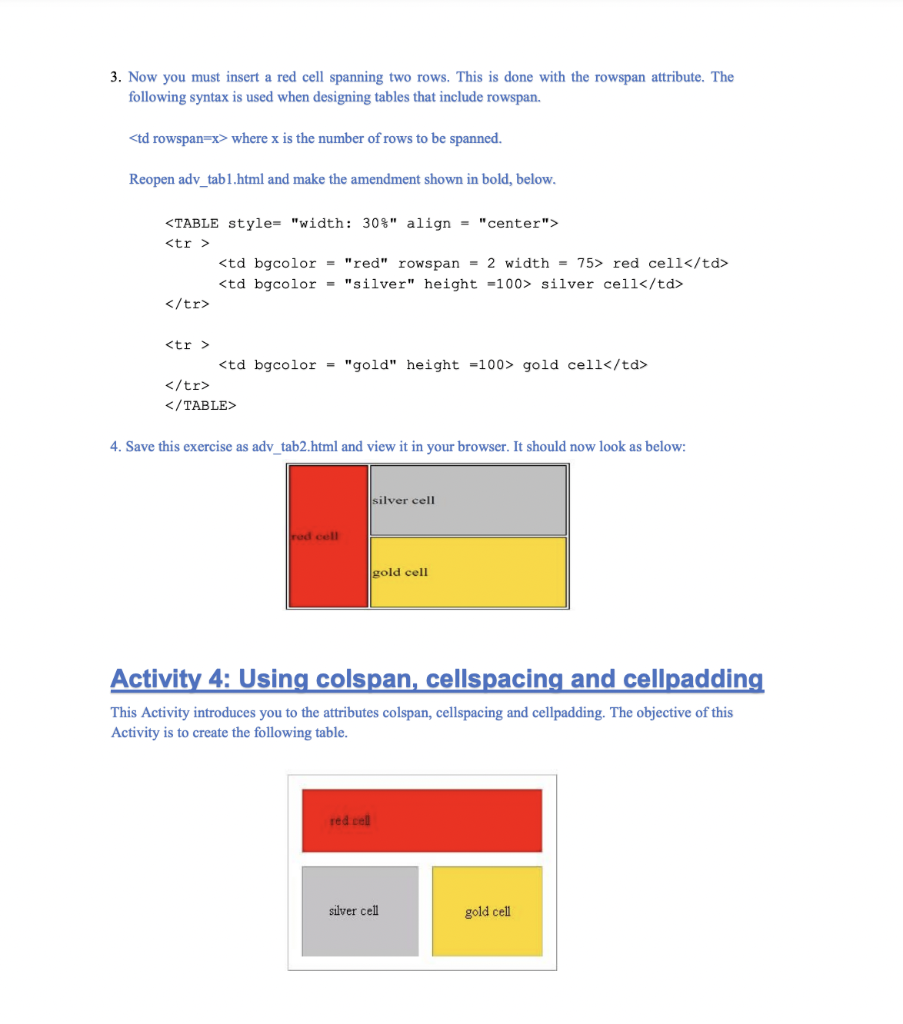
where x is the number of columns to be spanned. Reopen adv_tab3.html and make the amendment as shown in bold, below: | red cell | | silver cell | gold cell | 4. Save this exercise as adv_tab4.html and view it in your browser. It should appear as below. red cell silver cell gold cell 5. The space between the cells is known as the cellspacing. This is controlled with the table attribute cellspacing. The following syntax is used with cellspacing: where x is the amount of cellspacing required. Reopen adv_tab4.html and make the following alterations to the code, as shown in bold. 6. Save this exercise as adv_tab5.html and view it in your browser. It should appear as below: red cell silver cell gold cell 7. The space between the text 'red cell' and the cell's border is known as the cellpadding. This can be altered with the attribute cellpadding: where x is the thickness, measured in pixels, of the desired cellpadding. Reopen adv_tab5.html and make the following amendments to the code, shown in bold. Activity 2: HTML Color Table This Activity's objective is to write the HTML code to display the following table. Feel free to add more colors. Some HTML Colors Colour Name hexidecimal RGB value Salmon FA8072 250-128-114 Gold FFD700 255-215-0 Activity 3: Using rowspan This Activity introduces you to the attribute rowspan. The objective of this Activity is to create the following table. silver cell red cell gold cell 1. Let us start by creating the necessary code for displaying the silver and gold cells. 2. Save this file as adv_tab1.html and view it in your browser. It should appear as so: silver cell gold cell 3. Now you must insert a red cell spanning two rows. This is done with the rowspan attribute. The following syntax is used when designing tables that include rowspan. where x is the number of rows to be spanned. Reopen adv_tab1.html and make the amendment shown in bold, below. | red cell | silver cell | | gold cell | 4. Save this exercise as adv_tab2.html and view it in your browser. It should now look as below: silver cell red cell gold cell Activity 4: Using colspan, cellspacing and cellpadding This Activity introduces you to the attributes colspan, cellspacing and cellpadding. The objective of this Activity is to create the following table. red cel silver cell gold cell 1. Let us begin by creating the silver and gold cells. 2. Save this file as adv_tab3.html and view it in your browser. It should appear as below: silver cell gold cell 3. For the next step we insert a cell that spans the two columns, using the colspan attribute: | where x is the number of columns to be spanned. Reopen adv_tab3.html and make the amendment as shown in bold, below: | red cell | | silver cell | gold cell | 4. Save this exercise as adv_tab4.html and view it in your browser. It should appear as below. red cell silver cell gold cell | |









 Study Help