







Question: activity_main xml: MainActivity.java ackage edu.example.appfileoutput; import android.os.Bundle; import android.util.Log; import android.view.View; import android.widget.EditText; import android.widget.TextView; import android.widget.Toast; import androidx.appcompat.app.AppCompatActivity; import java.io.IOException; import java.io.InputStream; import java.util.Scanner;
activity_main xml:
MainActivity.java
ackage edu.example.appfileoutput; import android.os.Bundle; import android.util.Log; import android.view.View; import android.widget.EditText; import android.widget.TextView; import android.widget.Toast; import androidx.appcompat.app.AppCompatActivity; import java.io.IOException; import java.io.InputStream; import java.util.Scanner; public class MainActivity extends AppCompatActivity { EditText et; TextView tv; int numLines; int num2; @Override protected void onCreate(Bundle savedInstanceState) { super.onCreate(savedInstanceState); setContentView(R.layout.activity_main); init(); } private void init() { et = findViewById(R.id.editFileName); tv = findViewById(R.id.txtResult); } public static void fourth_root_it(double[] a, int num_vals) { for(int i = 0; i Android manifest:
Strings.xml
Enter the name of the input file 4th Root & Display Status.
data.txt
16 81 256
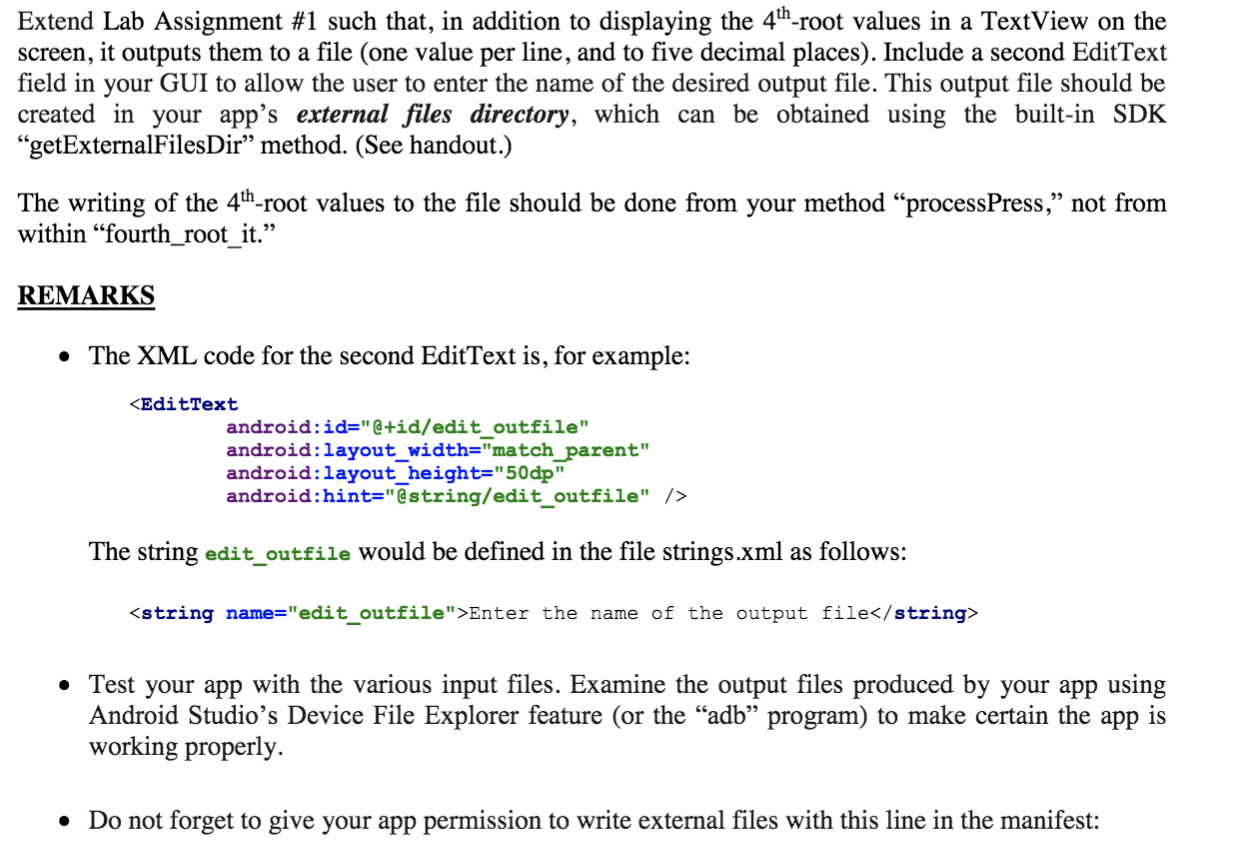
Extend Lab Assignment #1 such that, in addition to displaying the 4th-root values in a TextView on the screen, it outputs them to a file (one value per line, and to five decimal places). Include a second EditText field in your GUI to allow the user to enter the name of the desired output file. This output file should be created in your app's external files directory, which can be obtained using the built-in SDK getExternalFiles Dir method. (See handout.) The writing of the 4th-root values to the file should be done from your method processPress, not from within fourth_root_it. REMARKS The XML code for the second EditText is, for example: Enter the name of the output file Test your app with the various input files. Examine the output files produced by your app using Android Studio's Device File Explorer feature (or the adb program) to make certain the app is working properly. Do not forget to give your app permission to write external files with this line in the manifest: Extend Lab Assignment #1 such that, in addition to displaying the 4th-root values in a TextView on the screen, it outputs them to a file (one value per line, and to five decimal places). Include a second EditText field in your GUI to allow the user to enter the name of the desired output file. This output file should be created in your app's external files directory, which can be obtained using the built-in SDK getExternalFiles Dir method. (See handout.) The writing of the 4th-root values to the file should be done from your method processPress, not from within fourth_root_it. REMARKS The XML code for the second EditText is, for example: Enter the name of the output file Test your app with the various input files. Examine the output files produced by your app using Android Studio's Device File Explorer feature (or the adb program) to make certain the app is working properly. Do not forget to give your app permission to write external files with this line in the manifest Step by Step Solution
There are 3 Steps involved in it
1 Expert Approved Answer
Step: 1 Unlock

Question Has Been Solved by an Expert!
Get step-by-step solutions from verified subject matter experts
Step: 2 Unlock
Step: 3 Unlock
 Study Help