







Question: Add a new comment below the pic 1 ( ) function, followed by a new function named pic 2 ( ) . Carefully analyze the
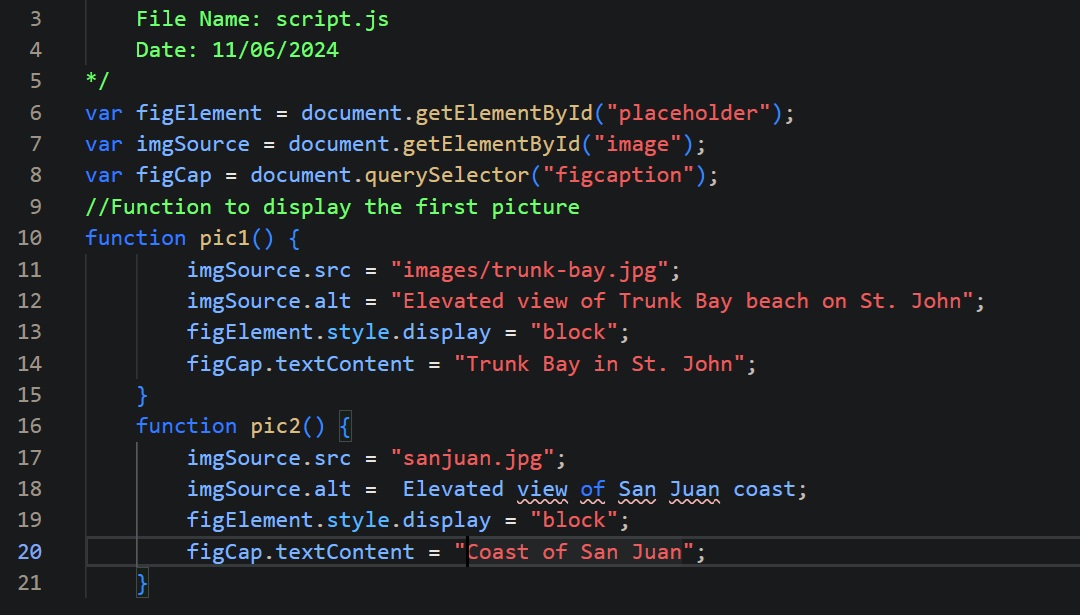
Add a new comment below the pic function, followed by a new function named pic Carefully analyze the pic function to understand the purpose of the four statements within the function. Use it as a guide to create the pic function. The pic function should display the sanjuan.jpg image, use Elevated view of San Juan coast for the img alt text, and use Coast of San Juan for the figcaption text.
File Name: script.js
Date:
var figElement document.getElementByIdplaceholder;
var imgSource document.getElementByIdimage;
var figCap document.querySelectorfigcaption;
Function to display the first picture
function pic
imgSource.src "imagestrunkbay.jpg;
imgSource.alt "Elevated view of Trunk Bay beach on St John";
figElement.style.display "block";
figCap.textContent "Trunk Bay in St John";
function pic
imgSource.src "sanjuan.jpg;
imgSource.alt Elevated view of San Juan coast;
figElement.style.display "block";
figCap.textContent "Coast of San Juan";
Step by Step Solution
There are 3 Steps involved in it
1 Expert Approved Answer
Step: 1 Unlock

Question Has Been Solved by an Expert!
Get step-by-step solutions from verified subject matter experts
Step: 2 Unlock
Step: 3 Unlock
 Study Help