







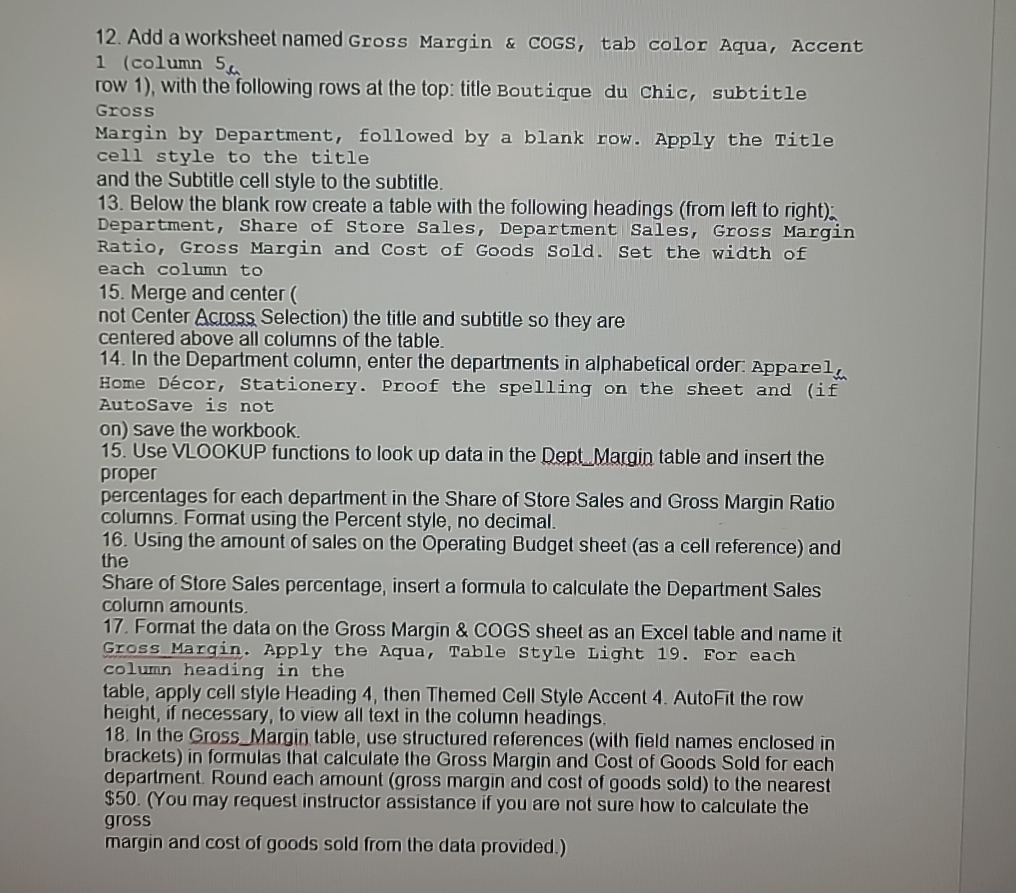
Question: Add a worksheet named Gross Margin & CoGS, tab color Aqua, Accent 1 ( column 5 c row 1 ) , with the following rows
Add a worksheet named Gross Margin & CoGS, tab color Aqua, Accent column c row with the following rows at the top: title Boutique du Chic, subtitle Gross
Margin by Department, followed by a blank row. Apply the Title cell style to the title and the Subtitle cell style to the subtitle.
Below the blank row create a table with the following headings from left to righta Department, Share of Store Sales, Department Sales, Gross Margin Ratio, Gross Margin and cost of Goods Sold. Set the width of each column to
Merge and center
not Center Across Selection the title and subtitle so they are centered above all columns of the table.
In the Department column, enter the departments in alphabetical order: Apparel, Home Dcor Stationery. Proof the spelling on the sheet and if Autosave is not
on save the workbook.
Use VLOOKUP functions to look up data in the DeptMargin table and insert the proper percentages for each department in the Share of Store Sales and Gross Margin Ratio columns. Format using the Percent style, no decimal.
Using the amount of sales on the Operating Budget sheet as a cell reference and the
Share of Store Sales percentage, insert a formula to calculate the Department Sales column amounts.
Format the data on the Gross Margin & COGS sheet as an Excel table and name it Gross Margin. Apply the Aqua, Table Style Light For each colum heading in the
table, apply cell style Heading then Themed Cell Style Accent AutoFit the row height, if necessary, to view all text in the column headings.
In the Gross Margin table, use structured references with field names enclosed in brackets in formulas that calculate the Gross Margin and Cost of Goods Sold for each department. Round each amount gross margin and cost of goods sold to the nearest $You may request instructor assistance if you are not sure how to calculate the gross
margin and cost of goods sold from the data provided.
Step by Step Solution
There are 3 Steps involved in it
1 Expert Approved Answer
Step: 1 Unlock

Question Has Been Solved by an Expert!
Get step-by-step solutions from verified subject matter experts
Step: 2 Unlock
Step: 3 Unlock
 Study Help