







Question: - Add an additional reset input, this should be an active low input. - Add the necessary code to implement this /reset feature. The following
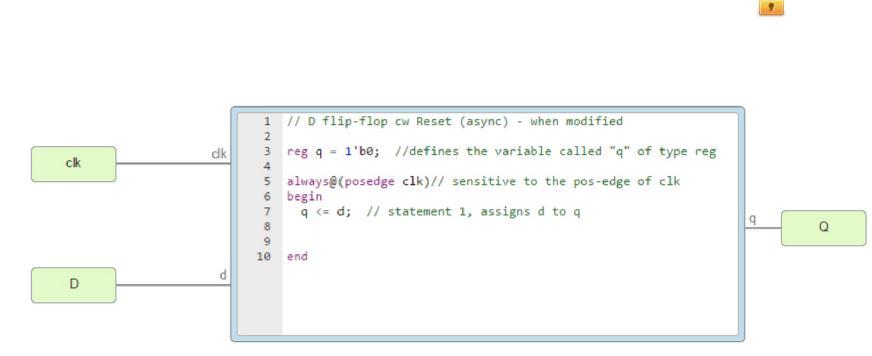
- Add an additional reset input, this should be an active low input. - Add the necessary code to implement this /reset feature.
The following outlines the process of adding the reset feature :- Add an additional input reset (call it r). Add an input pin (label as /Reset) Add to the existing always@ procedural block as a trigger, another sensitivity for the negative edge of the block input r Using if - test the Boolean status of the block input r. If statement is true, use another non-blocking assignment to assign 0 to r, the non-blocking assignment is also used in line 7.
clk clk 4 1 // D flip-flop cw Reset (async) - when modified 2 3 reg 9 1'be; //defines the variable called "q" of type reg 5 always@(posedge clk)// sensitive to the pos-edge of clk 6 begin 7 9 (= d; // statement 1, assigns d to a 9 o 8 9 10 end D clk clk 4 1 // D flip-flop cw Reset (async) - when modified 2 3 reg 9 1'be; //defines the variable called "q" of type reg 5 always@(posedge clk)// sensitive to the pos-edge of clk 6 begin 7 9 (= d; // statement 1, assigns d to a 9 o 8 9 10 end D
Step by Step Solution
There are 3 Steps involved in it

Get step-by-step solutions from verified subject matter experts
 Study Help