







Question: add exception handling ti the simple calculator. Adobe Acrobat Reader DC ndow Help Extra exerases-2pdf x +) | 108% 12 49 Extra exercises for Murach's
add exception handling ti the simple calculator.
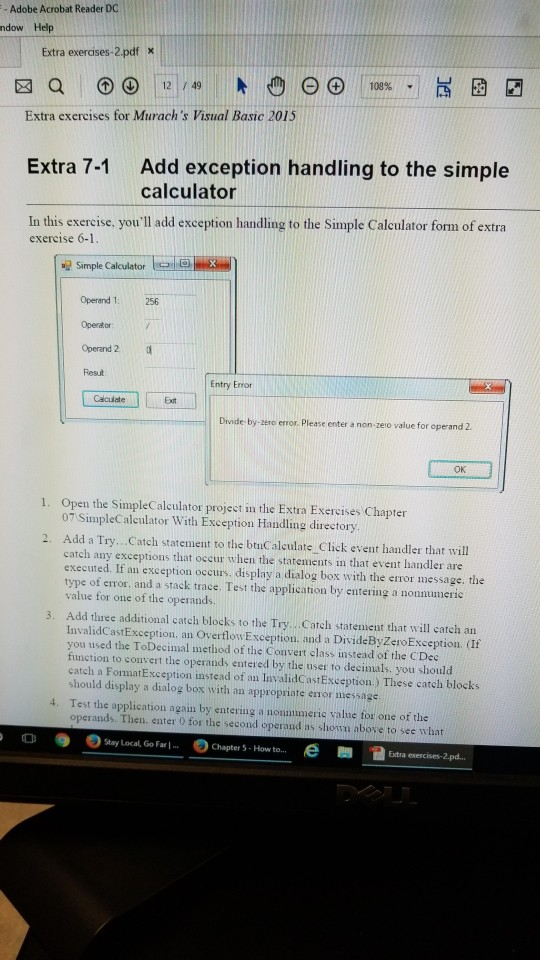
Adobe Acrobat Reader DC ndow Help Extra exerases-2pdf x +) | 108% 12 49 Extra exercises for Murach's Visual Basic 2015 Add exception handling to the simple calculator Extra 7-1 In this exercise, you'll add exception handling to the Simple Calculator form of extra exercise 6-1 Simple Calculator Operand 1: Operdtor Operand 2 Resut 256 Entry Error Divide- by-zero error. Please enter a non-zero value for operand 2 OK 1. Open the SimpleCalculator projest in the Extra Exercises Chapter 07 SimpleCaleulator With Exception Handling directory 2. Add a Try . . Catch statement to the btC alculate Click event handler that will catch any exceptions that occur when the statements in that event handler are executed. If an exception occurs, display a dialog box with the eiror message. the type of error, and a stack trace. Test the application by entering a nonnumeric value for one of the operands 3. Add three additional catch blocks to the Try. . .Catch statement that will catch an InvalidCastException, an Overflow Exception. and a DivideByZeroException. (If you used the ToDecimal method of the Convert class instead of the C Dec function to convert the operands entered by the user to decimals, you should catch a FomatException instead of an InvalidCastException.) These catch blocks should display a dialog box with an appropriate error message Test the application again by entering a nonnumeric value for one of the operands. Then, enter 0 for the second operand as shown above to see what 4. o Stay Local, Go Far 1 Chapter 5-How to...etra exercises-2.pa
Step by Step Solution
There are 3 Steps involved in it

Get step-by-step solutions from verified subject matter experts
 Study Help