







Question: Add the Echo action. In the Echo Action Block, change the Echo On box to No. Click in the Status Bar Text box. and then
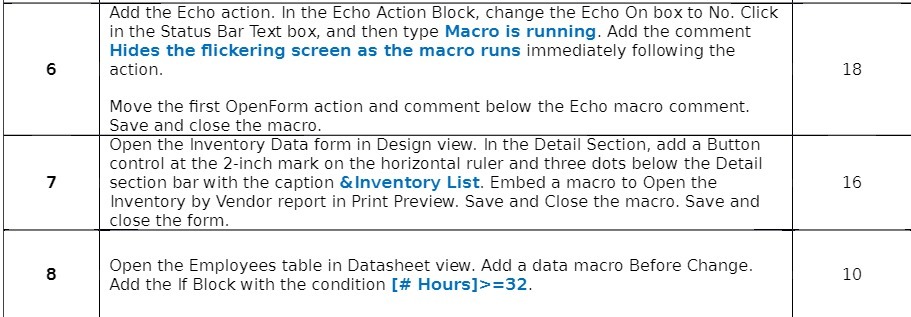
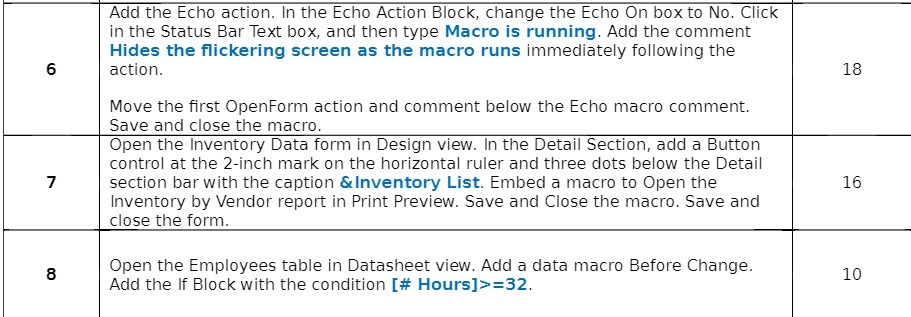
Add the Echo action. In the Echo Action Block, change the Echo On box to No. Click in the Status Bar Text box. and then type Macro is running. Add the comment Hides the ickering screen as the macro runs immediately following the action. Move the rst OpenForm action and comment below the Echo macro comment. Save and close the macro. Open the Inventory Data form in Design view. In the Detail Section, add a Button control at the 2inch mark on the horizontal ruler and three dots below the Detail section barwith the caption lnventory List. Embed a macro to Open the Inventory by Vendor report in Print Preview. Save and Close the macro. Save and close the form. Open the Employees table in Datasheet view. Add a data macro Before Change. Add the If Block with the condition [# Hours]>=32. 18 16 10
Step by Step Solution
There are 3 Steps involved in it

Get step-by-step solutions from verified subject matter experts
 Study Help