







Question: AIB 1 Internal Control and Cash 2 Using Excel for a Bank Reconciliation 4 lori Anders of wilderness Associates is getting ready to prepare the
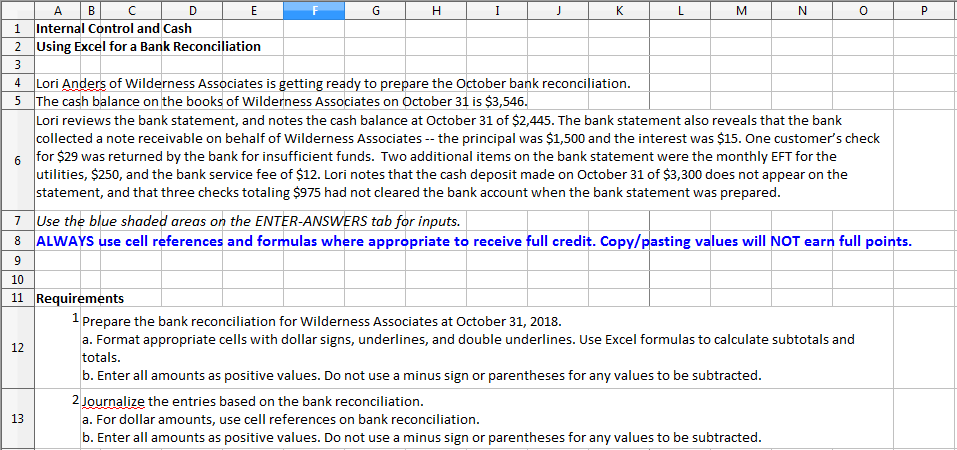
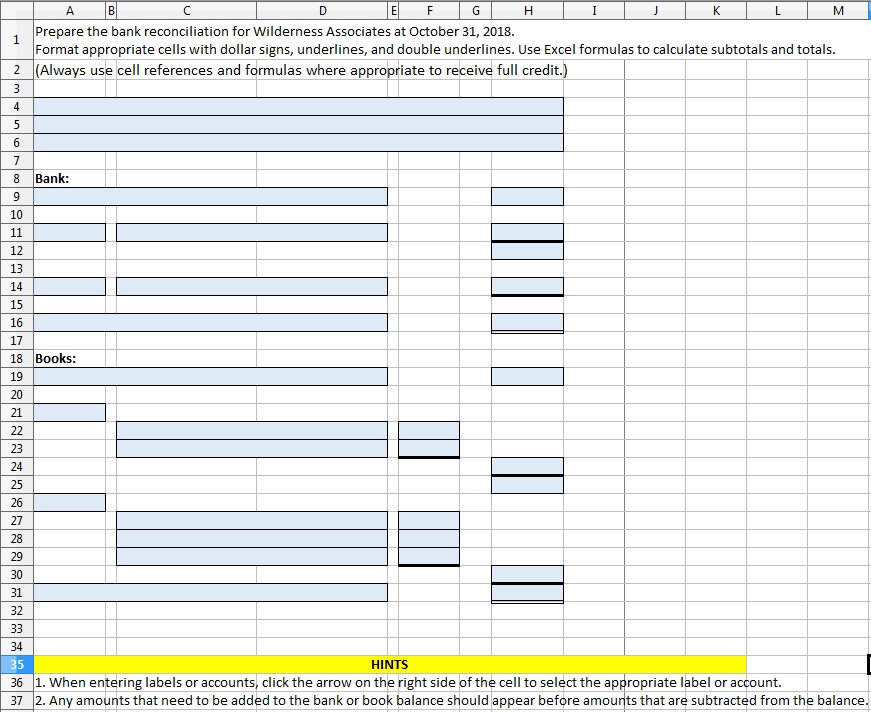
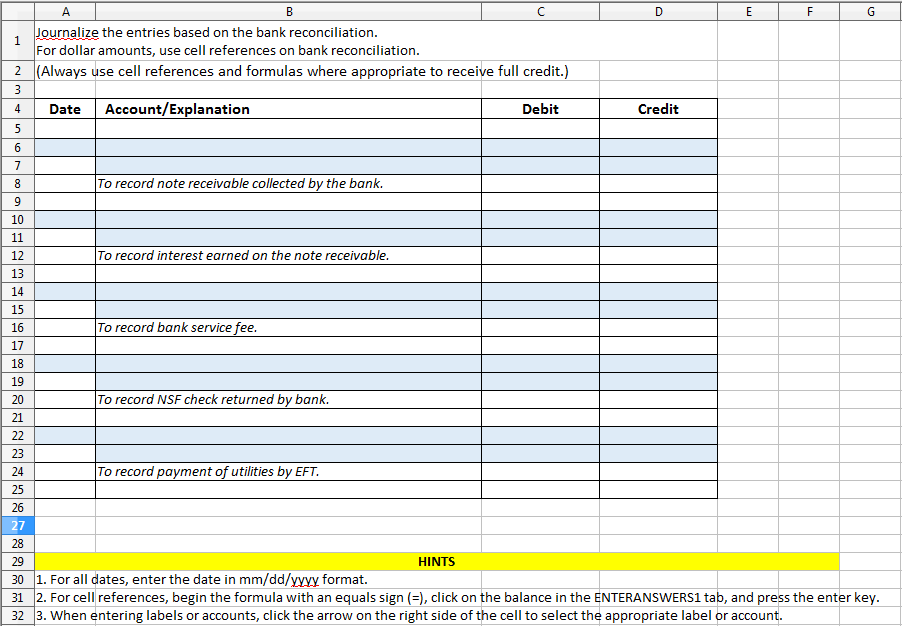
AIB 1 Internal Control and Cash 2 Using Excel for a Bank Reconciliation 4 lori Anders of wilderness Associates is getting ready to prepare the October bank reconciliation 5 The cash balance on the books of Wilderness Associates on October 31 is $3,546 Lori reviews the bank statement, and notes the cash balance at October 31 of $2,445. The bank statement also reveals that the bank collected a note receivable on behalf of Wilderness Associates -- the principal was $1,500 and the interest was $15. One customer's check for $29 was returned by the bank for insufficient funds. Two additional items on the bank statement were the monthly EFT for the utilities, $250, and the bank service fee of $12. Lori notes that the cash deposit made on October 31 of $3,300 does not appear on the statement, and that three checks totaling $975 had not cleared the bank account when the bank statement was prepared 6 7 Use the blue shaded areas on the ENTER-ANSWERS tab for inputs. ALWAYS use cell references and formulas where appropriate to receive full credit. Copy/pasting values will NOT earn full points 10 11 Requirements Prepare the bank reconciliation for Wilderness Associates at October 31, 2018 a. Format appropriate cells with dollar signs, underlines, and double underlines. Use Excel formulas to calculate subtotals and totals. b. Enter all amounts as positive values. Do not use a minus sign or parentheses for any values to be subtracted 12 2 Journalize the entries based on the bank reconciliation. 13 a. For dollar amounts, use cell references on bank reconciliation. b. Enter all amounts as positive values. Do not use a minus sign or parentheses for any values to be subtracted
Step by Step Solution
There are 3 Steps involved in it

Get step-by-step solutions from verified subject matter experts
 Study Help