







Question: An Internet Protocol Version 6 address ( IPv 6 address ) is a numerical label that is used to identify a network interface of a
An Internet Protocol Version address IPv address is a numerical label that is used to identify
a network interface of a computer or a network node participating in an IPv computer network and
for locating it in the network.
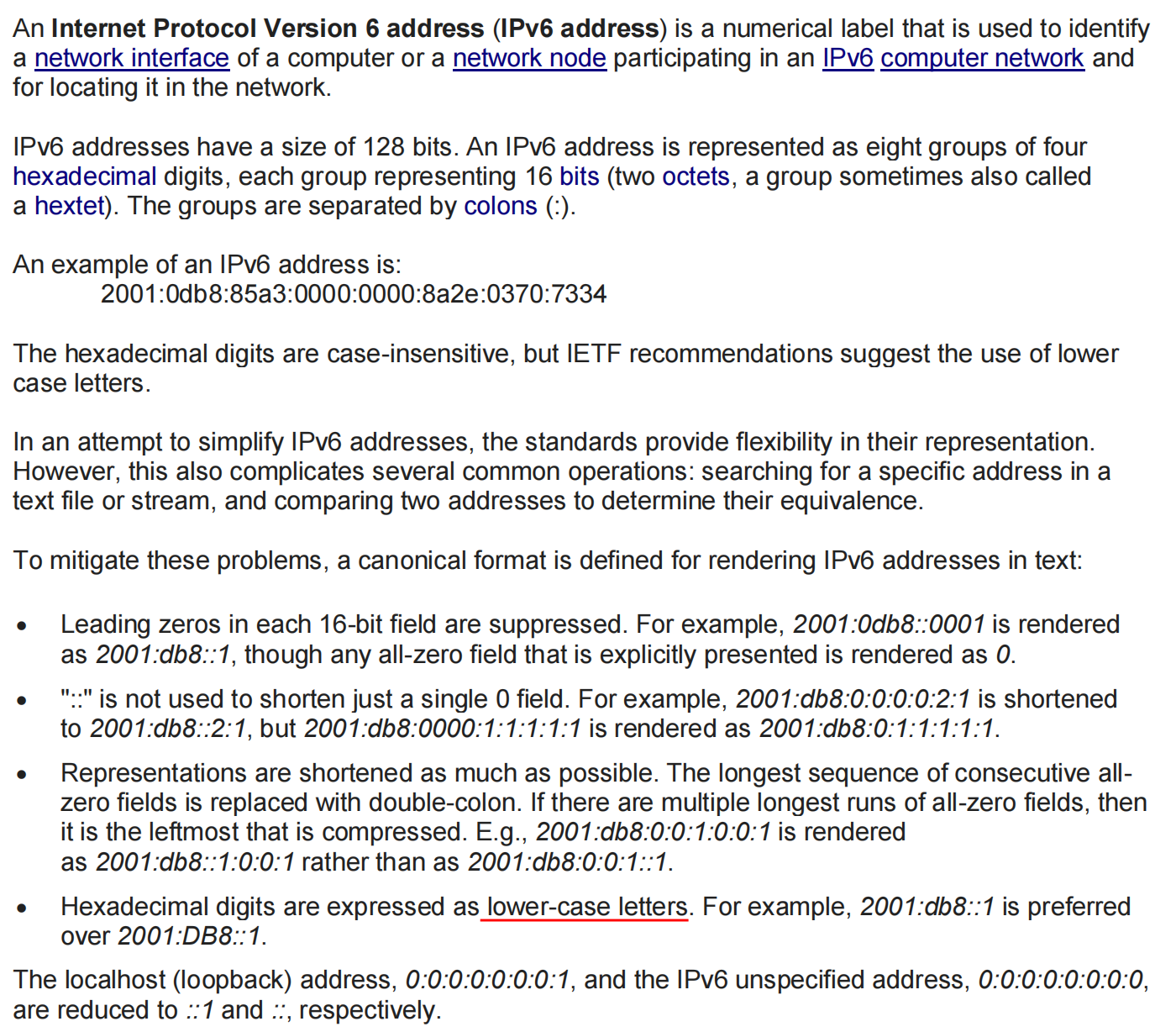
IPv addresses have a size of bits. An IPv address is represented as eight groups of four
hexadecimal digits, each group representing bits two octets, a group sometimes also called
a hextet The groups are separated by colons
An example of an IPv address is:
:db:a:::ae::
The hexadecimal digits are caseinsensitive, but IETF recommendations suggest the use of lower
case letters.
In an attempt to simplify IPv addresses, the standards provide flexibility in their representation.
However, this also complicates several common operations: searching for a specific address in a
text file or stream, and comparing two addresses to determine their equivalence.
To mitigate these problems, a canonical format is defined for rendering IPv addresses in text:
Leading zeros in each bit field are suppressed. For example, :db:: is rendered
as :db:: though any allzero field that is explicitly presented is rendered as
: is not used to shorten just a single field. For example, :db:::::: is shortened
to :db::: but :db:::::: is rendered as :db::::::
Representations are shortened as much as possible. The longest sequence of consecutive all
zero fields is replaced with doublecolon. If there are multiple longest runs of allzero fields, then
it is the leftmost that is compressed. Eg:db:::::: is rendered
as :db::::: rather than as :db:::::
Hexadecimal digits are expressed as lowercase letters. For example, :db:: is preferred
over :DB::
are reduced to :: and :: respectively.
Step by Step Solution
There are 3 Steps involved in it
1 Expert Approved Answer
Step: 1 Unlock

Question Has Been Solved by an Expert!
Get step-by-step solutions from verified subject matter experts
Step: 2 Unlock
Step: 3 Unlock
 Study Help