







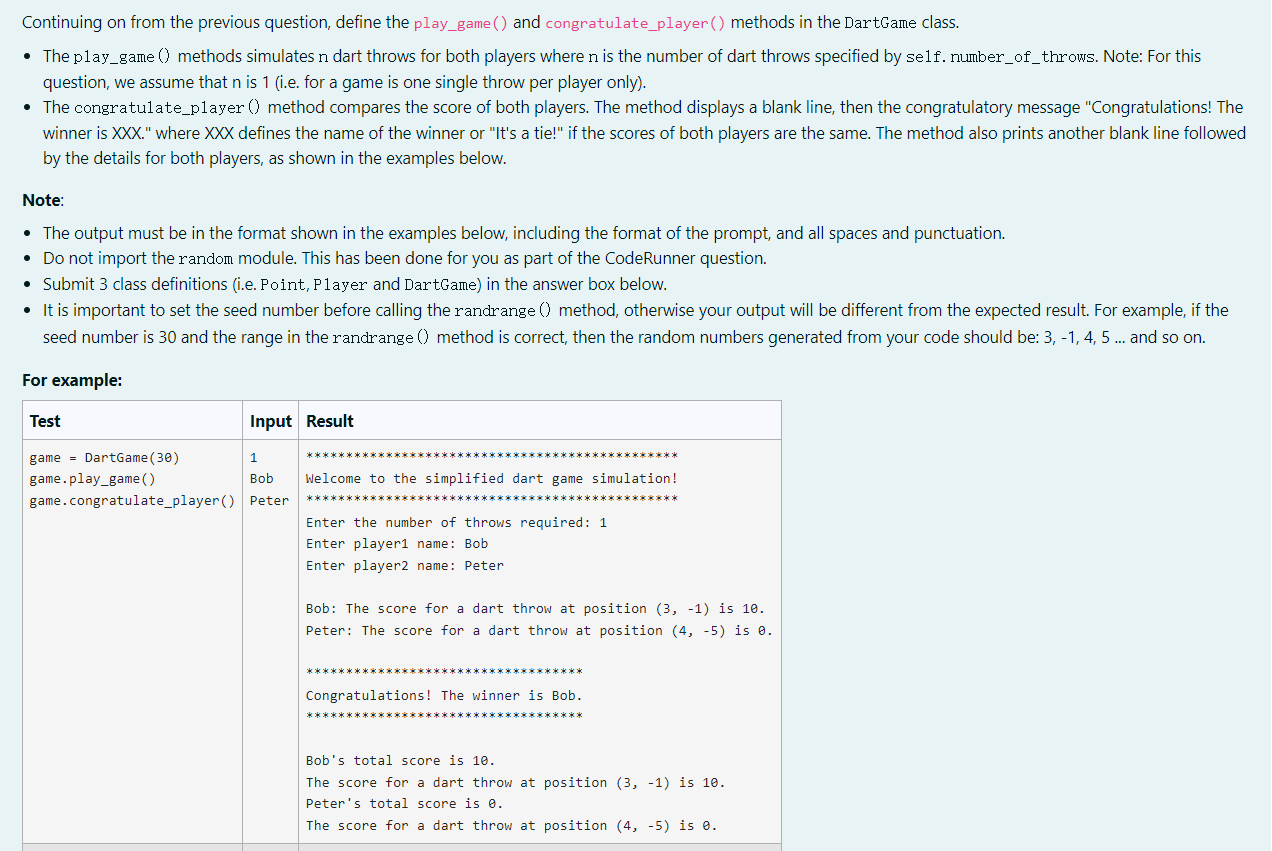
Question: and here is previous code: Continuing on from the previous question, define the play_game() and congratulate_player () methods in the DartGame class. - The play_game
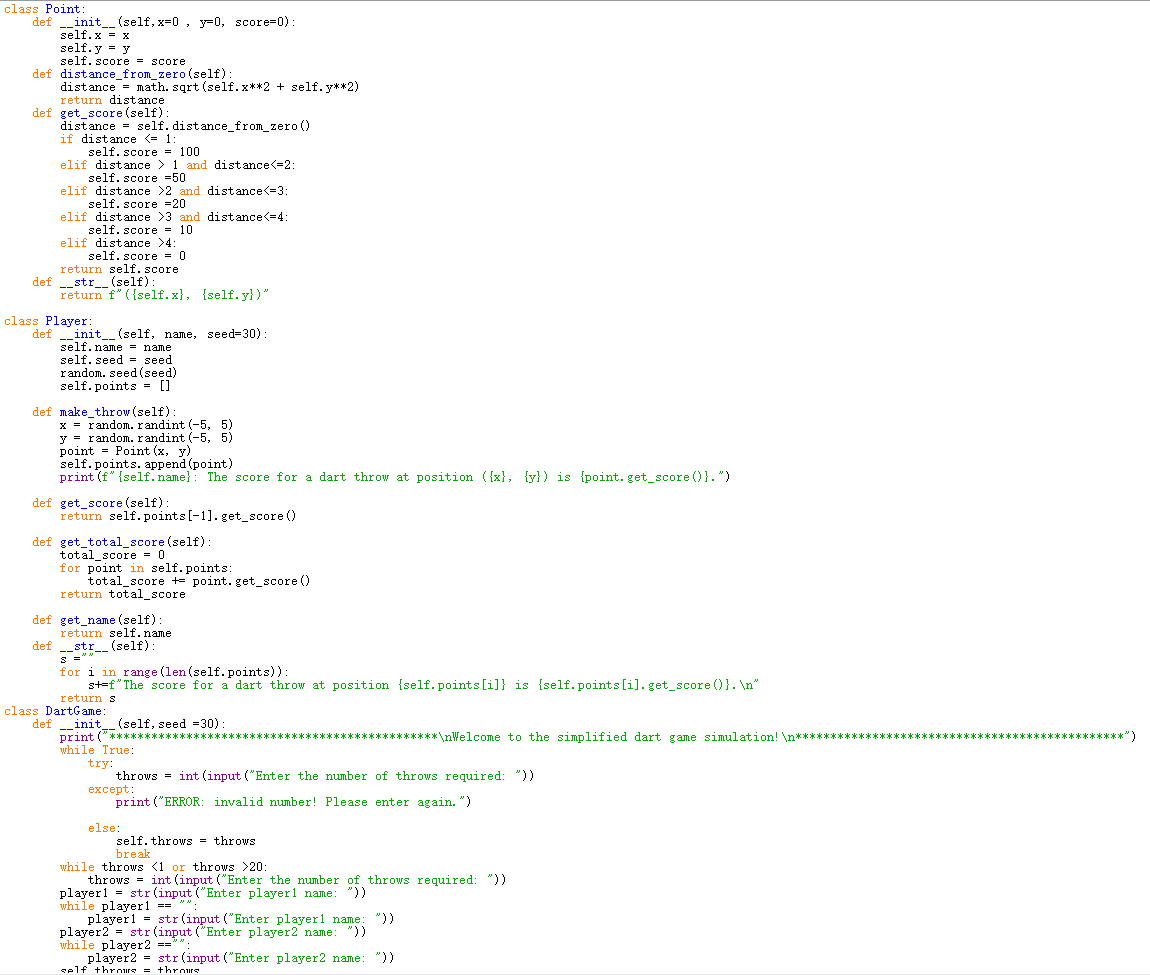
and here is previous code:
Continuing on from the previous question, define the play_game() and congratulate_player () methods in the DartGame class. - The play_game () methods simulates n dart throws for both players where n is the number of dart throws specified by self. number_of_throws. Note: For this question, we assume that n is 1 (i.e. for a game is one single throw per player only). - The congratulate_player () method compares the score of both players. The method displays a blank line, then the congratulatory message "Congratulations! The winner is XXX." where XXX defines the name of the winner or "It's a tie!" if the scores of both players are the same. The method also prints another blank line followed by the details for both players, as shown in the examples below. Note: - The output must be in the format shown in the examples below, including the format of the prompt, and all spaces and punctuation. - Do not import the random module. This has been done for you as part of the CodeRunner question. - Submit 3 class definitions (i.e. Point, Player and DartGame) in the answer box below. - It is important to set the seed number before calling the randrange () method, otherwise your output will be different from the expected result. For example, if the seed number is 30 and the range in the randrange () method is correct, then the random numbers generated from your code should be: 3,1,4,5 and so on. For example
Step by Step Solution
There are 3 Steps involved in it

Get step-by-step solutions from verified subject matter experts
 Study Help