







Question: (android studio) 5. Create a project called Calculator The main activity layout should contain two Edit Texts, four buttons, and one TextView (Figure 3.11). ut
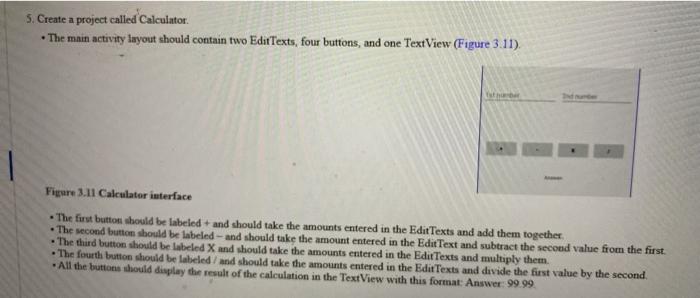
5. Create a project called Calculator The main activity layout should contain two Edit Texts, four buttons, and one TextView (Figure 3.11). ut Figure 3.11 Calculator interface The first button should be labeled and should take the amounts entered in the Edit Texts and add them together The second button should be labeled - and should take the amount entered in the Edit Text and subtract the second value from the first. The third button should be labeled X and should take the amounts entered in the Edit Texts and multiply them. The fourth button should be labeled and should take the amounts entered in the Edit Texts and divide the first value by the second . All the buttons should display the result of the calculation in the TextView with this format: Answer: 99.99
Step by Step Solution
There are 3 Steps involved in it

Get step-by-step solutions from verified subject matter experts
 Study Help