







Question: Android Studio as administrator: I keep trying to install SDK platforms and tools from Android studio. However, it will complete the download process but they
Android Studio as administrator: I keep trying to install SDK platforms and tools from Android studio. However, it will complete the download process but they still say not installed. How do I fix this? I can give more information if needed.
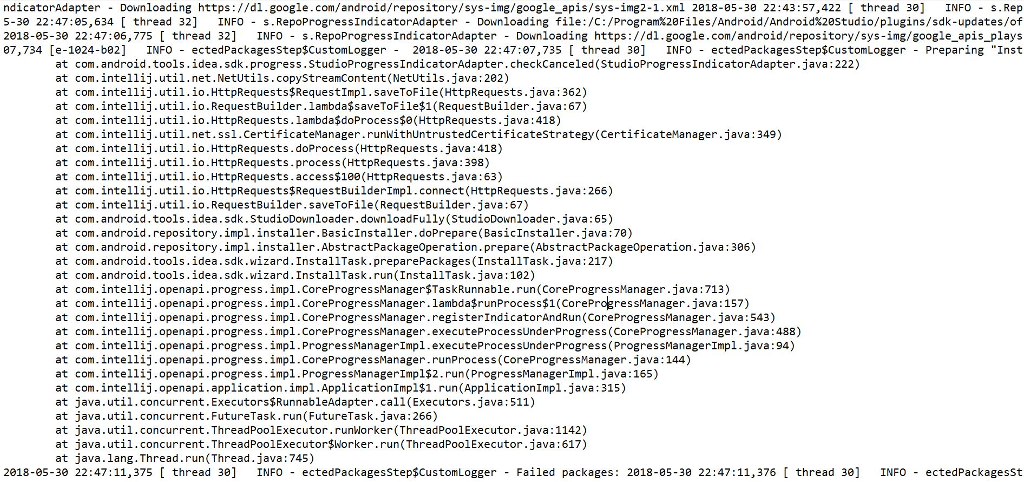
Here is a picture of the end of my error log. I'm new to this so I'm not sure which parts are important
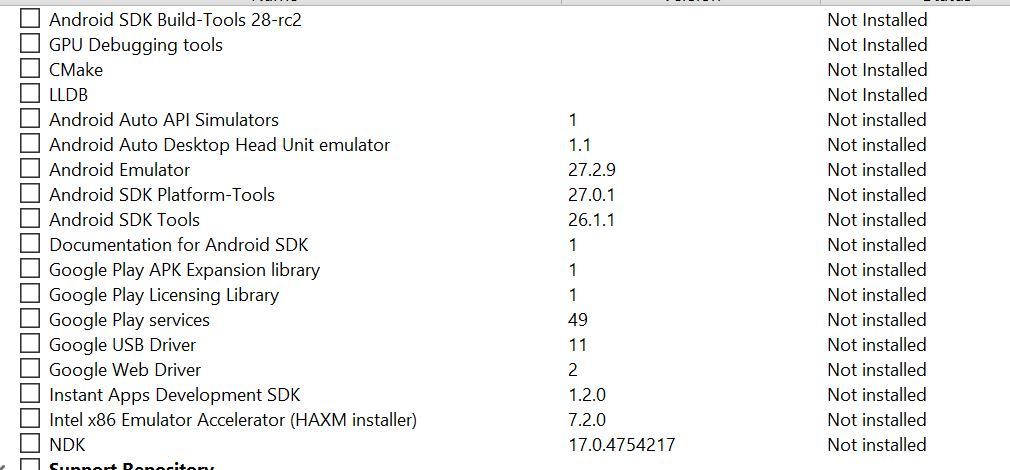
Not Installed Not Installed Not Installed Not Installed Not installed Not installed Not installed Not installed Not installed Not installed Not installed Not installed Not installed Not installed Not installed Not installed Not installed Not installed Android SDK Build-Tools 28-rc2 GPU Debugging tools ? CMake LLDB Android Auto API Simulators Android Auto Desktop Head Unit emulator Android Emulator Android SDK Platform-Tools Android SDK Tools Documentation for Android SDK Google Play APK Expansion library Google Play Licensing Library 27.2.9 27.0.1 26.1.1 ? Google Play services ? Google USB Driver 49 Google Web Driver Instant Apps Development SDK Intel x86 Emulator Accelerator (HAXM installer) NDK 1.2.0 7.2.0 17.0.4754217
Step by Step Solution
There are 3 Steps involved in it

Get step-by-step solutions from verified subject matter experts
 Study Help