







Question: arduino code needed 1. Project Description: Connect the 8x8 dot matrix display to the Arduino. Complete the interface by mapping the pinouts of the display
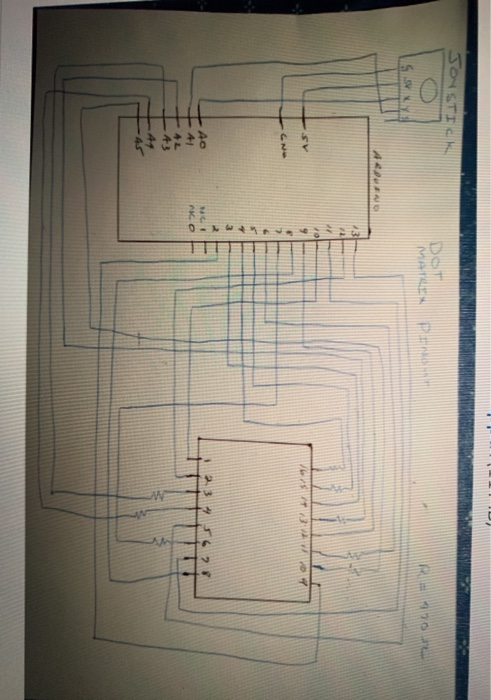
1. Project Description: Connect the 8x8 dot matrix display to the Arduino. Complete the interface by mapping the pinouts of the display and Arduino pins to the software row and column arrays as shown in class. Part 1 Utilizing the 8x8 dot matrix display the smile face and then change the smile to a frown. Each position should remain for 2 seconds, then repeat. Part 2 Utilizing the 8x8 dot matrix display the smile face and then rotate the face 90 degrees at a time until the face is back to the original position. Each position should remain for 2 seconds before the next rotation, then repeat. The face can be rotated clockwise or counter clockwise. DOT 120 1. Project Description: Connect the 8x8 dot matrix display to the Arduino. Complete the interface by mapping the pinouts of the display and Arduino pins to the software row and column arrays as shown in class. Part 1 Utilizing the 8x8 dot matrix display the smile face and then change the smile to a frown. Each position should remain for 2 seconds, then repeat. Part 2 Utilizing the 8x8 dot matrix display the smile face and then rotate the face 90 degrees at a time until the face is back to the original position. Each position should remain for 2 seconds before the next rotation, then repeat. The face can be rotated clockwise or counter clockwise. DOT 120
Step by Step Solution
There are 3 Steps involved in it

Get step-by-step solutions from verified subject matter experts
 Study Help