



Question: as user enters 'hit' i want the program to add another random number (generated from the fog() function) but the new numbers keep chnaging as
 as user enters 'hit' i want the program to add another random number (generated from the fog() function) but the new numbers keep chnaging as i enter hit.
 this is my goal:
the 2 given numbers are: 2,4
and if user enters hit it chnages it to 2,4,6
and if user enter hit again it should say 2,4,6,7
but in my program the new random numbers keep changing, is there a way to get around this ?
my python program:
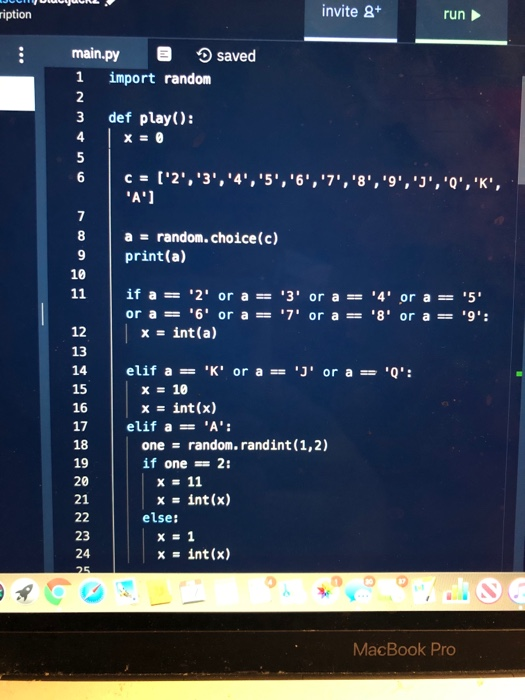
def play():
x = 0
c = ['2','3','4','5','6','7','8','9','J','Q','K','A']
a = random.choice(c)
print(a)
if a == '2' or a == '3' or a == '4' or a == '5' or a == '6' or a == '7' or a == '8' or a == '9':
x = int(a)
elif a == 'K' or a == 'J' or a == 'Q':
x = 10
x = int(x)
elif a == 'A':
one = random.randint(1,2)
if one == 2:
x = 11
x = int(x)
else:
x = 1
x = int(x)
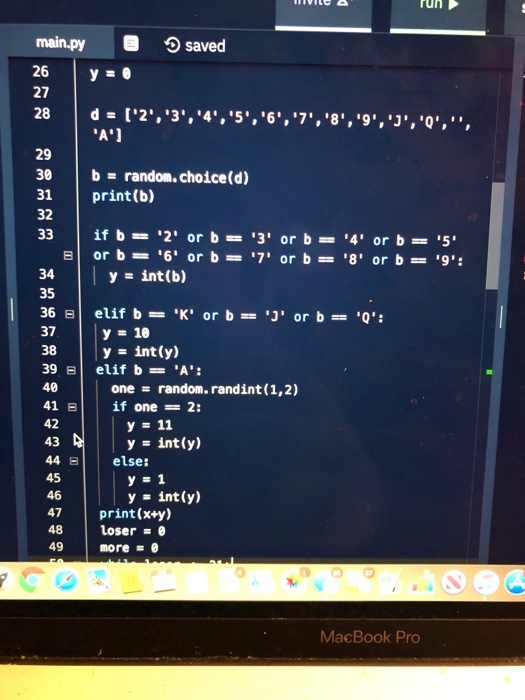
y = 0
d = ['2','3','4','5','6','7','8','9','J','Q','','A']
b = random.choice(d)
print(b)
if b == '2' or b == '3' or b == '4' or b == '5' or b == '6' or b == '7' or b == '8' or b == '9':
y = int(b)
elif b == 'K' or b == 'J' or b == 'Q':
y = 10
y = int(y)
elif b == 'A':
one = random.randint(1,2)
if one == 2:
y = 11
y = int(y)
else:
y = 1
y = int(y)
print(x+y)
loser = 0
more = 0
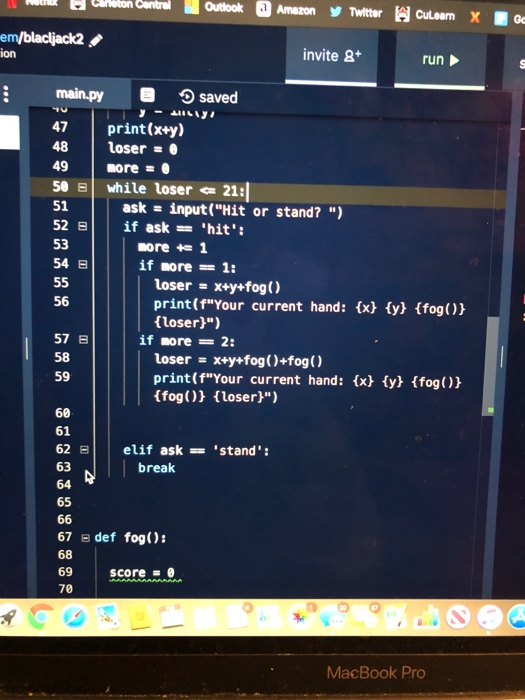
while loser
ask = input("Hit or stand? ")
if ask == 'hit':
more += 1
if more == 1:
loser = x+y+fog()
print(f"Your current hand: {x} {y} {fog()} {loser}")
if more == 2:
loser = x+y+fog()+fog()
print(f"Your current hand: {x} {y} {fog()} {fog()} {loser}")
elif ask == 'stand':
break
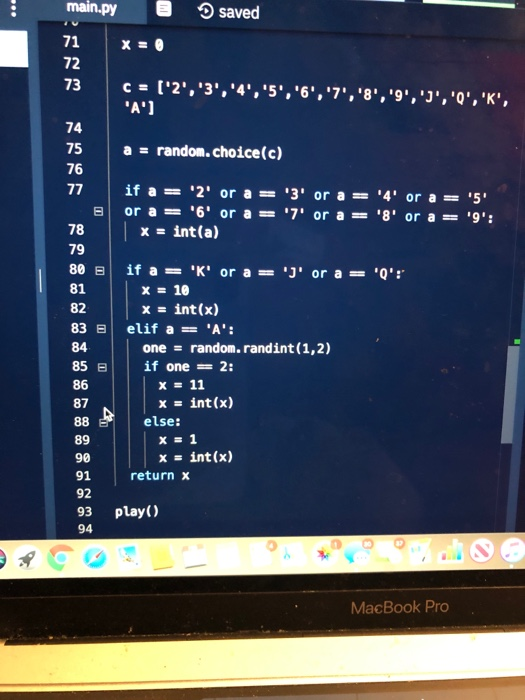
def fog():
score = 0
x = 0
c = ['2','3','4','5','6','7','8','9','J','Q','K','A']
a = random.choice(c)
if a == '2' or a == '3' or a == '4' or a == '5' or a == '6' or a == '7' or a == '8' or a == '9':
x = int(a)
if a == 'K' or a == 'J' or a == 'Q':
x = 10
x = int(x)
elif a == 'A':
one = random.randint(1,2)
if one == 2:
x = 11
x = int(x)
else:
x = 1
x = int(x)
return x
play()
Step by Step Solution
There are 3 Steps involved in it
1 Expert Approved Answer
Step: 1 Unlock

Question Has Been Solved by an Expert!
Get step-by-step solutions from verified subject matter experts
Step: 2 Unlock
Step: 3 Unlock