







Question: Assignment Create a class named App1 which provides a GUI window. Users will enter 24-bit RGB color values and the window will then display them.
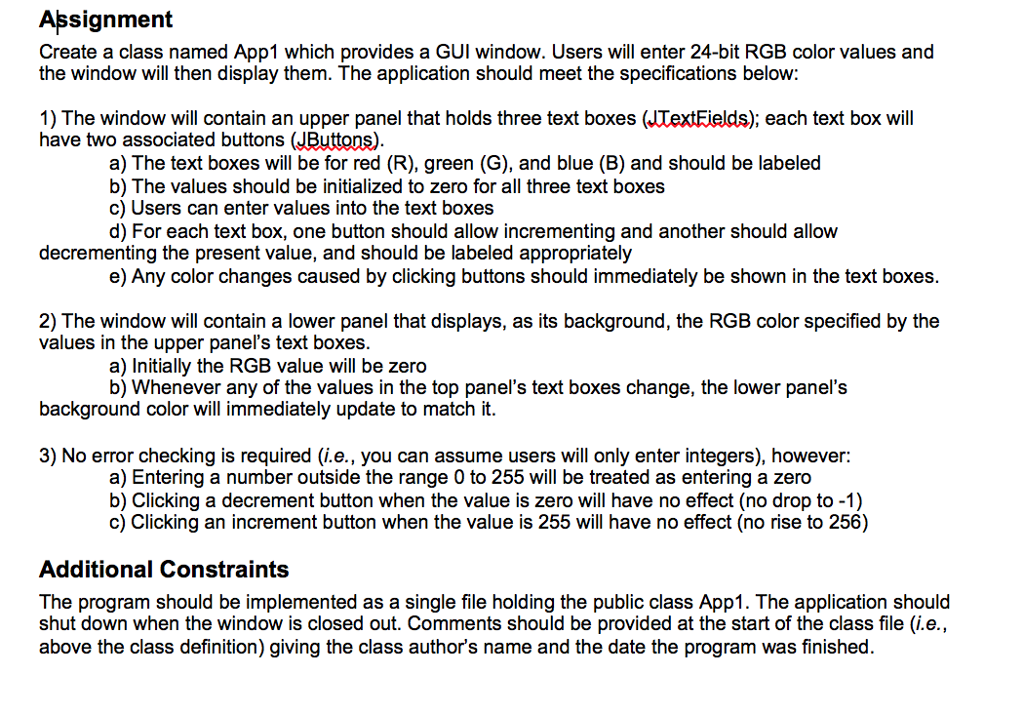
Assignment Create a class named App1 which provides a GUI window. Users will enter 24-bit RGB color values and the window will then display them. The application should meet the specifications belovw 1) The window will contain an upper panel that holds three text boxes (JTextEields); each text box will have two associated buttons (JButtons) a) The text boxes will be for red (R), green (G), and blue (B) and should be labeled b) The values should be initialized to zero for all three text boxes c) Users can enter values into the text boxes d) For each text box, one button should allow incrementing and another should allow decrementing the present value, and should be labeled appropriately e) Any color changes caused by clicking buttons should immediately be shown in the text boxes 2) The window will contain a lower panel that displays, as its background, the RGB color specified by the values in the upper panel's text boxes background color will immediately update to match it. 3) No error checking is required (i.e., you can assume users will only enter integers), however: a) Initially the RGB value will be zero b) Whenever any of the values in the top panel's text boxes change, the lower panel's a) Entering a number outside the range 0 to 255 will be treated as entering a zero b) Clicking a decrement button when the value is zero will have no effect (no drop to -1) c) Clicking an increment button when the value is 255 will have no effect (no rise to 256) Additional Constraints The program should be implemented as a single file holding the public class App1. The application should shut down when the window is closed out. Comments should be provided at the start of the class file (i.e., above the class definition) giving the class author's name and the date the program was finished
Step by Step Solution
There are 3 Steps involved in it

Get step-by-step solutions from verified subject matter experts
 Study Help