







Question: Assignment1: First Android App Points: 10 The purpose of this assignment is to get the first taste of Android application programming and use the Android
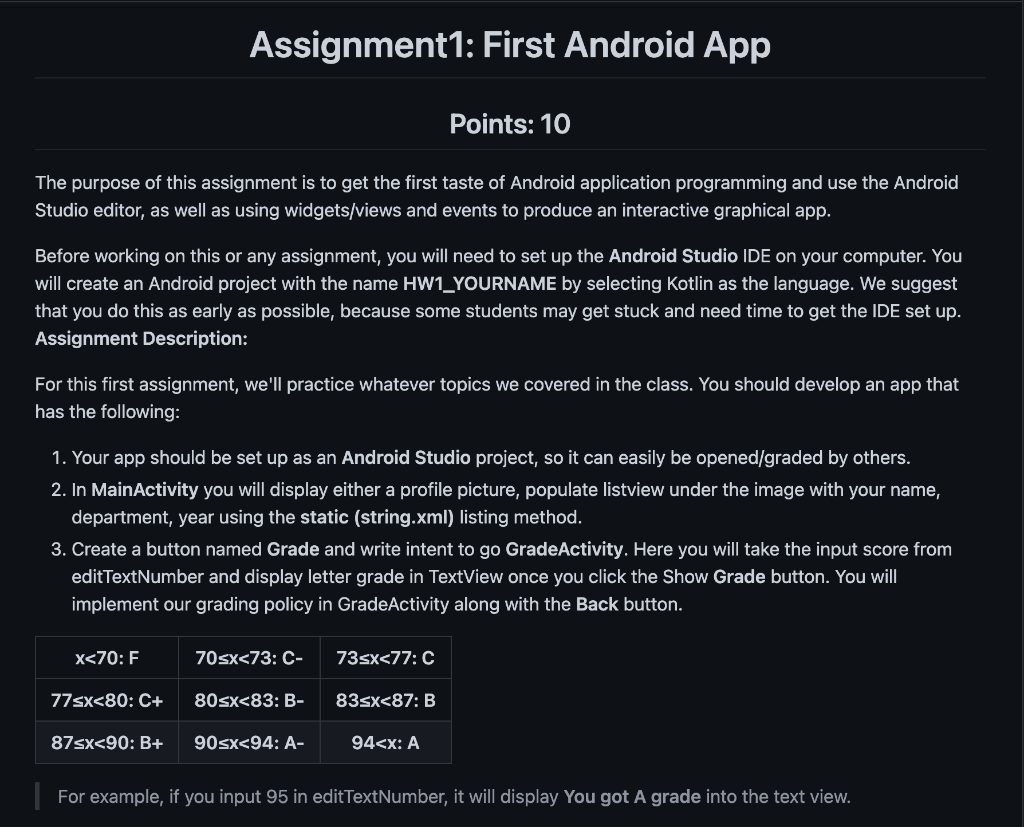
Assignment1: First Android App Points: 10 The purpose of this assignment is to get the first taste of Android application programming and use the Android Studio editor, as well as using widgets/views and events to produce an interactive graphical app. Before working on this or any assignment, you will need to set up the Android Studio IDE on your computer. You will create an Android project with the name HW1_YOURNAME by selecting Kotlin as the language. We suggest that you do this as early as possible, because some students may get stuck and need time to get the IDE set up. Assignment Description: For this first assignment, we'll practice whatever topics we covered in the class. You should develop an app that has the following: 1. Your app should be set up as an Android Studio project, so it can easily be opened/graded by others. 2. In MainActivity you will display either a profile picture, populate listview under the image with your name, department, year using the static (string.xml) listing method. 3. Create a button named Grade and write intent to go GradeActivity. Here you will take the input score from editTextNumber and display letter grade in TextView once you click the Show Grade button. You will implement our grading policy in GradeActivity along with the Back button. For example, if you input 95 in editTextNumber, it will display You got A grade into the text view
Step by Step Solution
There are 3 Steps involved in it

Get step-by-step solutions from verified subject matter experts
 Study Help