







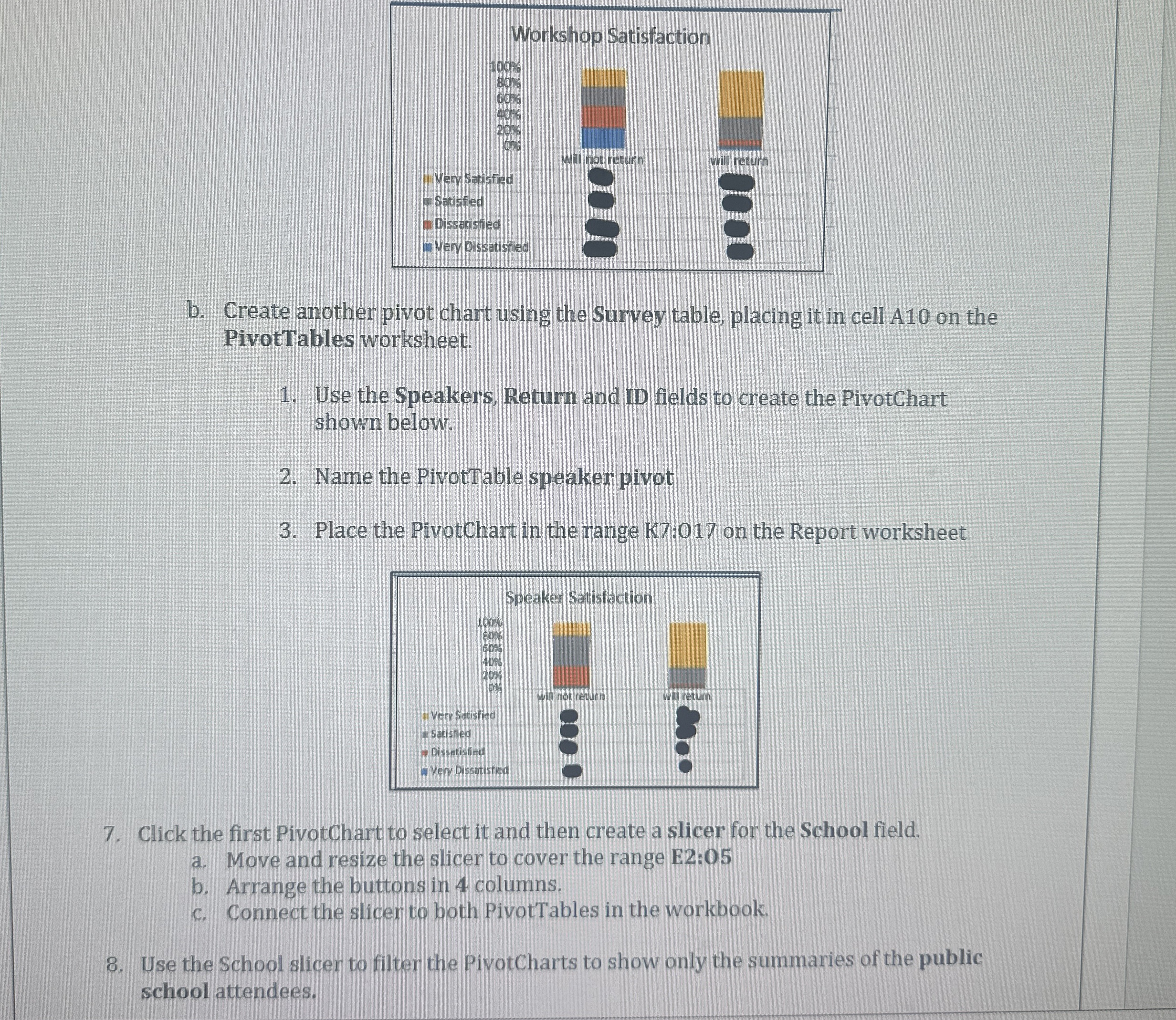
Question: b . Create another pivot chart using the Survey table, placing it in cell A 1 0 on the PivotTables worksheet. Use the Speakers, Return
b Create another pivot chart using the Survey table, placing it in cell A on the
PivotTables worksheet.
Use the Speakers, Return and ID fields to create the PivotChart
shown below:
Name the PivotTable speaker pivot
Place the PivotChart in the range K: on the Report worksheet
Click the first PivotChart to select it and then create a slicer for the School field.
a Move and resize the slicer to cover the range E:
b Arrange the buttons in columns.
c Connect the slicer to both PivotTables in the workbook.
Use the School slicer to filter the PivotCharts to show only the summaries of the public
school attendees.
Step by Step Solution
There are 3 Steps involved in it
1 Expert Approved Answer
Step: 1 Unlock

Question Has Been Solved by an Expert!
Get step-by-step solutions from verified subject matter experts
Step: 2 Unlock
Step: 3 Unlock
 Study Help