







Question: Basic HTML Assignment You may use either Dreamweaver or a coding text editor such as Brackets or Sublime for this assignment. This is a straight
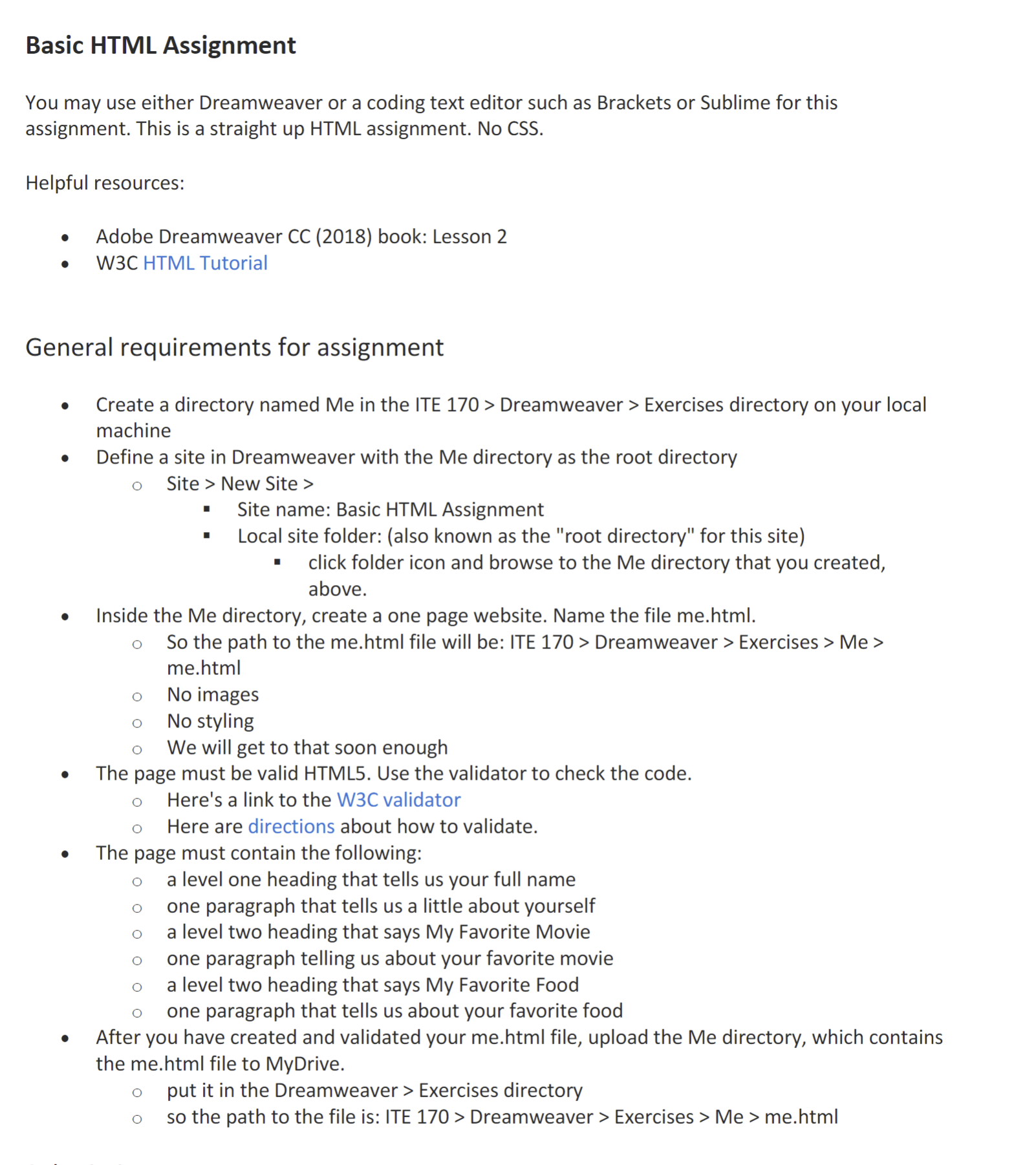
Basic HTML Assignment
You may use either Dreamweaver or a coding text editor such as Brackets or Sublime for this
assignment. This is a straight up HTML assignment. No CSS
Helpful resources:
Adobe Dreamweaver CC book: Lesson
WC HTML Tutorial
General requirements for assignment
Create a directory named Me in the ITE Dreamweaver Exercises directory on your local
machine
Define a site in Dreamweaver with the Me directory as the root directory
Site New Site
Site name: Basic HTML Assignment
Local site folder: also known as the "root directory" for this site
click folder icon and browse to the Me directory that you created,
above.
Inside the Me directory, create a one page website. Name the file mehtml
So the path to the mehtml file will be: ITE Dreamweaver Exercises Me
mehtml
No images
No styling
We will get to that soon enough
The page must be valid HTML Use the validator to check the code.
Here's a link to the WC validator
Here are directions about how to validate.
The page must contain the following:
a level one heading that tells us your full name
one paragraph that tells us a little about yourself
a level two heading that says My Favorite Movie
one paragraph telling us about your favorite movie
a level two heading that says My Favorite Food
one paragraph that tells us about your favorite food
After you have created and validated your mehtml file, upload the Me directory, which contains
the mehtml file to MyDrive.
put it in the Dreamweaver Exercises directory
so the path to the file is: ITE Dreamweaver Exercises Me mehtml
Step by Step Solution
There are 3 Steps involved in it
1 Expert Approved Answer
Step: 1 Unlock

Question Has Been Solved by an Expert!
Get step-by-step solutions from verified subject matter experts
Step: 2 Unlock
Step: 3 Unlock
 Study Help