







Question: Basic Image Analysis Do This: Using the code from the pre-class assignment, load in the image landscape.jpeg into this notebook. We will be using this
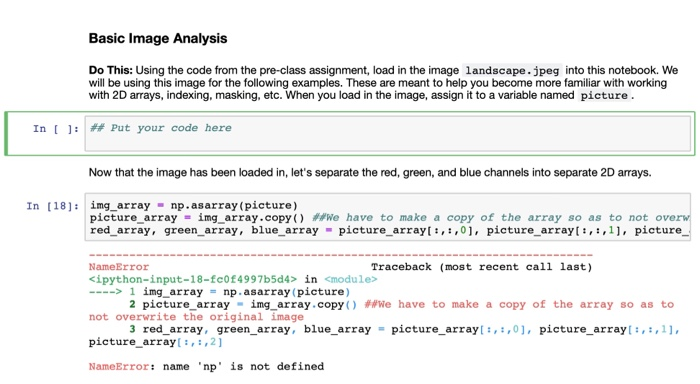
Basic Image Analysis Do This: Using the code from the pre-class assignment, load in the image landscape.jpeg into this notebook. We will be using this image for the following examples. These are meant to help you become more familiar with working with 2D arrays, indexing, masking, etc. When you load in the image, assign it to a variable named picture In [ ] : # Put your code here Now that the image has been loaded in, let's separate the red, green, and blue channels into separate 2D arrays. In [18: img array np.asarray (picture) picture-array = ing-array . copy() We have to make a copy of the array so as to not ove red array, green_array, blue_array picture_arrayt:,,01, picture_arrayl:,:,11, picture NameError Traceback (most recent call last) ipython-input-18-fc0f4997b5d4> in
Step by Step Solution
There are 3 Steps involved in it

Get step-by-step solutions from verified subject matter experts
 Study Help