







Question: Before proceeding to Question 2, you are advised to back up your program code for Question 1 or create a new project for Question 2.
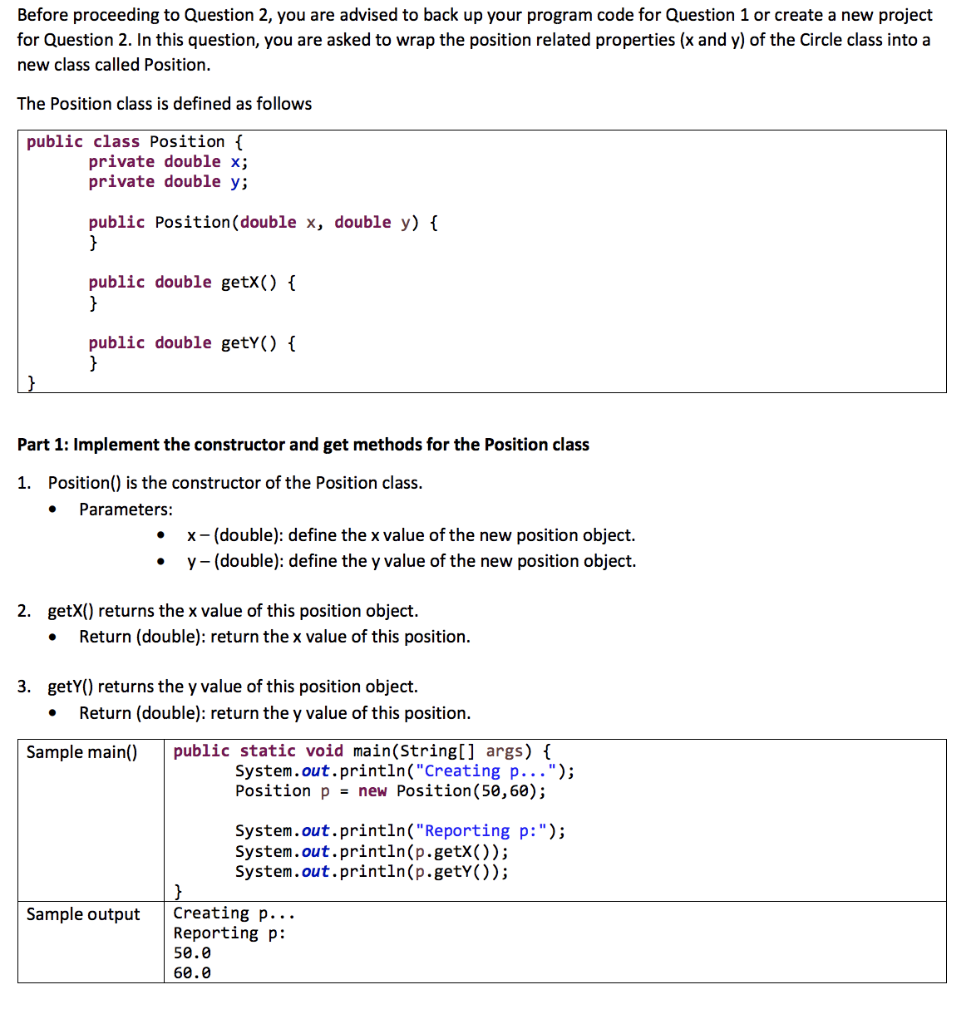
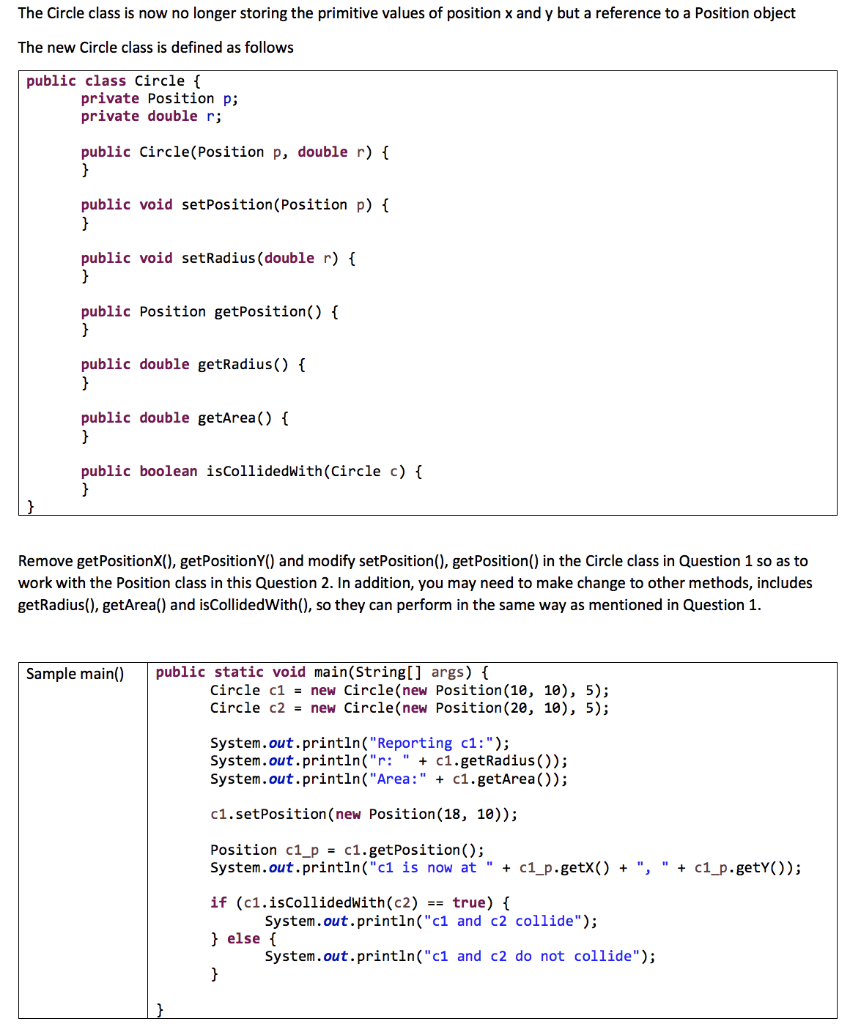

Before proceeding to Question 2, you are advised to back up your program code for Question 1 or create a new project for Question 2. In this question, you are asked to wrap the position related properties (x and y) of the Circle class into a new class called Position. The Position class is defined as follows public class Position { private double x; private double y; public Position(double x, double y) { } public double getX() { } public double getY() { } Part 1: Implement the constructor and get methods for the Position class . 1. Position() is the constructor of the Position class. Parameters: X-(double): define the x value of the new position object. y-(double): define the y value of the new position object. . 2. getX() returns the x value of this position object. Return (double): return the x value of this position. . 3. getY() returns the y value of this position object. Return (double): return the y value of this position. . Sample main() public static void main(String[] args) { System.out.println("Creating p..."); Position p = new Position (50,60); System.out.println("Reporting p:"); System.out.println(p.getX()); System.out.println(p.getY()); } Creating p... Reporting p: 50.0 60.0 Sample output The Circle class is now no longer storing the primitive values of position x and y but a reference to a Position object The new Circle class is defined as follows public class Circle { private Position p; private double r; public Circle(Position p, double r) { } public void setPosition(Position p) { } public void setRadius (double r) { } public Position getPosition() { } public double getRadius() { } public double getArea() { } public boolean isCollidedWith(Circle c) { } } Remove getPositionX(), getPositionY() and modify setPosition(), getPosition() in the Circle class in Question 1 so as to work with the Position class in this Question 2. In addition, you may need to make change to other methods, includes getRadius(), getAreal) and isCollidedWith(), so they can perform in the same way as mentioned in Question 1. Sample main() public static void main(String[] args) { Circle c1 = new Circle(new Position (10, 10), 5); Circle c2 = new Circle(new Position (20, 10), 5); System.out.println("Reporting c1:"); System.out.println("r: " + c1.getRadius()); System.out.println("Area:" + c1.getArea(); c1.setPosition(new Position(18, 10)); Position c1_p = c1.getPosition(); System.out.println("c1 is now at " + c1_p.getX() + ", " + c1_p.getY()); if (c1.isCollidedWith(c2) == true) { System.out.println("c1 and c2 collide"); } else { System.out.println("c1 and c2 do not collide"); } Sample output Reporting c1: r: 5.0 Area:78.53981633974483 c1 is now at 18.0, 10.0 c1 and c2 collide
Step by Step Solution
There are 3 Steps involved in it

Get step-by-step solutions from verified subject matter experts
 Study Help