







Question: Building Java Programs Supplement 3 G . Design and implement your own GUI application, drawing a different image than the one shown at the end
Building Java Programs Supplement G
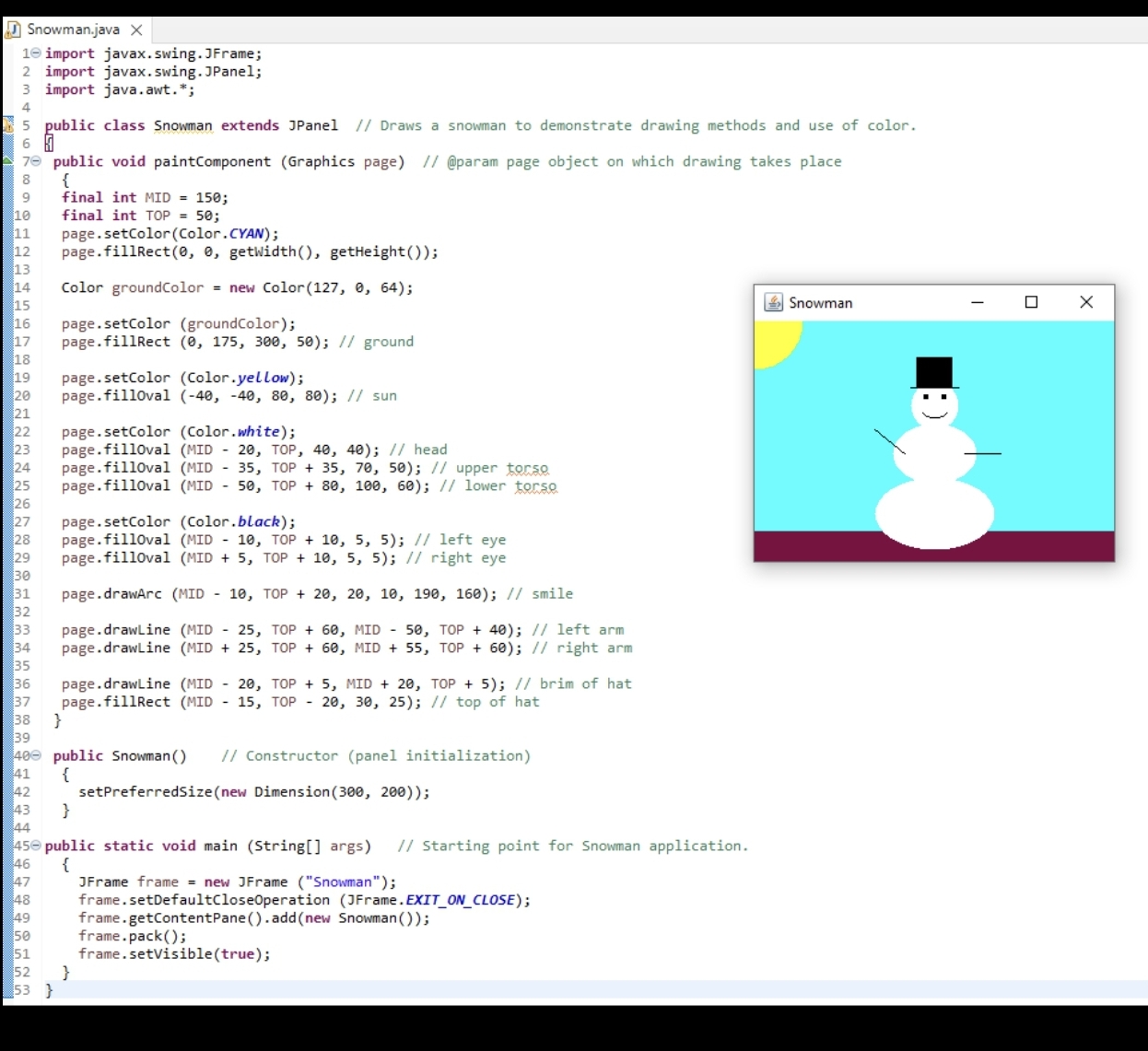
Design and implement your own GUI application, drawing a different image than the one shown at the end of this page.
You can model your code like the following sample code, but make sure it is different in several ways ie colors, dimensions, content
This image includes images, a sun and a snowman. Add at least one new object to the GUI.
Add text to the top with a title above the head of the snowman in this case not the title barD Snowman.java
import javax.swing.JFrame;
import javax.swing.JPanel;
import java.awt.;
public class Snowman extends JPanel Draws a snowman to demonstrate drawing methods and use of color.
public void paintComponent Graphics page @param page object on which drawing takes place
final int MID ;
final int TOP ;
page.setColorColorCYAN;
page.fillRect getWidth getHeight;
Color groundColor new Color;
page.setColor groundColor;
page.fillRect ; ground
page.setColor Coloryellow;
page.fillOval ; sun
page.setColor Colorwhite;
page.fillOval MID TOP, ; head
page.fillOval MID TOP ; upper torso.
page.fillOval MID TOP ; lower torso
page.setColor Colorblack;
page.fillOval MID TOP ; left eye
page.fillOval MID TOP ; right eye
page.drawArc MID TOP ; smile
page.drawLine MID TOP MID TOP ; left arm
page.drawLine MID TOP MID TOP ; right arm
page.drawLine MID TOP MID TOP ; brim of hat
page.fillRect MID TOP ; top of hat
public Snowman Constructor panel initialization
setPreferredSizenew Dimension;
public static void main String args Starting point for Snowman application.
JFrame frame new JFrame Snowman;
frame.setDefaultCloseOperation JFrameEXITONCLOSE;
frame.getContentPaneaddnew Snowman;
frame.pack;
frame.setVisibletrue;
Step by Step Solution
There are 3 Steps involved in it
1 Expert Approved Answer
Step: 1 Unlock

Question Has Been Solved by an Expert!
Get step-by-step solutions from verified subject matter experts
Step: 2 Unlock
Step: 3 Unlock
 Study Help