







Question: by using LabView Using a While Loop which iterates every one-hundredth of a second, create a VI that calculates the percentage of the total run-time
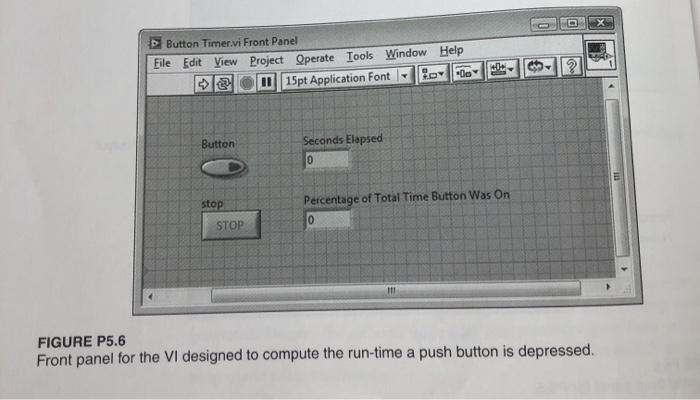
Using a While Loop which iterates every one-hundredth of a second, create a VI that calculates the percentage of the total run-time a push button on the front panel is depressed. The loop should run until a stop button is pressed by the user. There should be an indicator on the front panel displaying how many seconds the VI has been running. Update this indicator with each loop iteration. After the stop button is pressed, another indicator should display the ratio of time the button was depressed to total run-time. Your front panel should resemble the one shown in Figure P5.6. Button Timer vi Front Panel File Edit View Project Operate Tools Window Help sel 115pt Application Font 3 -- ? Button Seconds Elapsed 0 stop Percentage of Total Time Button Was On 0 STOP FIGURE P5.6 Front panel for the VI designed to compute the run-time a push button is depressed
Step by Step Solution
There are 3 Steps involved in it

Get step-by-step solutions from verified subject matter experts
 Study Help