







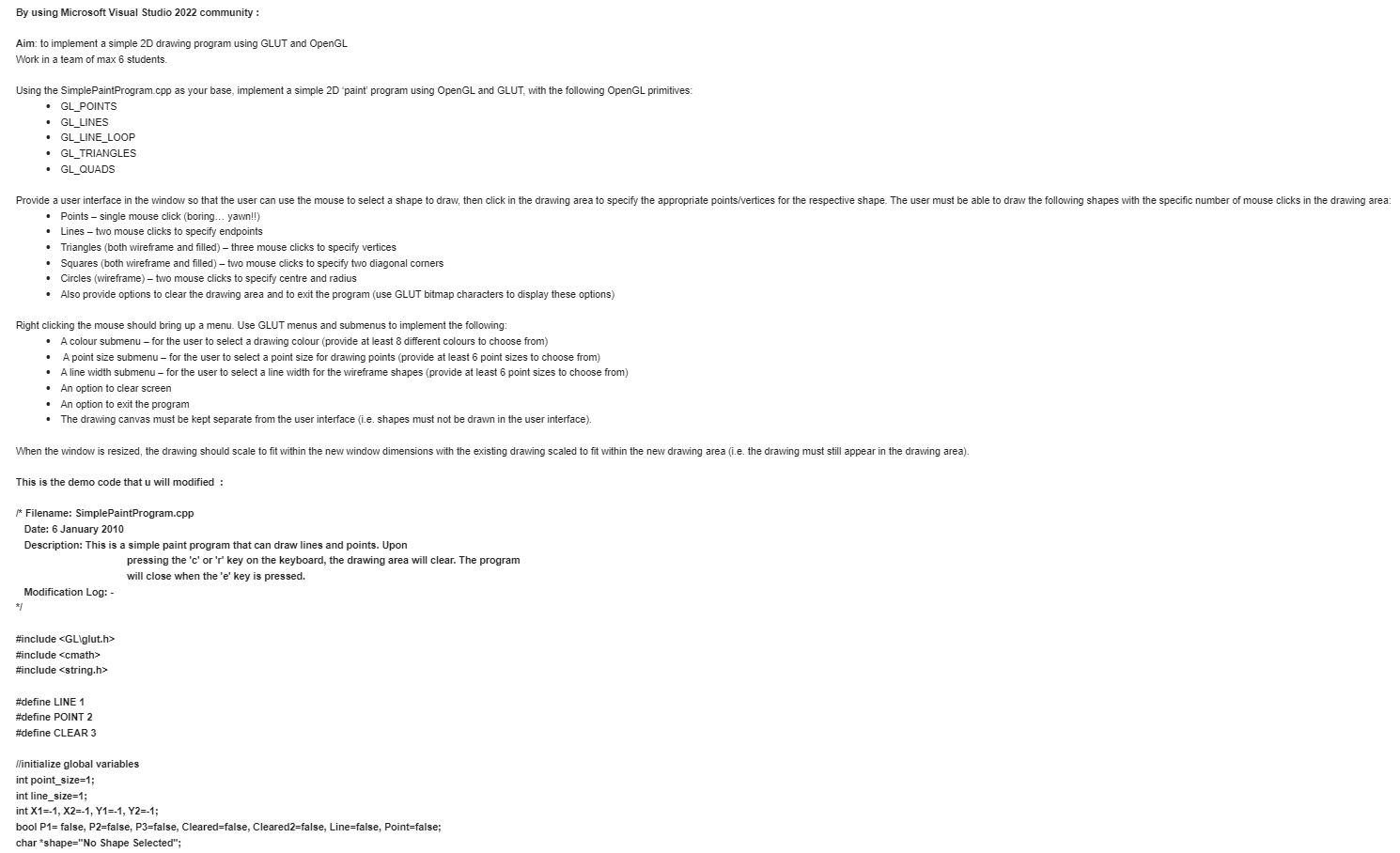
Question: By using Microsoft Visual Studio 2 0 2 2 community : Aim: to implement a simple 2 D drawing program using GLUT and OpenGL Work
By using Microsoft Visual Studio community :
Aim: to implement a simple D drawing program using GLUT and OpenGL
Work in a team of max students.
Using the SimplePaintProgram.cpp as your base, implement a simple D 'paint' program using OpenGL and GLUT, with the following OpenGL primitives:
GLPOINTS
GLLINES
GLLINELOOP
GLTRIANGLES
GLQUADS
Points single mouse click boring yawn!!
Lines two mouse clicks to specify endpoints
Triangles both wireframe and filled three mouse clicks to specify vertices
Squares both wireframe and filled two mouse clicks to specify two diagonal corners
Circles wireframe two mouse clicks to specify centre and radius
Also provide options to clear the drawing area and to exit the program use GLUT bitmap characters to display these options
Right clicking the mouse should bring up a menu. Use GLUT menus and submenus to implement the following:
A colour submenu for the user to select a drawing colour provide at least different colours to choose from
A point size submenu for the user to select a point size for drawing points provide at least point sizes to choose from
A line width submenu for the user to select a line width for the wireframe shapes provide at least point sizes to choose from
An option to clear screen
An option to exit the program
The drawing canvas must be kept separate from the user interface ie shapes must not be drawn in the user interface
This is the demo code that u will modified :
f Filename: SimplePaintProgram.cpp
Date: January
Description: This is a simple paint program that can draw lines and points. Upon pressing the c or r key on the keyboard, the drawing area will clear. The program will close when the e key is pressed.
Modification Log:
#include
#include
#include
#define LINE
#define POINT
#define CLEAR
initialize global variables
int pointsize;
int linesize;
int X X Y Y;
bool P false, Pfalse, Pfalse, Clearedfalse, Clearedfalse, Linefalse, Pointfalse;
char "shapeNo Shape Selected";
this function draws the program's panels
void drawPanel
panel backgound
gIBeginGLQUADS;
gIColorf;
glVertexi;
glVertexi;
gIVertexi;
glVertexi;
glEnd;
panel lines
glBeginGLLINES;
gIColorf;
glVertexi;
gIVertexi;
glVertexi;
glVertexi;
glVertexi;
glVertexi;
glEnd;
this draws image of a point on its button
glBeginGLPOINTS;
glColorf;
glVertexi;
glVertexi;
glVertexi;
glVertexi;
glEnd;
this draws image of a line on its button
glBeginGLLINES;
glColorf;
glVertexi;
glVertexi;
glEnd;
this displays the shape status on the panel
glColorf;
int tlength strlenshape;
glRasterPosf;
for int counter; counter tlength; counter
glutBitmapCharacterGLUTBITMAPTIMESROMAN shapecounter;
this function draws points on the drawing area when the point button is selected
void drawPoint
ifPtrue
glPointSizepointsize; set point size
glBeginGLPOINTS;
glColorf;
glVertexiXY;
glEnd;
Pfalse;
this draws lines on the drawing area when the line button is selected
la line is drawn by clicking twice on the drawing area
void drawLine
ifPtrue && Ptrue
glLineWidthlinesize;
glBeginGLLINES;
glColorf;
gIVertexiXY;
gIVertexiXY;
glEnd;
Pfalse;
Pfalse;
this is where all the calls to the functions are made
void draw
the GLCOLORBUFFERBIT is cleared only once to keep the content of the drawing page
ifCleared false
gIClearGLCOLORBUFFERBIT;
Cleared true;
the drawPanel function is called everytime the draw function is called
drawPanel;
checks if the object is selected using the boolean, and calls the appropriate function
if Linetrue
drawLine;
if Pointtrue
drawPoint;
glFlush;
this function is responsible for the action that happens when we select from the menu panel
void processMenuEventsint option
ifCleared false
gIClearGLCOLORBUFFERBIT;
Cleared true;
switch option
case LINE:
Line true;
Point false;
Pfalse;Pfalse;Pfalse;
shape"Drawing a Line";
break;
case POINT :
Line false;
Point true;
Pfalse;Pfalse;Pfalse;
shape"Drawing a Point";
break;
case CLEAR :
glClearGLCOLORBUFFERBIT;
P false,Pfalse, P false;
break;
glutPostRedisplay;
this function is responsible for mouse interaction
void mouse int btn int state, int x int y
these are listeners for left mouse click events in the drawing area
if btn GLUTLEFTBUTTON && state GLUTDOWN && y
if Linetrue
Ifthese are llateners for buttons in the panel
If x &&x x && y && y
processMenu
Step by Step Solution
There are 3 Steps involved in it
1 Expert Approved Answer
Step: 1 Unlock

Question Has Been Solved by an Expert!
Get step-by-step solutions from verified subject matter experts
Step: 2 Unlock
Step: 3 Unlock
 Study Help