







Question: C++ Fundamentals ob u in command-line-args .Read a file Loop through an array Split a string Create an array of struct Pass by reference Create
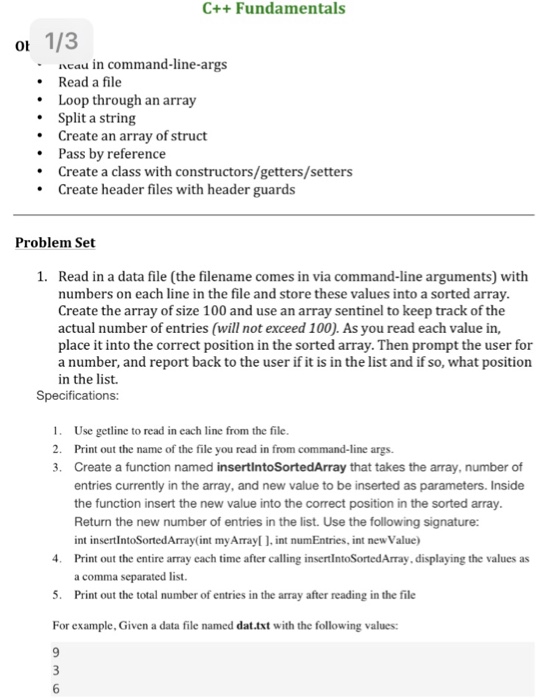
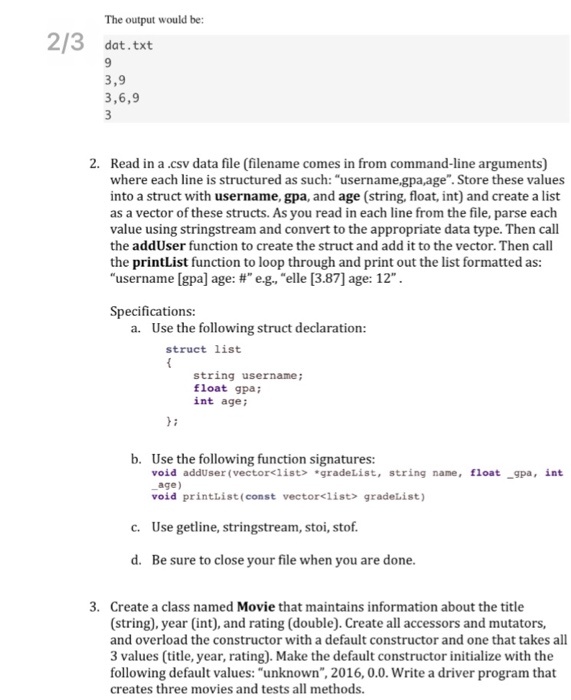
C++ Fundamentals ob u in command-line-args .Read a file Loop through an array Split a string Create an array of struct Pass by reference Create a class with constructors/getters/setters Create header files with header guards Problem Set 1. Read in a data file (the filename comes in via command-line arguments) with numbers on each line in the file and store these values into a sorted array Create the array of size 100 and use an array sentinel to keep track of the actual number of entries (will not exceed 100). As you read each value in, place it into the correct position in the sorted array. Then prompt the user for a number, and report back to the user if it is in the list and if so, what position in the list Specifications: 1. 2. 3. Use getline to read in each line from the file. Print out the name of the file you read in from command-line args. Create a function named insertintoSortedArray that takes the array, number of entries currently in the array, and new value to be inserted as parameters. Inside the function insert the new value into the correct position in the sorted array Return the new number of entries in the list. Use the following signature: int insertIntoSortedArray(int my Array . int numEntries, int new Value 4 Print out the entire array each time after calling insertIntoSortedArray, displaying the values as 5. Print out the total number of entries in the array after reading in the file For example, Given a data file named dat.txt with the following values: a comma separated list
Step by Step Solution
There are 3 Steps involved in it

Get step-by-step solutions from verified subject matter experts
 Study Help