







Question: C++ Help. Hello, I need help with inputting information into vectors using visual studio C++. I've been trying to get the user input to go
C++ Help. Hello, I need help with inputting information into vectors using visual studio C++. I've been trying to get the user input to go to the various vectors using push_back.
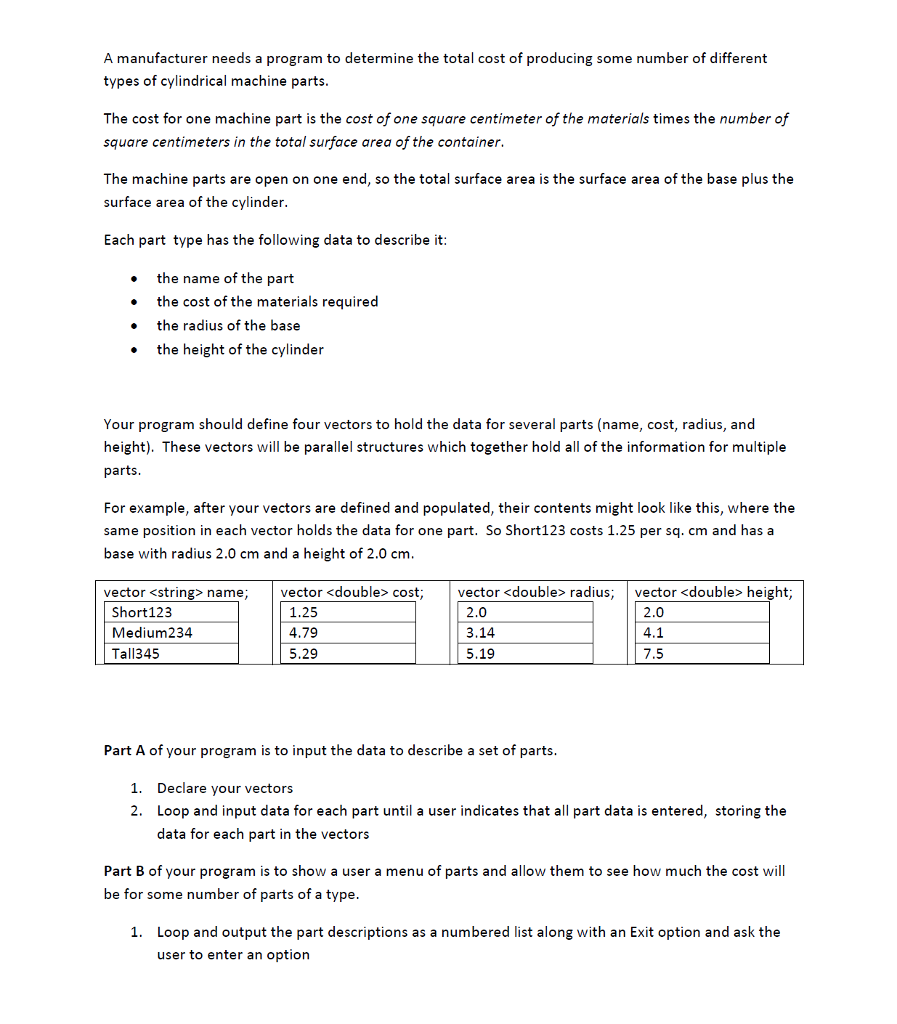
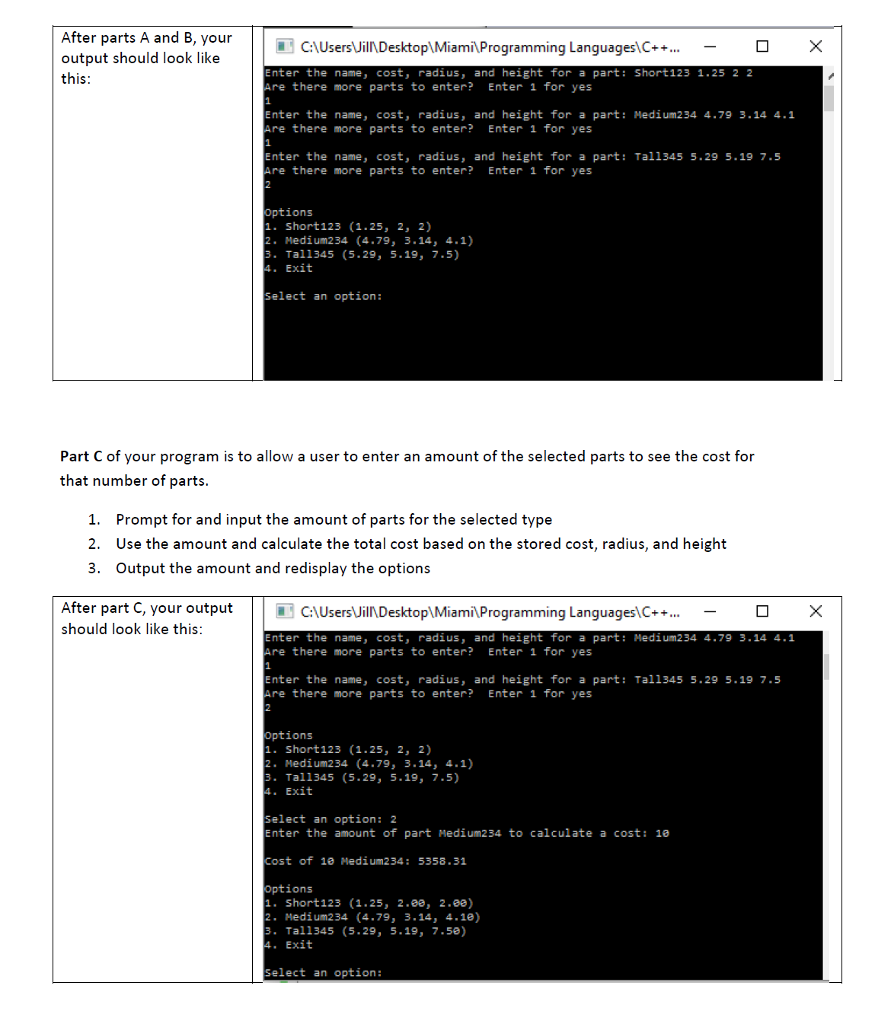
A manufacturer needs a program to determine the total cost of producing some number of different types of cylindrical machine parts. The cost for one machine part is the cost of one square centimeter of the materials times the number of square centimeters in the total surface area of the container. The machine parts are open on one end, so the total surface area is the surface area of the base plus the surface area of the cylinder Each part type has the following data to describe it the name of the part the cost of the materials required the radius of the base the height of the cylinder Your program should define four vectors to hold the data for several parts (name, cost, radius, and These vectors will be parallel structures which together hold all of the information for multiple height parts. r example, after your vectors are defined and populated, their contents might look like this, where the same position in each vector holds the data for one part. So Short123 costs 1.25 per sq. cm and has a base with radius 2.0 cm and a height of 2.0 cm. name, vector double cost vector double radius vector
Step by Step Solution
There are 3 Steps involved in it

Get step-by-step solutions from verified subject matter experts
 Study Help