







Question: C++ program, Don't do anything too advanced. This program will allow the user to enter a number of names (last name only) and final averages
C++ program, Don't do anything too advanced.
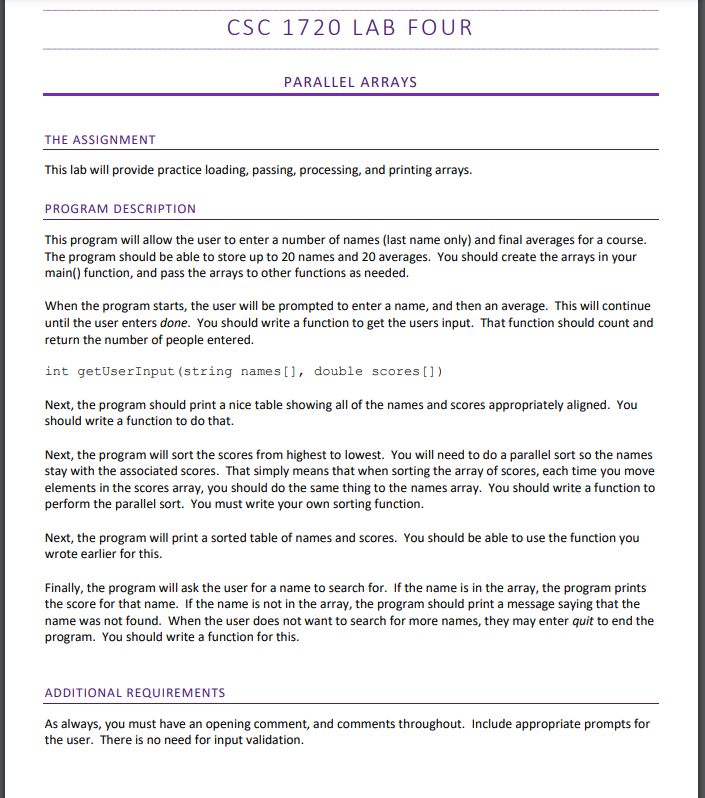
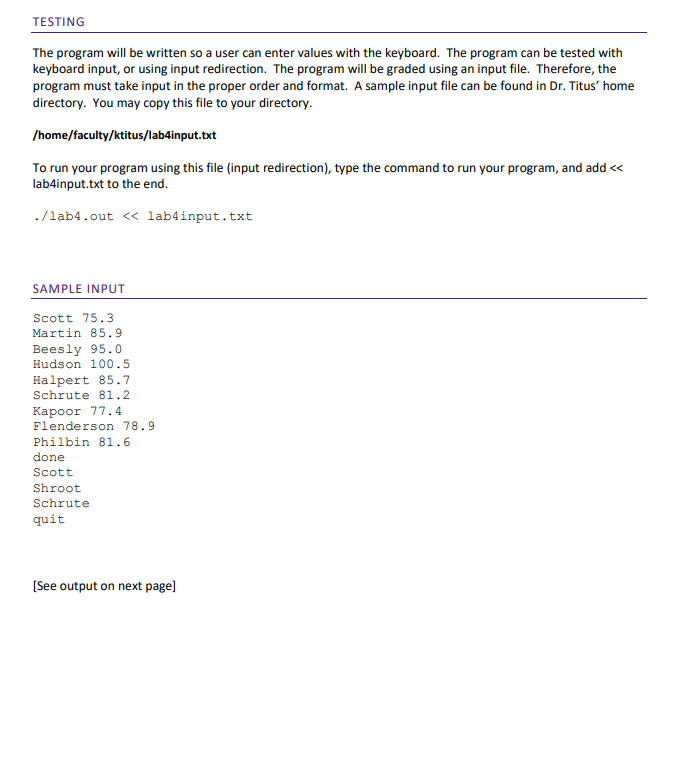
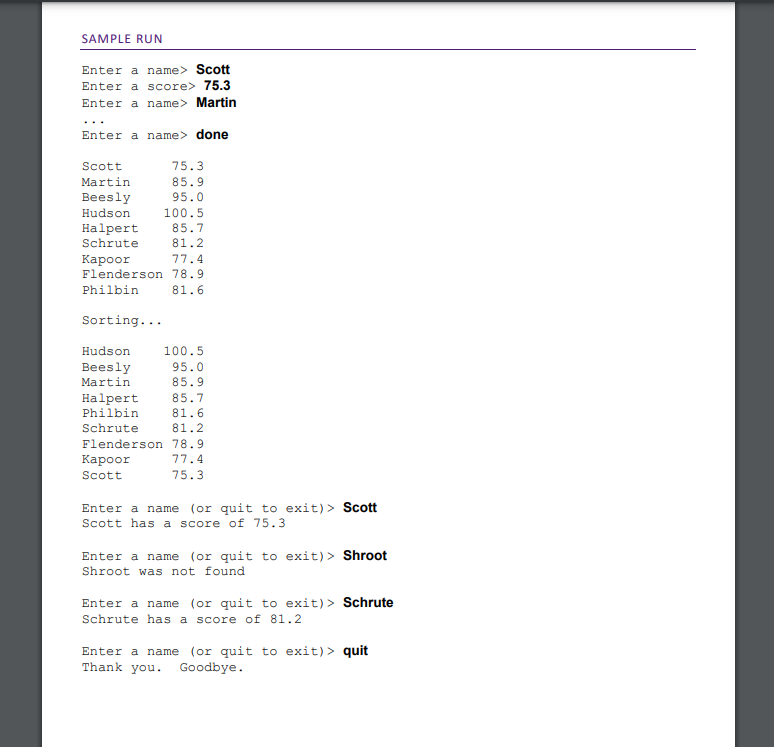
This program will allow the user to enter a number of names (last name only) and final averages for a course. The program should be able to store up to 20 names and 20 averages. You should create the arrays in your main() function, and pass the arrays to other functions as needed. When the program starts, the user will be prompted to enter a name, and then an average. This will continue until the user enters done. You should write a function to get the users input. That function should count and return the number of people entered. int getUserinput (string names[], double scores[]) Next, the program should print a nice table showing all of the names and scores appropriately aligned. You should write a function to do that. Next, the program will sort the scores from highest to lowest. You will need to do a parallel sort so the names stay with the associated scores. That simply means that when sorting the array of scores, each time you move elements in the scores array, you should do the same thing to the names array. You should write a function to perform the parallel sort. You must write your own sorting function. Next, the program will print a sorted table of names and scores. You should be able to use the function you wrote earlier for this. Finally, the program will ask the user for a name to search for. If the name is in the array, the program prints the score for that name. If the name is not in the array, the program should print a message saying that the name was not found. When the user does not want to search for more names, they may enter quit to end the program. You should write a function for this. ADDITIONAL REQUIREMENTS As always, you must have an opening comment, and comments throughout. Include appropriate prompts for the user. There is no need for input validation. The program will be written so a user can enter values with the keyboard. The program can be tested with keyboard input, or using input redirection. The program will be graded using an input file. Therefore, the program must take input in the proper order and format. A sample input file can be found in Dr. Titus' home directory. You may copy this file to your directory. /home/faculty/ktitus/lab4input.txt To run your program using this file (input redirection), type the command to run your program, and add lab4input.txt to the end. ./lab4.out Scott Enter a score> 75.3 Enter a name> Martin Enter a name> done Scott 75.3 Martin 85.9 BeeslyHudson95.0100.5 Halpert 85.7 Schrute 81.2 Kapoor 77.4 Flenderson 78.9 Philbin 81.6 Sorting... Hudson 100.5 Beesly 95.0 Martin 85.9 Halpert 85.7 Philbin 81.6 Schrute 81.2 Flenderson 78.9 Kapoor 77.4 Scott 75.3 Enter a name (or quit to exit) > Scott Scott has a score of 75.3 Enter a name (or quit to exit)> Shroot Shroot was not found Enter a name (or quit to exit) > Schrute Schrute has a score of 81.2 Enter a name (or quit to exit)> quit Thank you. Goodbye
Step by Step Solution
There are 3 Steps involved in it

Get step-by-step solutions from verified subject matter experts
 Study Help