







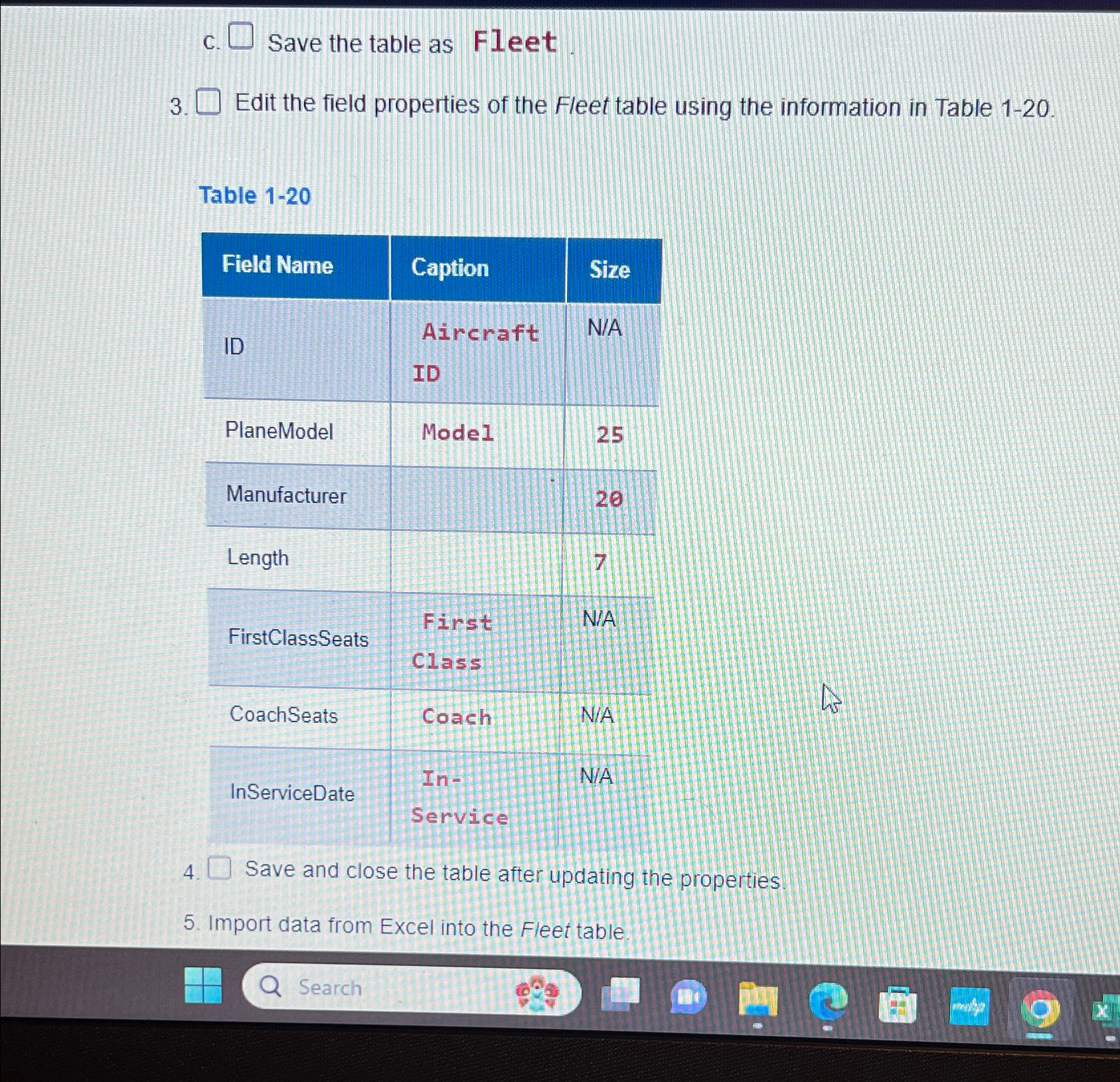
Question: c . Save the table as Fleet. 3 . Edit the field properties of the Fleet table using the information in Table 1 - 2
c Save the table as Fleet.
Edit the field properties of the Fleet table using the information in Table
Table
tableField Name,Caption,SizeIDtableAircraftIDNAPlaneModelModeI,ManufacturerLengthFirstClassSeatsFirst,NACoachSeatsCoach,NAInServiceDateIn
Save and close the table after updating the properties.
Import data from Excel into the Fleet table.
Step by Step Solution
There are 3 Steps involved in it
1 Expert Approved Answer
Step: 1 Unlock

Question Has Been Solved by an Expert!
Get step-by-step solutions from verified subject matter experts
Step: 2 Unlock
Step: 3 Unlock
 Study Help