







Question: C++ Zap Bugs Lab. I am especially having issues with the zapBugs function, but any and all help is appreciated! You will need to use
C++ Zap Bugs Lab.
I am especially having issues with the zapBugs function, but any and all help is appreciated!
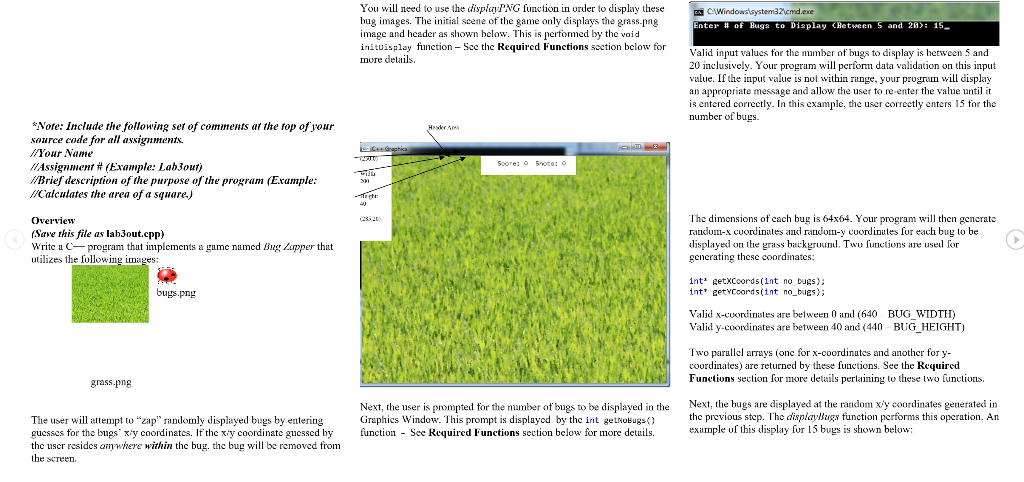
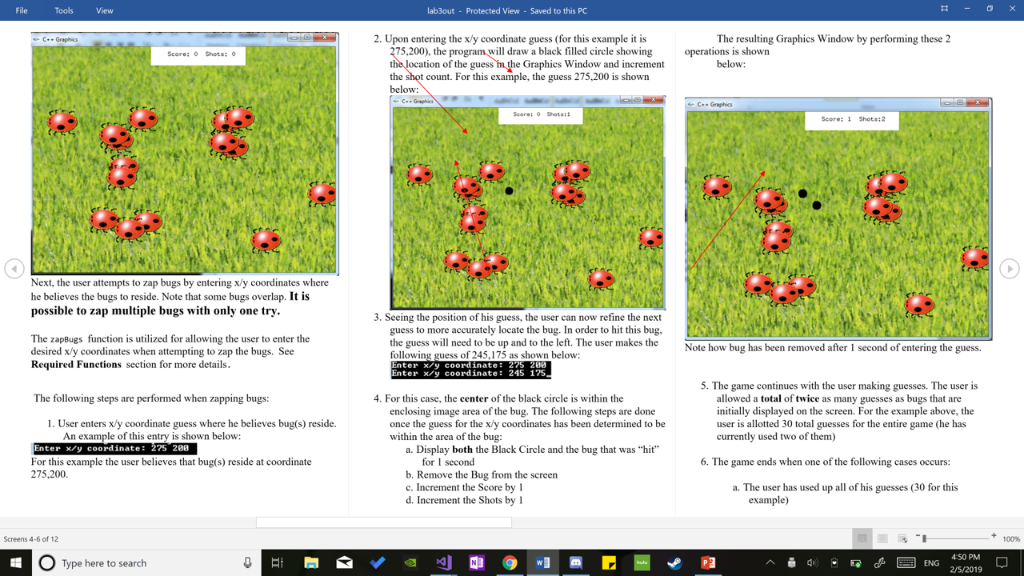
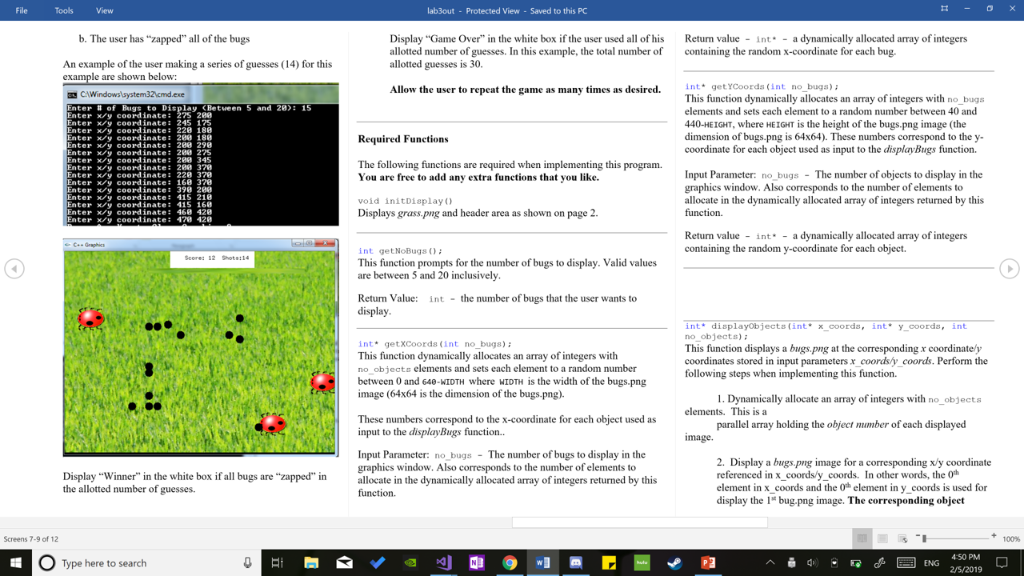
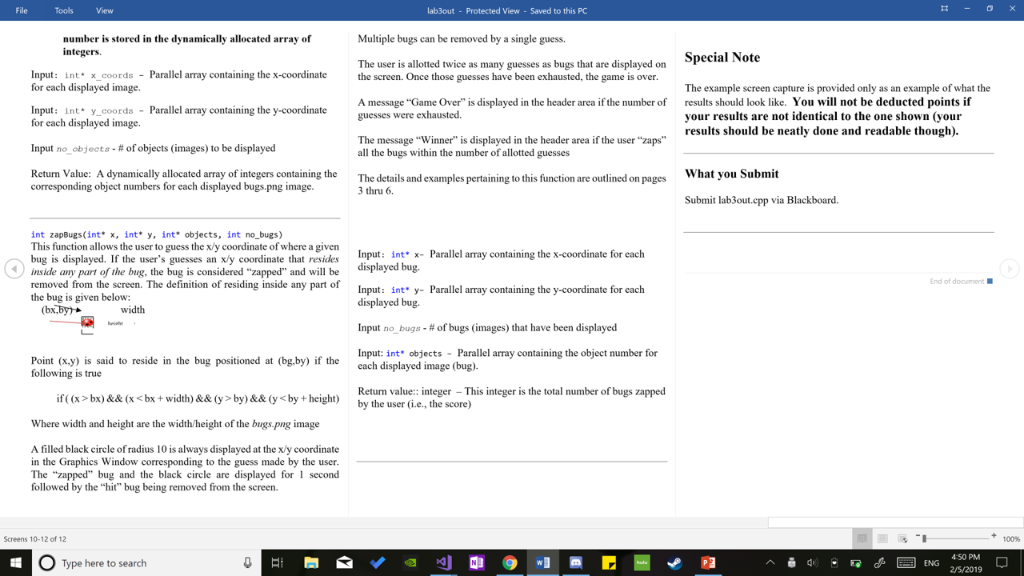
You will need to use the dispfyPNG function in order to display these bug images. The initial seene of the game only displays the grass.png image and header as shown below. This is nerformed by the void inituisplay function - Sec the Required Functions scction more delails nter # of Buga to Display (Between S and 2R>; 15,- bclow for Valid input values for the number fbugs to display is hetween 5 and 20 inclusively. Your program will perfom data validation on this input value. If the input value is not within runge, your progrun will display an appropriate message and allow the user to ente the value until it is entered correctly. In this example, the user correctly enters 15 for the number of bugs. *Note: Include the following set of comments at the top of your source code for all assignments. Your Name //Assignment# (Example: Lab3out) Brief description of the purpose of the program (Erample: .Calculates the area of a square) chi: (Save this file as lab3out.cpp) Write a C program that implements a gume named Bug Lupper that utilizes the followine ima The dimensions of cach bug is 64x64. Your program will then generate randum-x coordinates and random-v cuordinates for each bug to be displayed ohe grass backgruun. Twu lunctions are used for generating these coordinates: int" getxcoordsunt no bugs); int' eetyCoords(int nobues bugs.png Valid x-cuordinsles are belween (640 BUG WIDTH) Valid y-coordinates are between 40 and (440 BUG_HEIGHT) Two parullel arrays (onc for x-coordinutes and anothcr fory oordinates) are returned by these functions. See the Required Functions seclion for more details pertaining to these Iwo functions. grass.pn!8 Next, the hugs are displayed at the random x'y coordinates generated in Next, the user is prompted for the number ofbugs to be displayed in the Graphics Window. This prompt is displaycd by the int getiobugs) the previous step. The dispiayBugs function performs this opcration. An example of this display fur 15 bugs is shown below The user will attempt o "zap randomly displayed bugs by entering guesses for the bugs' x'y coordinates. If the x'y coordinate guessed by unction the user resides anwhere within the bug, the bu wil be removed from the screen. See Required Functions section below for more detuils File Tools View lab3out - Protected View- Saved to this PC 2. Upon entering the x/y coordinate guess (for this example it is The resulting Graphics Window by performing these 2 275,200), the program will draw a black filled circle showingoperations is shown below: e 5.200 is shora below: Score: 1 Shots:2 Next, the user attempts to zap bugs by entering x/y coordinates where he believes the bugs to reside. Note that some bugs overlap. It is possible to zap multiple bugs with only one try 3. Seeing the position of his guess, the user can now refine the next The zapBugs function is utilized for allowing the user to enter the desired x/y coordinates when attempting to zap the bugs. See Required Functions section for more details guess to more accurately locate the bug. In order to hit this bug. the guess will need to be up and to the left. The user makes the following guess of 245,175 as shown below Note how bug has Note how bug has been removed after 1 second of entering the guess. nter /y coordinate: 245 175 . The game continues with the user making guesses. The user is The following steps are performed when zapping bugs: . For this case, the center of the black circle is within the enclosing image area of the bug. The following steps are done once the guess for the xly coordinates has been determined to be within the area of the bug: allowed a total of twice as many guesses as bugs that are initially displayed on the screen. For the example above, the user is allotted 30 total guesses for the entire game (he has currently used two of them) 1. User enters x/y coordinate guess where he believes bug(s) reside. An example of this entry is shown below: nter x/y coordinate: 275 288 a. Display both the Black Circle and the bug that was "hit 6. The game ends when one of the following cases occurs For this example the user believes that bug(s) reside at coordinate 275,200 for I second b. Remove the Bug from the screen c. Increment the Score by 1 d. Increment the Shots by a. The user has used up all of his guesses (30 for this example) Screens 4-6 of 12 100% Type here to search d_Q4ENG 450PM 2/5/2019 File Tools View lab3out - Protected View- Saved to this PC b. The user has "zapped" all of the bugs Display "Game Over" in the white box if the user used all of his Return value Int-a dynamically allocated array of integers allotted number of guesses. In this example, the total number of containing the random x-coordinate for each bug allotted guesses is 30 An example of the user making a series of guesses (14) for this le are shown below: Allow the user to repeat the game as many times a s desired. ntget YCoorda (int no buga) nter # of Bugs to Dis lay (Between 5 and 2B): 15 nter/y coordinate: 22S 280 ter xy coerdinate: 245 175 nter xy coordinate: 220 188 nter xy coerdinate: 2e0 188 ter y coordinate: 280 29 This function dynamically allocates an array of integers with no bugs elements and sets each element to a random number between 40 and 40-HEIGHT, where HEIGHT is the height of the bugs.png image (the dimension of bugs.png is 64x64). These numbers correspond to the y- coordinate for each object used as input to the displayBugs function. Required Functions ter y coordinate: 280 2 nter x/y COOrdinate: 280 345 nter y coerdinate: 289 378 ter xy coerdinate: 228 370 ntery coordinate: 168 378 The following functions are required when implementing this program You are free to add any extra functions that you like. Input Parameter: no bugs- The number of objects to display in the graphics window. Also corresponds to the number of elements to allocate in the dynamically allocated array of integers returned by this nter y coordinate: 415 218 nter xy ceerdinate 415 168 nter xy coordinate: 468 428 void initDiaplay ) Displays grass.png and header area as shown on page . Return value int - a dynamically allocated array of integers containing the random y-coordinate for each object. int getNoBugs0 This function prompts for the number of bugs to display. Valid values are between 5 and 20 inclusively Scored 12 Shots:14 Return Value nt -the number of bugs that the user wants to display int getXCoords (int no bugs) This function dynamically allocates an array of integers with no objects elements and sets each element to a random number between 0 and 64-NIDTH where WIDTH is the width of the bugs.png image (64x64 is the dimension of the bugs.png). nt" displayObjectelint" x-coord, int* y-corda, int no objects) This function displays a bugs,png at the corresponding x coordinately coordinates stored in input parameters x coordsy coords. Perform the following steps when implementing this function. I. Dynamically allocate an array of integers with no_objects These numbers correspond to the x-coordinate for each object used as input to the display Bugs function. parallel array holding the object mmber of each displayed image. Input Parameter: no bugs-The number of bugs to display in the graphics window. Also corresponds to the number of elements to allocate in the dynamically allocated array of integers returned by this function. 2 Display a bugs,png image for a corresponding xy coordinate referenced in x_coords/y_coords. In other words, the 0h element in x coords and the 0 element in y coords is used for display the l* bug.png image. The corresponding objeet Display Winner" in the white box if all bugs are "zapped" the allotted number of guesses the Screens 7-9 of 12 100% 450 PM OType here to search ENG 2/5/2019 File Tools View lab3out - Protected View- Saved to this PC Multiple bugs can be removed by a single guess. number is stored in the dynamically allocated array of integers. Special Note The example screen capture is provided only as an example of what the your results are not identical to the one shown (your The user is allotted twice as many guesses as bugs that are displayed on Input: int x_coords Parallel array containing the x-coordinate the screen. Once thos guesses have been exhausted, the game is over A message "Game Over" is displayed in the header area if the number of The message "Winner" is displayed in the header area if the user "zaps for each displayed image. containing the y-coordinate guesses were exhaused. results should look like. You will not be deducted points if Input: int y_coords Parallel array for each displayed image. Input no-objects-# of objects (images) to be displayed Return Value: A dynamically allocated array of integers containing the results should be neatly done and readable though). all the bugs within the number of allotted guesses What vou Submit The details and examples pertaining to this function are outlined on pages corresponding object numbers for each displayed bugs.png image 3 thru 6. Submit lab3out.cpp via Blackboard. int zapBugs(int* x, int* y, int* objects, int no-bugs) This function allows the user to guess the x/y coordinate of where a given bug is displayed. If the user's guesses an xy coordinate that resides inside any part of the bug, the bug is considered "zapped" removed from the screen. The definition of residing inside any part of the bug is given below intx-Parallel l array containing the x-coordinate for each and will be displayed bug End of document Input: int* y- Parallel array containing the y-coordinate for each displayed bug. Input no bugs-# of bugs (images) that have been displayed input: int" objects- Parallel array containing the object number for (bx.byy width Point (x.y) is said to reside in the bug positioned at (bg.by) if the following is true cach displayed image (bug) r is the total number of bugs zapped if(xbx)&& (x
Step by Step Solution
There are 3 Steps involved in it

Get step-by-step solutions from verified subject matter experts
 Study Help