







Question: Can someone help with this C#. Visual Studio windows application forms please? the code for each steps is good enough. The two windows form that
Can someone help with this C#. Visual Studio windows application forms please? the code for each steps is good enough. The two windows form that is at the bottom are to be be created and input the necessary codes for it to work by doing the tasks below. Dummy information can be place in the drop down boxes if necessary.
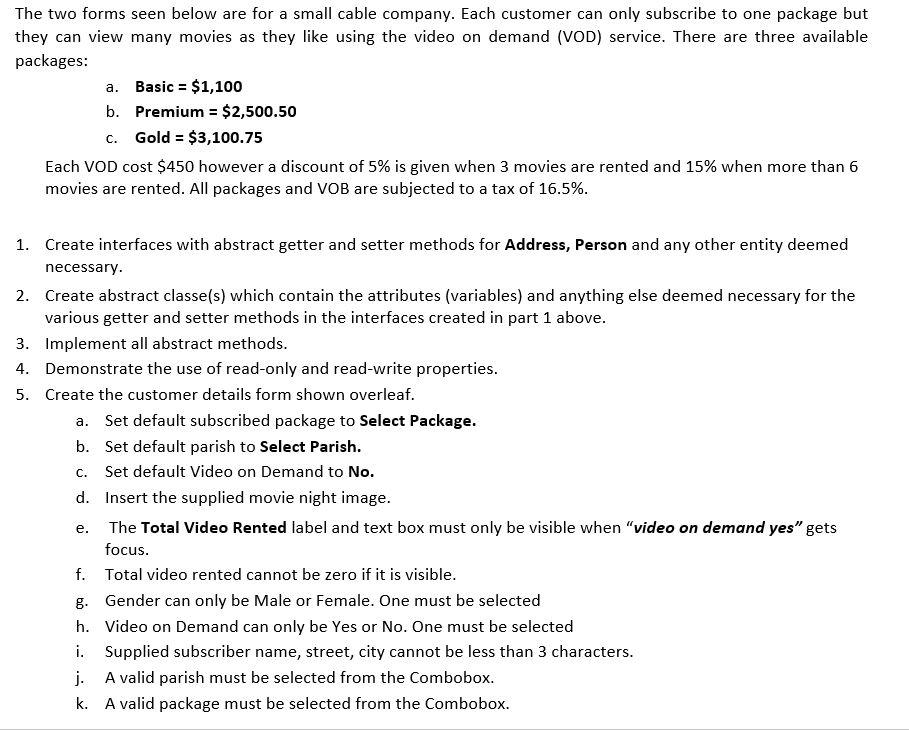
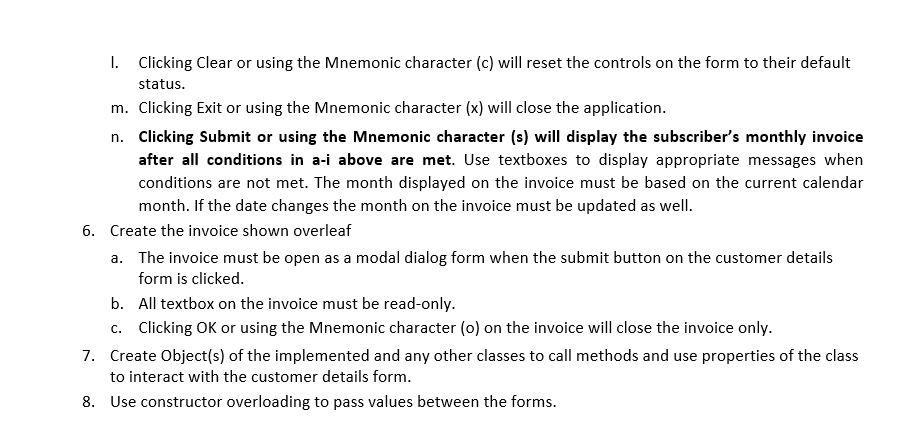
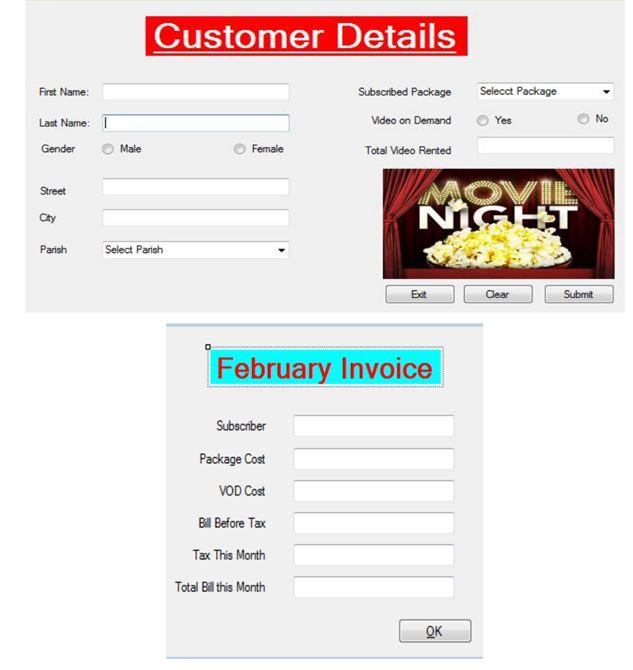
The two forms seen below are for a small cable company. Each customer can only subscribe to one package but they can view many movies as they like using the video on demand (VOD) service. There are three available packages: a. Basic = $1,100 b. Premium = $2,500.50 C. Gold = $3,100.75 Each VOD cost $450 however a discount of 5% is given when 3 movies are rented and 15% when more than 6 movies are rented. All packages and VOB are subjected to a tax of 16.5%. 1. Create interfaces with abstract getter and setter methods for Address, Person and any other entity deemed necessary. 2. Create abstract classe(s) which contain the attributes (variables) and anything else deemed necessary for the various getter and setter methods in the interfaces created in part 1 above. 3. Implement all abstract methods. 4. Demonstrate the use of read-only and read-write properties. 5. Create the customer details form shown overleaf. a. Set default subscribed package to Select Package. b. Set default parish to Select Parish. Set default Video on Demand to No. d. Insert the supplied movie night image. The Total Video Rented label and text box must only be visible when "video on demand yes gets focus. f. Total video rented cannot be zero if it is visible. g. Gender can only be Male or Female. One must be selected h. Video on Demand can only be Yes or No. One must be selected i. Supplied subscriber name, street, city cannot be less than 3 characters. j. A valid parish must be selected from the Combobox. k. A valid package must be selected from the Combobox. C. e. 1. Clicking Clear or using the Mnemonic character (c) will reset the controls on the form to their default status. m. Clicking Exit or using the Mnemonic character (x) will close the application. n. Clicking Submit or using the Mnemonic character (s) will display the subscriber's monthly invoice after all conditions in a-i above are met. Use textboxes to display appropriate messages when conditions are not met. The month displayed on the invoice must be based on the current calendar month. If the date changes the month on the invoice must be updated as well. 6. Create the invoice shown overleaf a. The invoice must be open as a modal dialog form when the submit button on the customer details form is clicked. b. All textbox on the invoice must be read-only. C. Clicking OK or using the Mnemonic character (o) on the invoice will close the invoice only. 7. Create Object(s) of the implemented and any other classes to call methods and use properties of the class to interact with the customer details form. 8. Use constructor overloading to pass values between the forms. Customer Details First Name: Subscribed Package Video on Demand Selecct Package Yes No Last Name: 1 Gender Male Female Total Video Rented Street MOVIE NIGHT City Parish Select Parish E Est Clear Submit February Invoice Subscnber Package Cost VOD Cost Bill Before Tax Tax This Month Total Bill this Month OK The two forms seen below are for a small cable company. Each customer can only subscribe to one package but they can view many movies as they like using the video on demand (VOD) service. There are three available packages: a. Basic = $1,100 b. Premium = $2,500.50 C. Gold = $3,100.75 Each VOD cost $450 however a discount of 5% is given when 3 movies are rented and 15% when more than 6 movies are rented. All packages and VOB are subjected to a tax of 16.5%. 1. Create interfaces with abstract getter and setter methods for Address, Person and any other entity deemed necessary. 2. Create abstract classe(s) which contain the attributes (variables) and anything else deemed necessary for the various getter and setter methods in the interfaces created in part 1 above. 3. Implement all abstract methods. 4. Demonstrate the use of read-only and read-write properties. 5. Create the customer details form shown overleaf. a. Set default subscribed package to Select Package. b. Set default parish to Select Parish. Set default Video on Demand to No. d. Insert the supplied movie night image. The Total Video Rented label and text box must only be visible when "video on demand yes gets focus. f. Total video rented cannot be zero if it is visible. g. Gender can only be Male or Female. One must be selected h. Video on Demand can only be Yes or No. One must be selected i. Supplied subscriber name, street, city cannot be less than 3 characters. j. A valid parish must be selected from the Combobox. k. A valid package must be selected from the Combobox. C. e. 1. Clicking Clear or using the Mnemonic character (c) will reset the controls on the form to their default status. m. Clicking Exit or using the Mnemonic character (x) will close the application. n. Clicking Submit or using the Mnemonic character (s) will display the subscriber's monthly invoice after all conditions in a-i above are met. Use textboxes to display appropriate messages when conditions are not met. The month displayed on the invoice must be based on the current calendar month. If the date changes the month on the invoice must be updated as well. 6. Create the invoice shown overleaf a. The invoice must be open as a modal dialog form when the submit button on the customer details form is clicked. b. All textbox on the invoice must be read-only. C. Clicking OK or using the Mnemonic character (o) on the invoice will close the invoice only. 7. Create Object(s) of the implemented and any other classes to call methods and use properties of the class to interact with the customer details form. 8. Use constructor overloading to pass values between the forms. Customer Details First Name: Subscribed Package Video on Demand Selecct Package Yes No Last Name: 1 Gender Male Female Total Video Rented Street MOVIE NIGHT City Parish Select Parish E Est Clear Submit February Invoice Subscnber Package Cost VOD Cost Bill Before Tax Tax This Month Total Bill this Month OK
Step by Step Solution
There are 3 Steps involved in it

Get step-by-step solutions from verified subject matter experts
 Study Help