







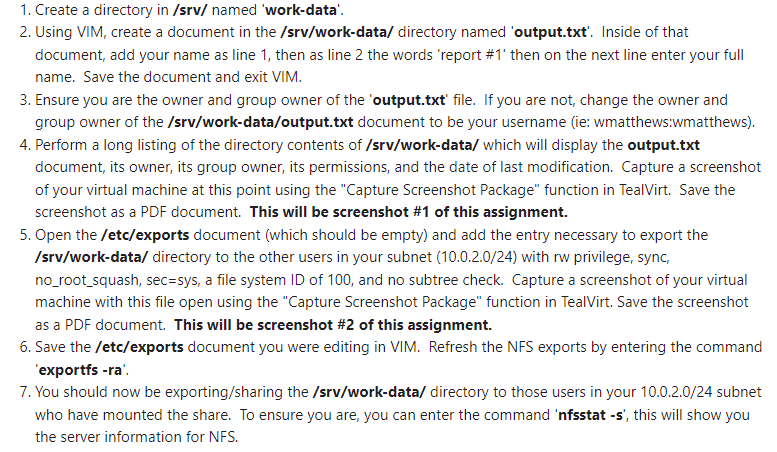
Question: can you do a step by step in ubuntu for the instructions below.Create a directory in / srv / named 'work - data'. Using VIM,
can you do a step by step in ubuntu for the instructions below.Create a directory in srv named 'workdata'.
Using VIM, create a document in the srvworkdata directory named 'output.txt Inside of that
document, add your name as line then as line the words 'report # then on the next line enter your full
name. Save the document and exit VIM.
Ensure you are the owner and group owner of the 'output.txt file. If you are not, change the owner and
group owner of the srvworkdataoutputtxt document to be your username ie: wmatthews:wmatthews
Perform a long listing of the directory contents of srvworkdata which will display the output.txt
document, its owner, its group owner, its permissions, and the date of last modification. Capture a screenshot
of your virtual machine at this point using the "Capture Screenshot Package" function in TealVirt. Save the
screenshot as a PDF document. This will be screenshot # of this assignment.
Open the etcexports document which should be empty and add the entry necessary to export the
srvworkdata directory to the other users in your subnet with rw privilege, sync
norootsquash, secsys a file system ID of and no subtree check. Capture a screenshot of your virtual
machine with this file open using the "Capture Screenshot Package" function in TealVirt. Save the screenshot
as a PDF document. This will be screenshot # of this assignment.
Save the etcexports document you were editing in VIM. Refresh the NFS exports by entering the command
'exportfs ra
You should now be exportingsharing the srvworkdata directory to those users in your subnet
who have mounted the share. To ensure you are, you can enter the command 'nfsstat s this will show you
the server information for NFS
Step by Step Solution
There are 3 Steps involved in it
1 Expert Approved Answer
Step: 1 Unlock

Question Has Been Solved by an Expert!
Get step-by-step solutions from verified subject matter experts
Step: 2 Unlock
Step: 3 Unlock
 Study Help