







Question: Can you do the requested steps on the codes below. import greenfoot.*; // (World, Actor, GreenfootImage, Greenfoot and MouseInfo) /** * Write a description of
Can you do the requested steps on the codes below.
import greenfoot.*; // (World, Actor, GreenfootImage, Greenfoot and MouseInfo)
/** * Write a description of class PigWorld here. * * @author (your name) * @version (a version number or a date) */ public class PigWorld extends World {
/** * Constructor for objects of class PigWorld. * */ public PigWorld() { super(600, 400, 1); } public void act() { } }
import greenfoot.*; // (World, Actor, GreenfootImage, Greenfoot and MouseInfo)
/** * Write a description of class Mushroom here. * * @author (your name) * @version (a version number or a date) */ public class Mushroom extends Actor {
public void act() { } }
import greenfoot.*; // (World, Actor, GreenfootImage, Greenfoot and MouseInfo)
/** * Write a description of class Pig here. * * @author (your name) * @version (a version number or a date) */ public class Pig extends Actor {
public void act() { } }
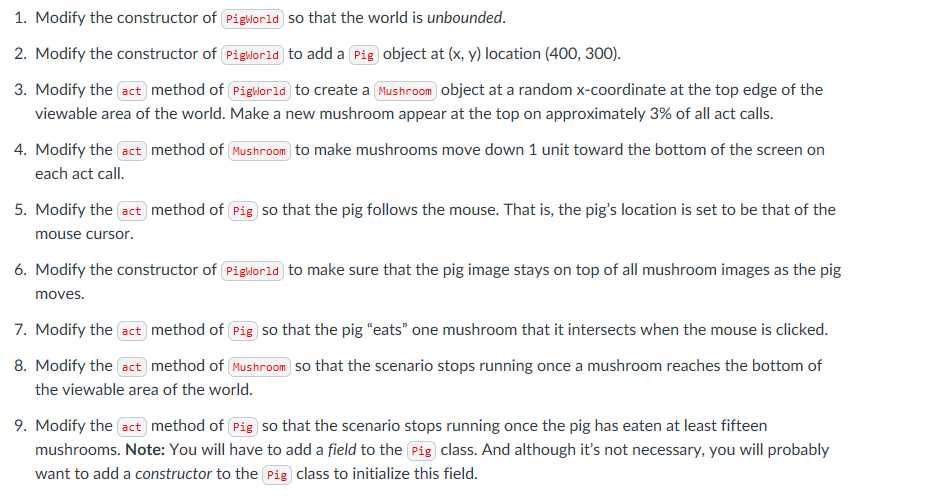
1. Modify the constructor of Pigworld so that the world is unbounded. 2. Modify the constructor of Pigworld to add a Pig object at (x, y) location (400, 300). 3. Modify the act method of Pigworld to create a Mushroom object at a random x-coordinate at the top edge of the viewable area of the world. Make a new mushroom appear at the top on approximately 3% of all act calls. 4. Modify the act method of Mushroom to make mushrooms move down 1 unit toward the bottom of the screen on each act call. 5. Modify the act method of Pig so that the pig follows the mouse. That is, the pig's location is set to be that of the mouse cursor. 6. Modify the constructor of Pigworld to make sure that the pig image stays on top of all mushroom images as the pig moves. 7. Modify the act method of Pig so that the pig "eats" one mushroom that it intersects when the mouse is clicked. 8. Modify the act method of Mushroom so that the scenario stops running once a mushroom reaches the bottom of the viewable area of the world. 9. Modify the act method of Pig so that the scenario stops running once the pig has eaten at least fifteen mushrooms. Note: You will have to add a field to the Pig class. And although it's not necessary, you will probably want to add a constructor to the Pig class to initialize this field. 1. Modify the constructor of Pigworld so that the world is unbounded. 2. Modify the constructor of Pigworld to add a Pig object at (x, y) location (400, 300). 3. Modify the act method of Pigworld to create a Mushroom object at a random x-coordinate at the top edge of the viewable area of the world. Make a new mushroom appear at the top on approximately 3% of all act calls. 4. Modify the act method of Mushroom to make mushrooms move down 1 unit toward the bottom of the screen on each act call. 5. Modify the act method of Pig so that the pig follows the mouse. That is, the pig's location is set to be that of the mouse cursor. 6. Modify the constructor of Pigworld to make sure that the pig image stays on top of all mushroom images as the pig moves. 7. Modify the act method of Pig so that the pig "eats" one mushroom that it intersects when the mouse is clicked. 8. Modify the act method of Mushroom so that the scenario stops running once a mushroom reaches the bottom of the viewable area of the world. 9. Modify the act method of Pig so that the scenario stops running once the pig has eaten at least fifteen mushrooms. Note: You will have to add a field to the Pig class. And although it's not necessary, you will probably want to add a constructor to the Pig class to initialize this field
Step by Step Solution
There are 3 Steps involved in it

Get step-by-step solutions from verified subject matter experts
 Study Help