







Question: Can you please Summarize it and write comments on a side. ecent advances in technology, coupled with the globalization of work, have led to an
Can you please Summarize it and write comments on a side.
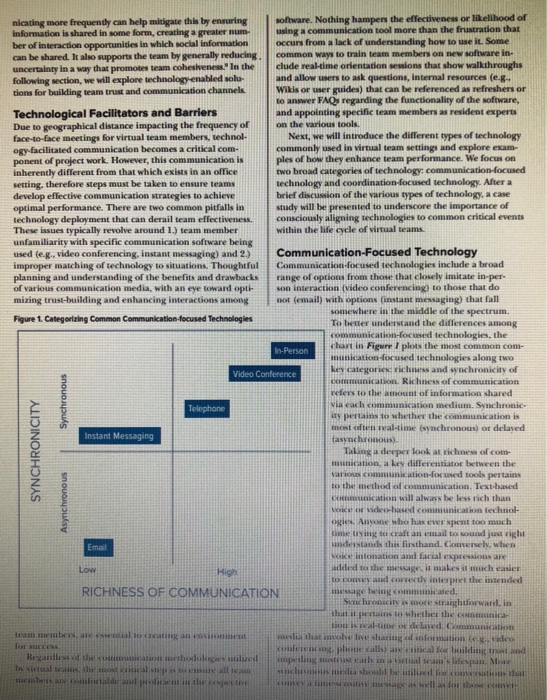
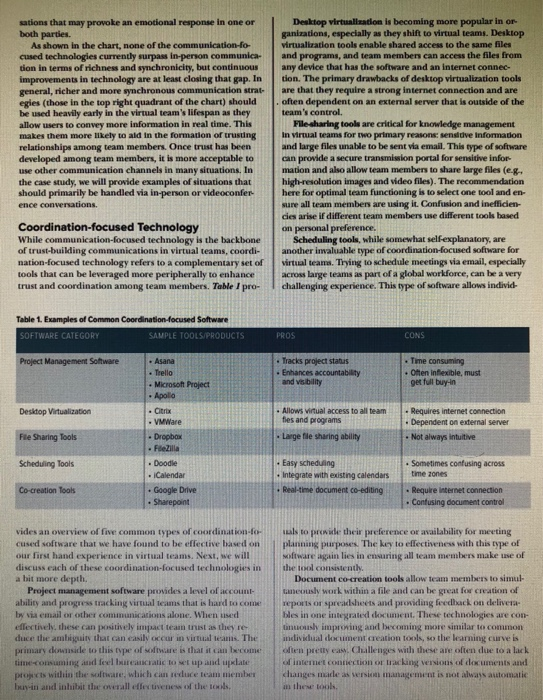
ecent advances in technology, coupled with the globalization of work, have led to an explosion in the prevalence of virtual teams, which are revolutioniz ing the modern workplace. As communication technology has improved, the tools now exist to enable virtual teams to be at least as effective as their co-located counterparts, but successful application of these tools is not a simple under taking The importance of virtual teams cannot be overstated. Indeed, opportunities for flexible work arrangements have emerged as an important contributor to employee satisfac- tion-recently gaining ground in work-life balance discus sions. Moreover, virtual teams afford organizations the oppor tunity to compile teams with more diverse skills and abilities than may be accessible in one location. Even with the extensive benefits emerging from virtual teams, there are still questions and concerns that need to be addressed before organizations can fully reap the rewards of these work arrangements. These questions include: what is it that truly separates effective from ineffective virtual teams, and what is the best way to ensure a virtual team reaches high levels of performance quickly? This article aims to provide some clarity around these questions by exploring trust and communication technologies in virtual teams. In the following sections, we will discuss team trust and communication, with specific emphasis on the factors that fa- cilitate or inhibit the creation of trust in virtual teams. We will then discuss how technology enables and impacts trust and overall effectiveness in virtual teams with specific examples of tools that reproduce the richness of in-person interaction to varying degrees. Trust and Communication In order for virtual teams to reach peak performance, trust and effective communication among team members must be developed. One critical component of developing robust com- munication across virtual teams is to ensure team members have a high level of team trust. Accepted definitions of high team trust typically include several components Team members expect other members to follow through on commitments and interdependencies. There is a willingness to be vulnerable when uncertainty arises Team members are confident that others take action for the good of the team This is important. These definitions highlight not only the reliance upon team members to take appropriate actions on behalf of the team, but also the recognition that such reliance requires a certain amount of risk taking on the part of other team memben - Direct Visibility to team member work and contributions is limited. - Lack of face-to-face interaction inhibits perception of non-verbal cues and reactions, which can cause uncertain- ty or fear of unwarranted criticism Fewer Informal interaction opportunities limit rap- port-building and create a lack of opportunities to break down in-group/out-group barriers that lead to faultlines.' In addition to situational factors, it is also important to rec- ognize that dispersed teams may often face additional hurdles to trust formation, such as language and cultural differences Benefits of Trust Building trusting relationships in central to success in virtual teams because people who trust their peers are more like ly to demonstrate risk taking behaviors that enable team excellence. It may not be immediately obvious or intuitive, but many of the accelerators of success put team members in vulnerable, risky positions. Revisiting our definition of team trust, remember that openness to vulnerability is a primary characteristic of high- trust teams. Thus, taking risks is more likely in a high-rusten vironment. When team members can be confident that other members have their back and will ultimately support the team fear can take a backseal to action. Furthermore, trust creates an environment where employees are willing to take the risks of investing their own time and resources in activities that support other members of the team, such as helping a team mate complete an urgent request or resolve an unforeseen reporting error" Ultimately, when trust is lacking, so are the types of team behaviors that accelerate success. Even sharing opinions or bringing new information to the team can put an individual at risk of embarrassment or low of credibili, mual ing it essential for teams to find ways to bridge trust gap Building Team Trust It is clear that trust is critical to building healthy communi cation networks that enable virtual team success, but there are barriers to building trust in the environments. So, the question remains, "How do we ensure a healthy level of trust develops to facilitate effective information sharing in virtual Beame? There are actually many tools already at our disposal to boost trust among virtual m embers One option is to organise face to face orientation meeting early in team formation. While regler face-to-face dosis usually resource prohibitive, there meetings help team members to see each other as knowledgeable and stworthy individuals, not aceless entities. In order to make the most out of limited resources, research would suggest that investing in early face-to- face sessions can provide a big return in effectivenes. This is be cause trust is typically developed early in team formation, when expectations are being and charters defined. This highlights the value of facilitating introductory face-to-face opportunities at this stage. In addition to putting a face to the name, these onenatis bither c an catch more quickly increasing them of information. This is the team up for alle ledge Sharing practices moving forward. Of course, face-to-face nations are not always a viable options additional techniques are needed that enhance openness to sharing information among teams but do not require-print . O ample is activities ar geted at team building especially those focused on self-disco seek activities that e having team members share personal values and/or experiences. These activities can be asynchronouseva disco beards or email chains) o seu call or wideoconference) and can significantly benefits and team members Sharing this type of information rapport and encourages team mem bers to trust each other and to be open to sharing more info mation in the even if sharing that information creates vulnerability. The great thing about this method is that it can be used cars to develop e r has degraded to help the team function effectively Additionally, incasing communication frequency can help to facilitate t i ng it is high-quality communi cation. To put it simph. Th e facilitating communication de s ing the team up for eflective coration and collation. We know that trust bu s in viata than cerceteams Barriers to Trust Indeed, trust is essential to relationship building and knowl edge-sharing in any team with research showing a parte ularly strong relationship between trust and visual team performance. The paradox here is that while trust has been shown to be more important to team effectivenew in virtual teams, virtual team members are more susceptible to i t than their counterparts in face-to-face teams for a variety of The barriers to trust in viral teams are contextual and predominantly are from the inherent challenges of graphical dispersion, Situational factors that contribute to mit iclude * Time zone di importunities for mucho communication methods that enable immediate respond ingles phone or video chat . Geographical distance results in some team wmberfect ing modeles connected to the team than the nicating more frequently can help mitigate this by ensuring software. Nothing hampen the effectiveness or likelihood of information is shared in some form, creating a greater num using a communication tool more than the frustration that ber of interaction opportunities in which social Information occurs from a lack of understanding how to use it. Some can be shared. It also supports the team by generally reducing common ways to train team members on new software in- uncertainty in a way that promote team coheshenes. In the clude real-time orientation sessions that show walkthroughs following section, we will explore technology enabled solu and allow users to ask questions, Internal resources (e.g. tions for building team trust and communication channels Wikis or wer guides) that can be referenced as refreshers or to answer FAQs regarding the functionality of the software, Technological Facilitators and Barriers and appointing specific team members as resident experts Due to geographical distance impacting the frequency of on the various tools. face-to-face meetings for virtual team members, technol Next, we will introduce the different types of technology ogy facilitated communication becomes a critical com commonly used in virtual team settings and explore excam- ponent of project work. However, this communication is ples of how they enhance team performance. We focus on inherently different from that which exists in an office two broad categories of technology communication-focused setting, therefore steps must be taken to ensure teams technology and coordination-focused technology. After a develop eflective communication strategies to achieve brief discussion of the various types of technology, a case optimal performance. There are two common pitfalls in study will be presented to underscore the importance of technology deployment that can derail team effectiveness consciously aligning technologies to common critical events These issues typically revolve around 1.) team member within the life acle of virtual teams unfamiliarity with specific communication software being used (eg, video conferencing instant messaging) and 2.) Communication-Focused Technology improper matching of technology to situations. Thoughtful Communication-focused technologies include a broad planning and understanding of the benefits and drawbacks range of options from those that closely imitate in per of various communication media, with an eye toward opti son interaction (video conferencing) to those that do mizing trust-building and enhancing interactions among not (email) with options instant messaging) that fall somewhere in the middle of the spectrum. Figure 1 Categorizing Common Communkatlon focused Technologles To better understand the differences among munication-focused technologies, the In-Person chart in Figure I plots the most common com- cation-focused technologies along two Video Conference key Categorie Vic and synchronicity of munication. Richness of communication refers to the amount of information shared Telephone Via each communication medium. Synchronic ity pertains to whether the communication is nost often real-time (wynchronous or delayed Instant Messaging asynchronous). Taking a deeper look at ichines of com munication, a key differentiator between the katon-fond tools pertains to the method of communication. Text-based Communication will always be less rich than ce or video-haved communication technol ogles. Anyone who has ever spent too much me trying to craft an email to sound just right understand this firsthand. Converse, when Woke intonation and facial expressions are added to the meage it makes it much easier C o rectly interpret the intended RICHNESS OF COMMUNICATION message being communicated Such c o re straightforward in that it pertains to whether the c nica or is real-time delased commutatio team membe r ing melihat ve sa n at video SCENE conferencing pa rticles Read the wired ilgi li Me by the dia sh u tili that me the Synchronous SYNCHRONICITY Asynchronous Emai sations that may provoke an emotional response in one or both parties. As shown in the chart, none of the communication-fo- cuased technologies currently surpass in-person communica- tion in terms of richness and synchronicity, but continuous improvements in technology are at least closing that gap. In general, richer and more synchronous communication strat- egies (those in the top right quadrant of the chart) should be used heavily early in the virtual team's lifespan as they allow users to convey more information in real time. This makes them more likely to ald in the formation of trusting relationships among team members. Once trust has been developed among team members, it is more acceptable to use other communication channels in many situations. In the case study, we will provide examples of situations that should primarily be handled via in-person or videoconfer- ence conversations. Desktop virtualization is becoming more popular in or ganizations, especially as they shift to virtual teams. Desktop Virtualization tools enable shared access to the same files and programs, and team members can access the files from any device that has the software and an internet connec- tion. The primary drawbacks of desktop virtualization tools are that they require a strong internet connection and are often dependent on an external server that is outside of the team's control. File sharing tools are critical for knowledge management In virtual teams for two primary reasons: sens dve information and large files unable to be sent via email. This type of software can provide a secure transmission portal for sensitive infor mation and also allow team members to share large files (e.g. high-resolution images and video files). The recommendation here for optimal team functioning is to select one tool and en- sure all team members are using it. Confusion and inefficien cies arise if different team members use different tools based on personal preference. Scheduling tools, while somewhat self-explanatory, are another invaluable type of coordination-focused software for virtual teams. Trying to schedule meetings via email, especially across large teams as part of a global workforce, can be a very challenging experience. This type of software allows individ- Coordination-focused Technology While communication-focused technology is the backbone of trust-building communications in virtual teams, coordi- nation-focused technology refers to a complementary set of tools that can be leveraged more peripherally to enhance trust and coordination among team members. Table I pro- Table 1. Examples of Common Coordination focused Software SOFTWARE CATEGORY SAMPLE TOOLS/PRODUCTS PROS CONS Project Management Software Asana Trello Microsoft Project Apollo Tracks project status Enhances accountability and visibility Time consuming . Often inflexible, must get full buy-in Desktop Virtualization Allows Virtual access to all team fies and programs Large file sharing ability - Requires internet connection + Dependent on external server File Sharing Tools - Not always intuitive . trx - VMWare Dropbox Fdezilla Doodle Calendar . Google Drive Sharepoint Scheduling Tools - Easy scheduling Integrate with existing calendars Real-time document co-editing . Sometimes confusing across time zones Require internet connection Confusing document control Co-creation Tools vides an overview of five common types of coordination for cused software that we have found to be effective based on our first hand experience in virtual teams. Next, we will discuss each of these coordination-focused technologies in a bit more depth. Project management software provides a level of account ability and progress tracking virtual teams that is hard to come by via email or other cominunications alone. When used effectively, these can positively impact team trust as they re duce the ambiguity that can easily occur in virtual teams. The primary downside to this type of software is that it can become time-consuming and feel bureaucratic to set up and update projects within the software, which can reduce team member buy-in and inhibit the overall effectivenew of the tools als to provide their preference or availability for meeting planning purposes. The key to effectiveness with this type of oftware again lies in ensuring all team members make use of the tool consistently Document co-creation tools allow team members to simul- taneously work within a file and can be great for creation of reports or spreadsheets and providing feedback on delivers bles in one integrated document. These technologies are con- tinuously improwing and becoming more similar to common individual document creation tools, so the leaming curveis often pretty eas. Challenges with these are often due to a lack of intemet contrection or taking sons of documents and changes made as version management is not always automatic in these tools Step by Step Solution
There are 3 Steps involved in it
1 Expert Approved Answer
Step: 1 Unlock

Question Has Been Solved by an Expert!
Get step-by-step solutions from verified subject matter experts
Step: 2 Unlock
Step: 3 Unlock
 Study Help