







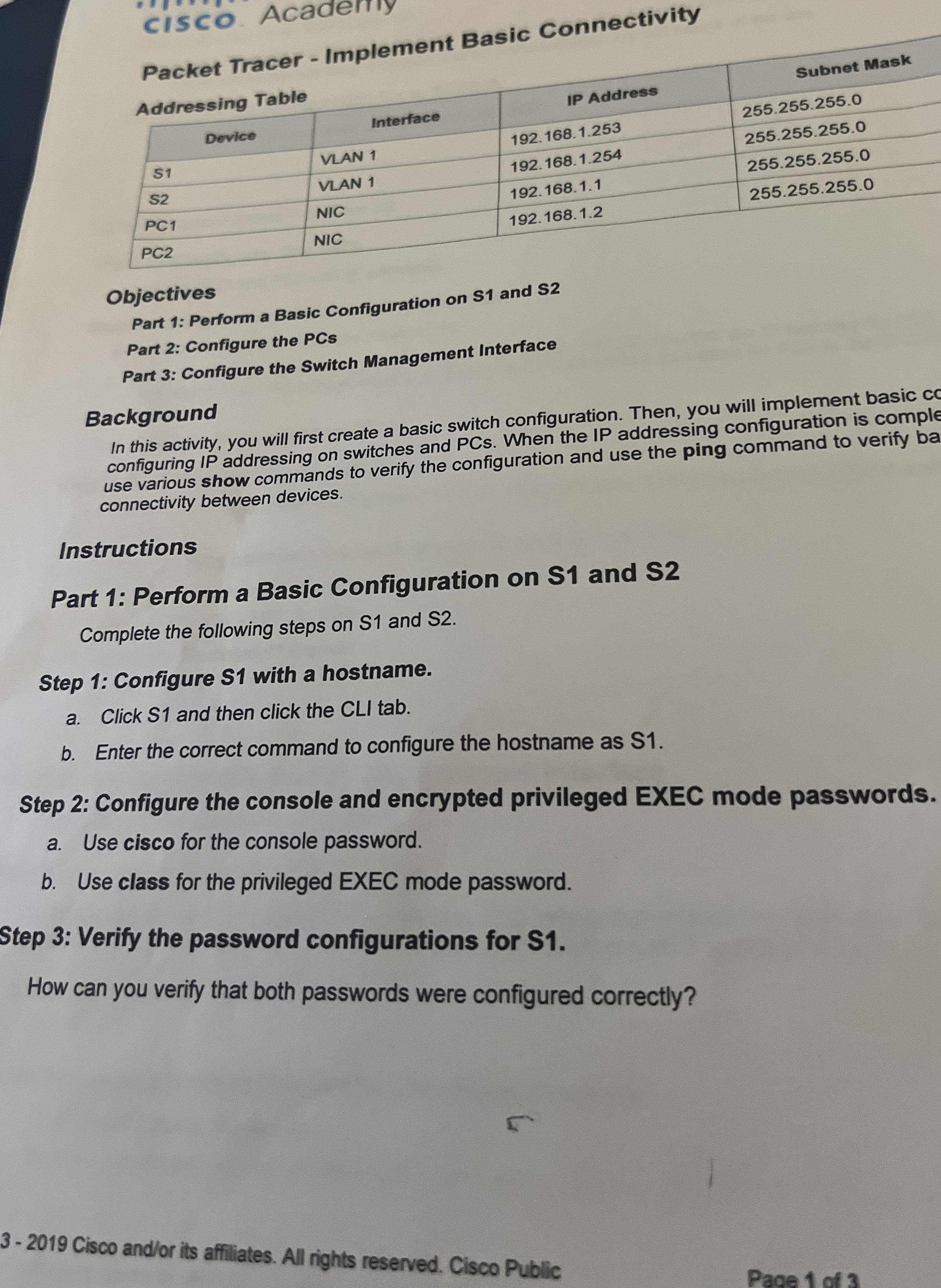
Question: cisco Acaderny Packet Tracer - Implement Basic Connectivity Addressing Table Objectives Part 1 : Perform a Basic Configuration on S 1 and S 2 Part
cisco Acaderny
Packet Tracer Implement Basic Connectivity
Addressing Table
Objectives
Part : Perform a Basic Configuration on S and S
Part : Configure the PCs
Part : Configure the Switch Management Interface
Background
In this activity, you will first create a basic switch configuration. Then, you will implement basic cc
configuring IP addressing on switches and PCs When the IP addressing configuration is comple
use various show commands to verify the configuration and use the ping command to verify ba
connectivity between devices.
Instructions
Part : Perform a Basic Configuration on S and S
Complete the following steps on S and S
Step : Configure S with a hostname.
a Click S and then click the CLI tab.
b Enter the correct command to configure the hostname as S
Step : Configure the console and encrypted privileged EXEC mode passwords.
a Use cisco for the console password.
b Use class for the privileged EXEC mode password.
Step : Verify the password configurations for
How can you verify that both passwords were configured correctly?
Step by Step Solution
There are 3 Steps involved in it
1 Expert Approved Answer
Step: 1 Unlock

Question Has Been Solved by an Expert!
Get step-by-step solutions from verified subject matter experts
Step: 2 Unlock
Step: 3 Unlock
 Study Help