







Question: class Triangle: def __init__(self): self.base = 0 self.height = 0 def set_base(self, user_base): self.base = user_base def set_height(self, user_height): self.height = user_height def get_area(self): area
class Triangle: def __init__(self): self.base = 0 self.height = 0
def set_base(self, user_base): self.base = user_base
def set_height(self, user_height): self.height = user_height def get_area(self): area = 0.5 * self.base * self.height return area def print_info(self): print(f'Base: {self.base:.2f}') print(f'Height: {self.height:.2f}') print(f'Area: {self.get_area():.2f}')
if __name__ == "__main__": triangle1 = Triangle() triangle2 = Triangle()
# TODO: Read and set base and height for triangle1 (use set_base() and set_height()) # TODO: Read and set base and height for triangle2 (use set_base() and set_height()) print('Triangle with smaller area:') # TODO: Determine smaller triangle (use get_area()) # and output smaller triangle's info (use print_info())
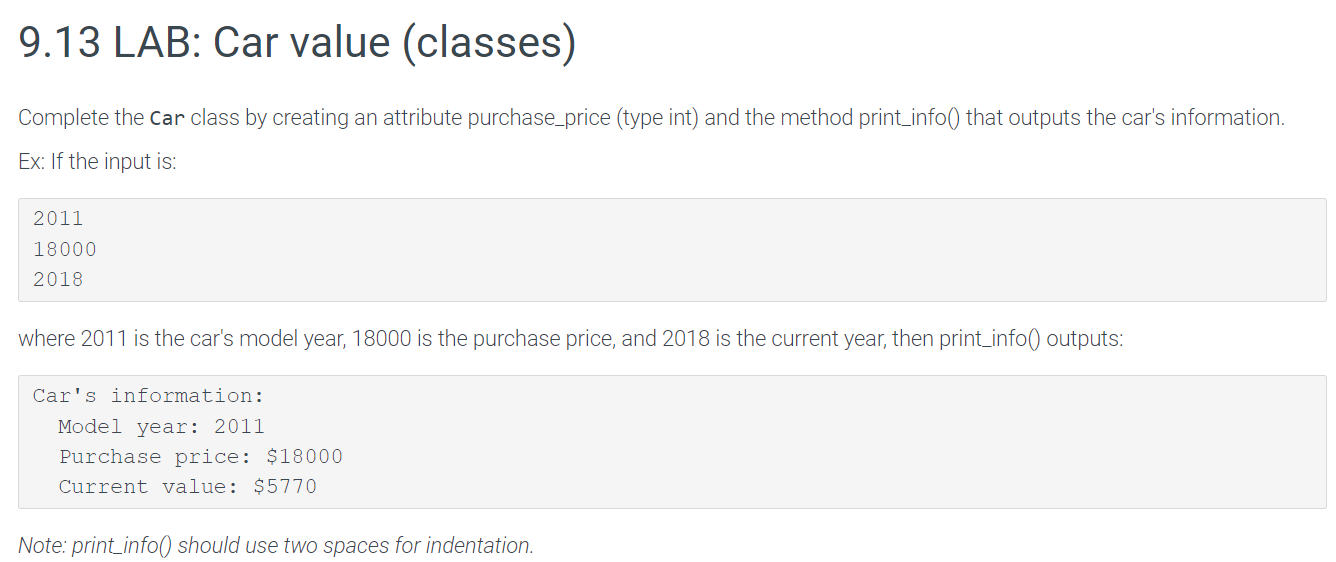
Complete the Car class by creating an attribute purchase_price (type int) and the method print_info() that outputs the car's information. Ex: If the input is: 2011180002018 where 2011 is the car's model year, 18000 is the purchase price, and 2018 is the current year, then print_info() outputs: Car's information: Model year: 2011 Purchase price: $18000 Current value: $5770 Note: print_info() should use two spaces for indentation
Step by Step Solution
There are 3 Steps involved in it

Get step-by-step solutions from verified subject matter experts
 Study Help