







Question: Complete the following Code package application; public class Display Jobs extends Application { private TextArea ta = new TextArea(); private Button btShowJobs = new Button(Show
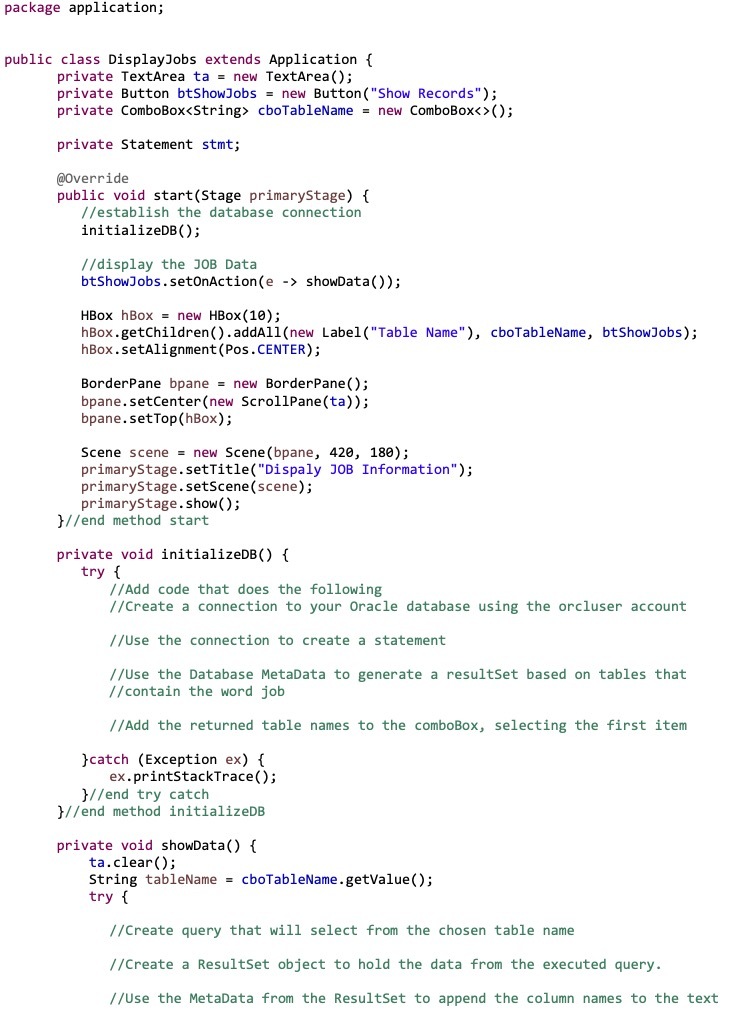
package application; public class Display Jobs extends Application { private TextArea ta = new TextArea(); private Button btShowJobs = new Button("Show Records"); private ComboBox cboTableName = new ComboBox (); private Statement stmt; @Override public void start (Stage primaryStage) { //establish the database connection initializeDB(); //display the JOB Data btShowJobs.setOnAction (e -> showData()); HBox hBox = new HBox(10); hBox.getChildren().addAll(new Label("Table Name"), cboTableName, btShowJobs); hBox.setAlignment (Pos.CENTER); BorderPane bpane = new BorderPane(); bpane.setCenter(new ScrollPane (ta)); bpane.setTop (hBox); Scene scene = new Scene (bpane, 420, 180); primaryStage.setTitle("Dispaly JOB Information"); primaryStage.setScene(scene); primaryStage.show(); }//end method start private void initializeDB() { try { //Add code that does the following //Create a connection to your Oracle database using the orcluser account //Use the connection to create a statement //Use the Database MetaData to generate a resultSet based on tables that //contain the word job //Add the returned table names to the comboBox, selecting the first item }catch (Exception ex) { ex.printStackTrace(); }//end try catch //end method initializeDB private void showData() { ta.clear(); String tableName = cboTableName.getValue(); try { //Create query that will select from the chosen table name //Create a ResultSet object to hold the data from the executed query. //Use the MetaData from the ResultSet to append the column names to the text
Step by Step Solution
There are 3 Steps involved in it

Get step-by-step solutions from verified subject matter experts
 Study Help