







Question: complete the following exercises using join syntax for my SQL... Appreciate it! presented in this chapter, this is the one you'll use most o e
complete the following exercises using join syntax for my SQL...
Appreciate it!
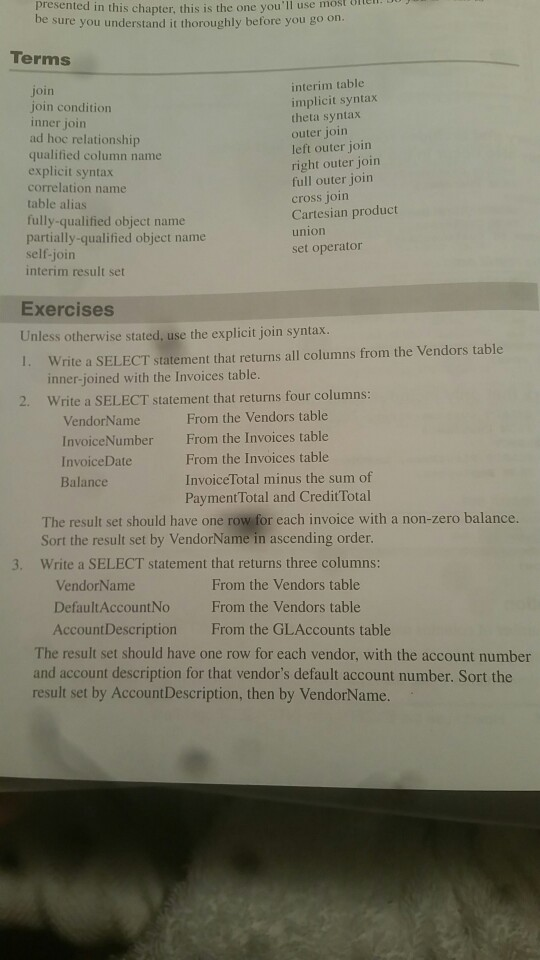
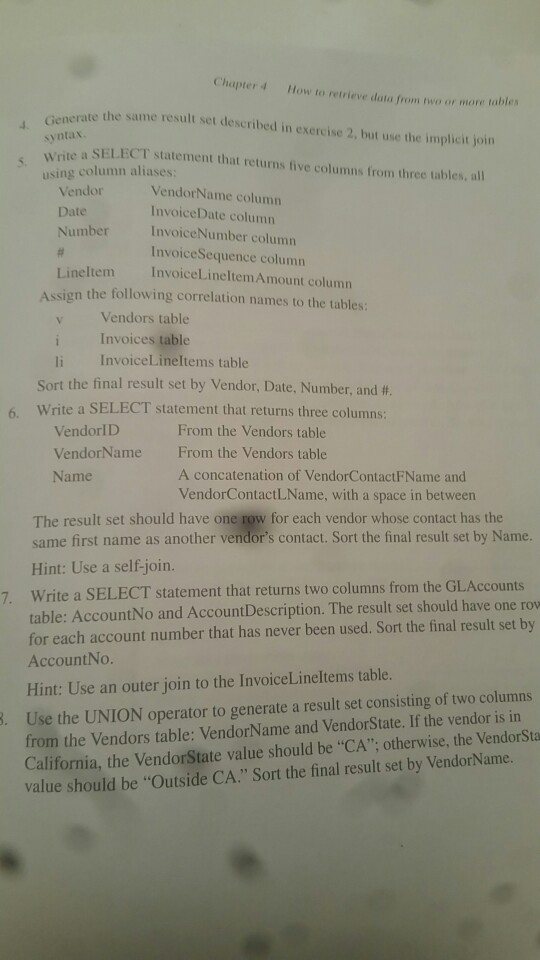
presented in this chapter, this is the one you'll use most o e sure you understand it thoroughly before you go on. Terms join join condition inner join ad hoc relationship qualified column name explicit syntax correlation name table alias fully-qualified object name partially-qualified object name self-join interim result set interim table implicit syntax theta syntax outer join left outer join right outer join full outer join cross join Cartesian product union set operator Exercises Unless otherwise stated, use the explicit join syntax. Write a SELECT statement that returns all columns from the Vendors table inner-joined with the Invoices table. Write a SELECT statement that returns four columns: 1. 2. VendorName InvoiceNumber InvoiceDate Balance From the Vendors table From the Invoices table From the Invoices table InvoiceTotal minus the sum of Payment Total and CreditTotal The result set should have one row for each invoice with a non-zero balance. Sort the result set by VendorName in ascending order. Write a SELECT statement that returns three columns: 3. VendorName DefaultAccountNo AccountDescription From the Vendors table From the Vendors table From the GLAccounts table The result set should have one row for each vendor, with the account number and account description for that vendor's default account number. Sort the result set by AccountDescription, then by VendorName. Chapter 4 How to retrieve dota from two or more tables e the same result set described in exercise 2, but use the implicit join syntax a SELECT statement that returns five columns from three tables, all using column aliases: Vendor Date Number VendorName column InvoiceDate column InvoiceNumber column InvoiceSequence column InvoiceL ineltemAmount column Lineltem Assign the following correlation names to the tables: Vendors table Invoices table li InvoiceLineltems table sort the final result set by Vendor, Date, Number, and #. Write a SELECT statement that returns three columns: 6. VendorlD VendorName Name From the Vendors table From the Vendors table A concatenation of VendorContactFName and VendorContactLName, with a space in between The result set should have one row for each vendor whose contact has the same first name as another vendor's contact. Sort the final result set by Name. Hint: Use a self-join. Write a SELECT statement that returns two columns from the GLAccounts table: AccountNo and AccountDescription. The result set should have one ro for each account number that has never been used. Sort the final result set by AccountNo 7. Hint: Use an outer join to the InvoiceLineltems table. from the Vendors table: VendorName and VendorState. If the vendor is in California, the VendorState value should be "CA": otherwise, the VendorSta value should be "Outside CA." Sort the final result set by VendorName. . Use the UNION operator to generate a result set consisting of two columns
Step by Step Solution
There are 3 Steps involved in it

Get step-by-step solutions from verified subject matter experts
 Study Help