







Question: COMPLETE USING C# IN VISUAL STUDIOS GUI PROGRAMMING AND JUST TAKE SCREEN SHOTS OF THE CODE AND ALL THE COMPNENTS INCLUDING THE FINAL RUN ALSO
COMPLETE USING C# IN VISUAL STUDIOS GUI PROGRAMMING AND JUST TAKE SCREEN SHOTS OF THE CODE AND ALL THE COMPNENTS INCLUDING THE FINAL RUN ALSO PLEASE USE COMMENTS JUST SO I CAN FOLLOW IT BETTER! USE WINDOWS FORM!
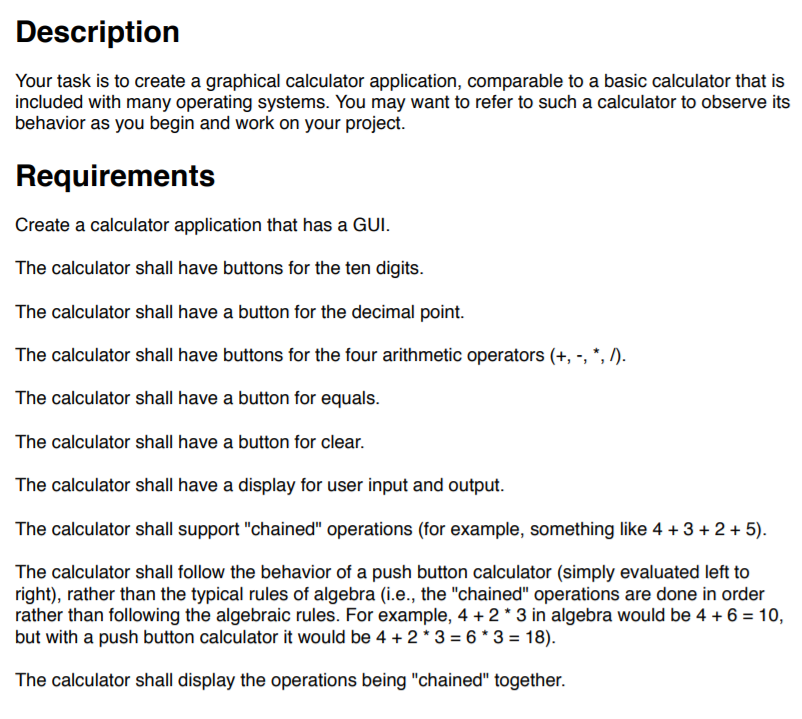
Your task is to create a graphical calculator application, comparable to a basic calculator that is included with many operating systems. You may want to refer to such a calculator to observe its behavior as you begin and work on your project. Create a calculator application that has a GUI. The calculator shall have buttons for the ten digits. The calculator shall have a button for the decimal point. The calculator shall have buttons for the four arithmetic operators (+, -, ", ). The calculator shall have a button for equals. The calculator shall have a button for clear. The calculator shall have a display for user input and output. The calculator shall support "chained" operations (for example, something like 4 +3+2+5). The calculator shall follow the behavior of a push button calculator (simply evaluated left to right), rather than the typical rules of algebra (i.e., the "chained" operations are done in order rather than following the algebraic rules. For example, 4 2 3 in algebra would be 46-10, but with a push button calculator it would be 4 + 2 * 3-6 * 3-18). The calculator shall display the operations being "chained" together. Your task is to create a graphical calculator application, comparable to a basic calculator that is included with many operating systems. You may want to refer to such a calculator to observe its behavior as you begin and work on your project. Create a calculator application that has a GUI. The calculator shall have buttons for the ten digits. The calculator shall have a button for the decimal point. The calculator shall have buttons for the four arithmetic operators (+, -, ", ). The calculator shall have a button for equals. The calculator shall have a button for clear. The calculator shall have a display for user input and output. The calculator shall support "chained" operations (for example, something like 4 +3+2+5). The calculator shall follow the behavior of a push button calculator (simply evaluated left to right), rather than the typical rules of algebra (i.e., the "chained" operations are done in order rather than following the algebraic rules. For example, 4 2 3 in algebra would be 46-10, but with a push button calculator it would be 4 + 2 * 3-6 * 3-18). The calculator shall display the operations being "chained" together
Step by Step Solution
There are 3 Steps involved in it

Get step-by-step solutions from verified subject matter experts
 Study Help