







Question: Compute TP , TN , FP , FN , Recall, Precision and F - score for each experiment. Consider the edge as the positive class
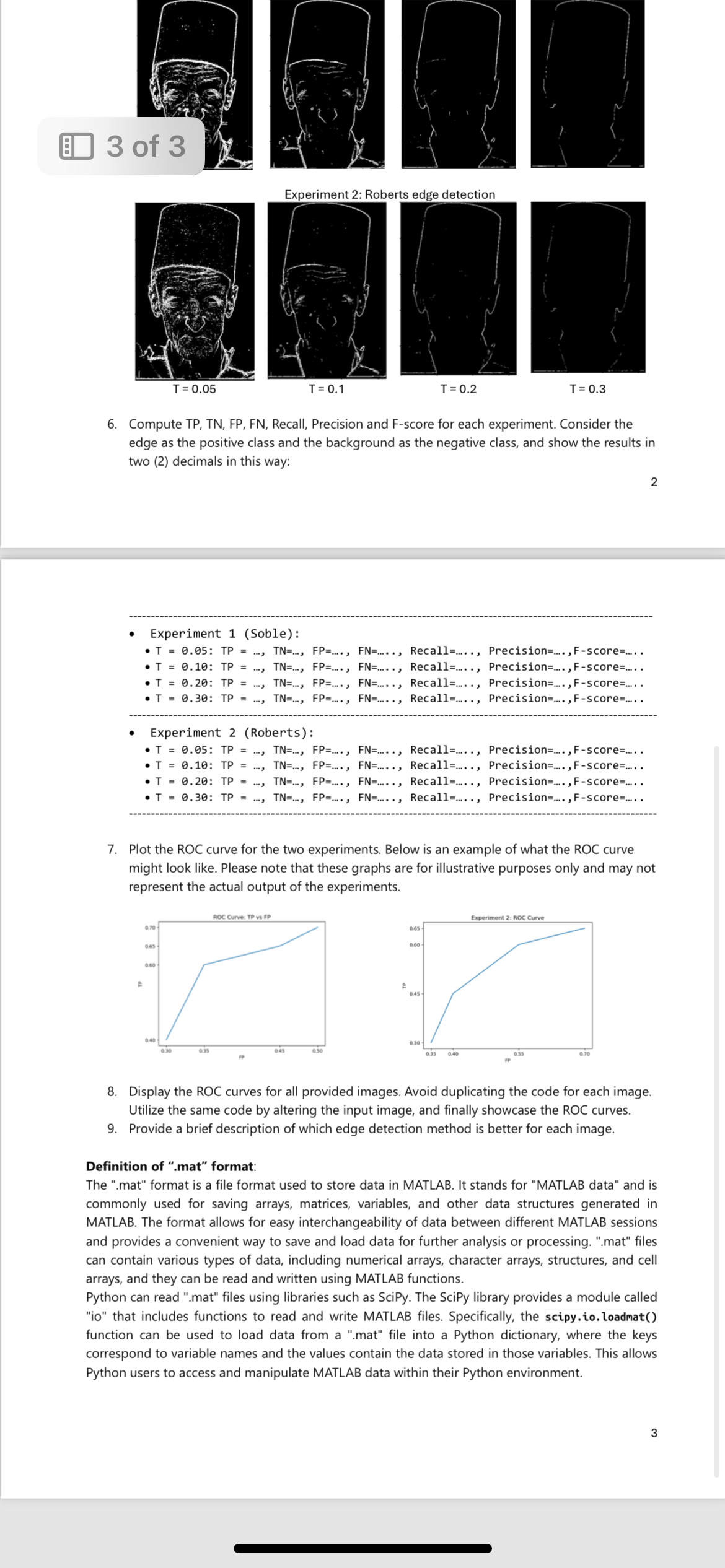
Compute TP TN FP FN Recall, Precision and Fscore for each experiment. Consider the edge as the positive class and the background as the negative class, and show the results in two decimals in this way:
Experiment Soble:
:dots,dots,dots.,dots.., Recall Precisionscoredots..
:dots,dots,dots.,dots.., Recall Precisionscore dots..
:dots,dots,dots.,dots.., Recall Precisionscoredots..
Experiment Roberts:
:dots,dots,dots,dots.., Recall dots.., Precisionscoredots.
:dots,dots,dots.,dots.., Recall Precisionscoredots..
:dots,dots,dots.,dots.., Recall Precisionscoredots..
Plot the ROC curve for the two experiments. Below is an example of what the ROC curve might look like. Please note that these graphs are for illustrative purposes only and may not represent the actual output of the experiments.
Display the ROC curves for all provided images. Avoid duplicating the code for each image. Utilize the same code by altering the input image, and finally showcase the ROC curves.
Provide a brief description of which edge detection method is better for each image.
Definition of mat" format:
The mat" format is a file format used to store data in MATLAB. It stands for "MATLAB data" and is commonly used for saving arrays, matrices, variables, and other data structures generated in MATLAB. The format allows for easy interchangeability of data between different MATLAB sessions and provides a convenient way to save and load data for further analysis or processing. mat" files can contain various types of data, including numerical arrays, character arrays, structures, and cell arrays, and they can be read and written using MATLAB functions.
Python can read mat" files using libraries such as SciPy. The SciPy library provides a module called io that includes functions to read and write MATLAB files. Specifically, the scipy.ioloadmat function can be used to load data from a mat" file into a Python dictionary, where the keys correspond to variable names and the values contain the data stored in those variables. This allows Python users to access and manipulate MATLAB data within their Python environment.
Step by Step Solution
There are 3 Steps involved in it
1 Expert Approved Answer
Step: 1 Unlock

Question Has Been Solved by an Expert!
Get step-by-step solutions from verified subject matter experts
Step: 2 Unlock
Step: 3 Unlock
 Study Help