







Question: Consider the following code segment. switch (value) case {11, 12, 13, 14, 15, 16, 17, 18, 19, 20} fprintf ('values are between 11 and 20,
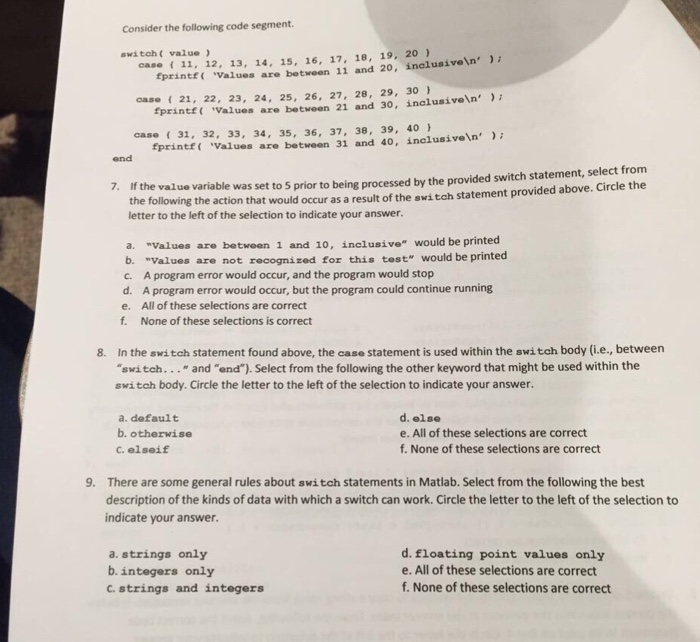
Consider the following code segment. switch (value) case {11, 12, 13, 14, 15, 16, 17, 18, 19, 20} fprintf ('values are between 11 and 20, inclusive '); case {21, 22, 23, 24, 25, 26, 27, 28, 29, 30} fprintf ('values are between 21 and 30, inclusive '); case {31, 32, 33, 34, 35, 36, 37, 38, 39, 40} fprintf ('values are between 31 and 40, inclusive '); end If the value variable was set to 5 prior to being processed by the provided switch statement, select from the following the action that to would occur as a result of the switch statement provided above. Circle the letter to the left of the selection to indicate your answer. a. "values are between 1 and 10, inclusive" would be printed b. "values are not recognized for this test" would be printed c. A program error would occur, and the program would stop d. A program error would occur, but the program could continue running e. All of these selections are correct f. None of these selections is correct In the switch statement found above, the case statement is used within the switch body (i.e., between "switch... "and "end"). Select from the following the other keyword that might be used within the switch body. Circle the letter to the left of the selection to indicate your answer. a. default b. otherwise c. elseif d else e. All of these selections are correct f. None of these selections are correct There are some general rules about switch statements in Matlab. Select from the following the best description of the kinds of data with which a switch can work. Circle the letter to the left of the selection to indicate your answer. a. strings only b. integers only c. strings and integers d floating point values only e. All of these selections are correct f. None of these selections are correct
Step by Step Solution
There are 3 Steps involved in it

Get step-by-step solutions from verified subject matter experts
 Study Help