







Question: Continously Updated Display A simple computer display might be to the system temperature. An example BASH script to read and display the CPU core temperature
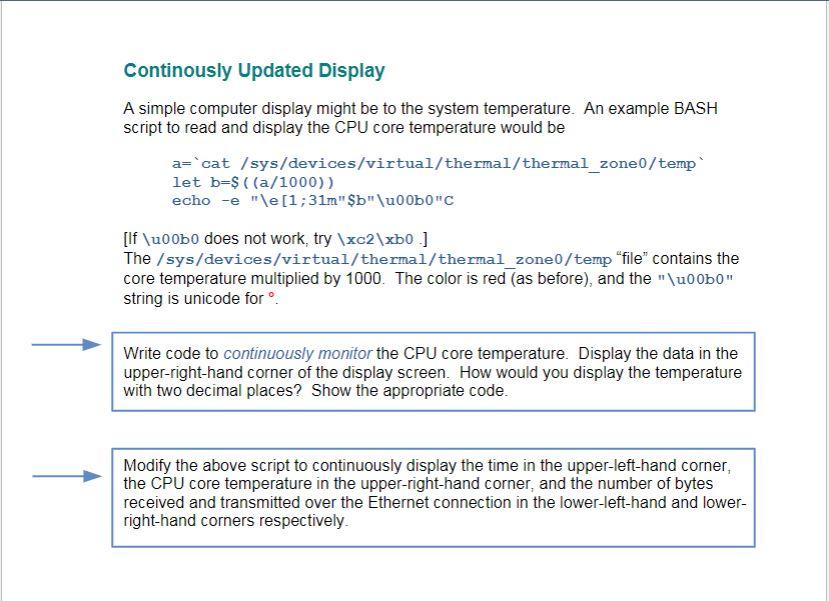
Continously Updated Display A simple computer display might be to the system temperature. An example BASH script to read and display the CPU core temperature would be a== cat /sys/devices/virtual/thermal/thermal_zone0/temp' let b=$((a/1000)) echo e"\e[1;31m$b\u00b0C [If \u00b0 does not work, try \xc2\xb0 ] ] The /sys/devices/virtual/thermal/thermal_zone0/temp "file" contains the core temperature multiplied by 1000 . The color is red (as before), and the " \u00b0 " string is unicode for . Write code to continuously monitor the CPU core temperature. Display the data in the upper-right-hand corner of the display screen. How would you display the temperature with two decimal places? Show the appropriate code. Modify the above script to continuously display the time in the upper-left-hand corner, the CPU core temperature in the upper-right-hand corner, and the number of bytes received and transmitted over the Ethernet connection in the lower-left-hand and lowerright-hand corners respectively
Step by Step Solution
There are 3 Steps involved in it

Get step-by-step solutions from verified subject matter experts
 Study Help