







Question: COOKIES AND ANIMATIONS This exercise combines many interactive features from JavaScript. You will build a greeting page. Here are the specifications, with screen shots to
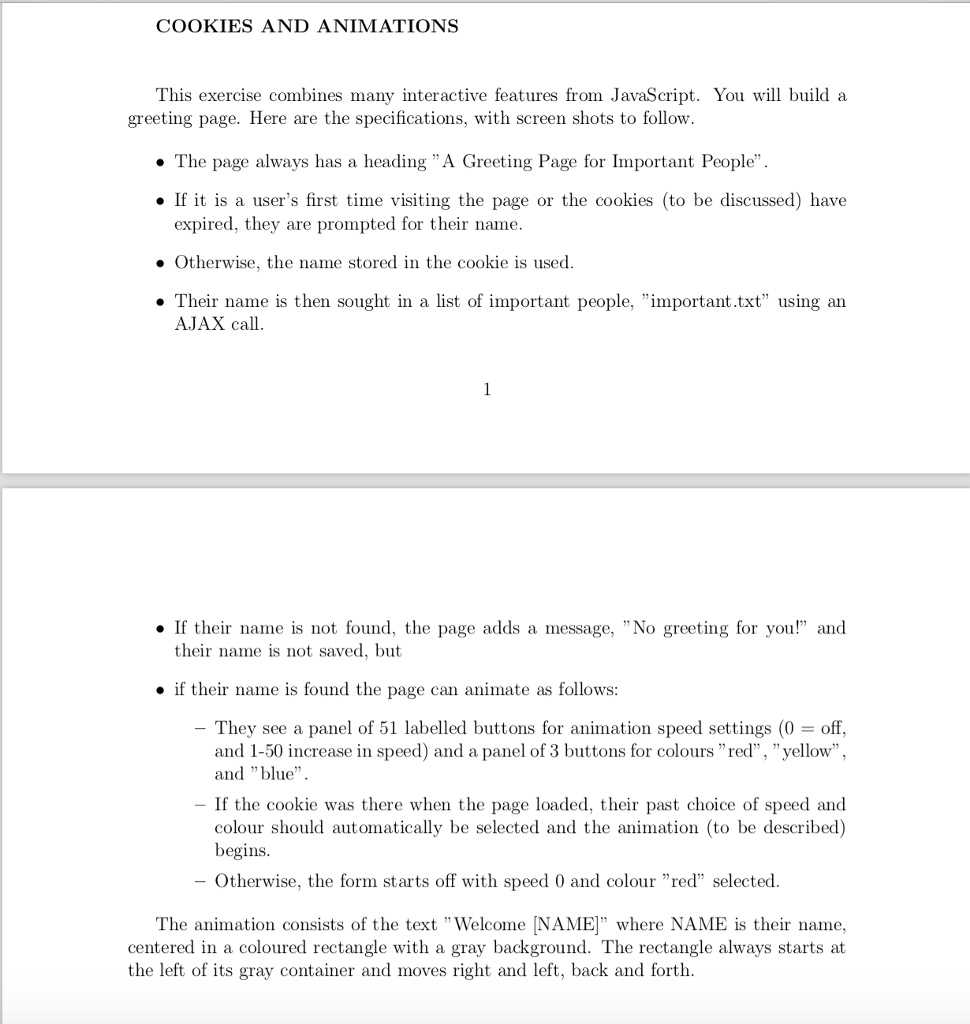
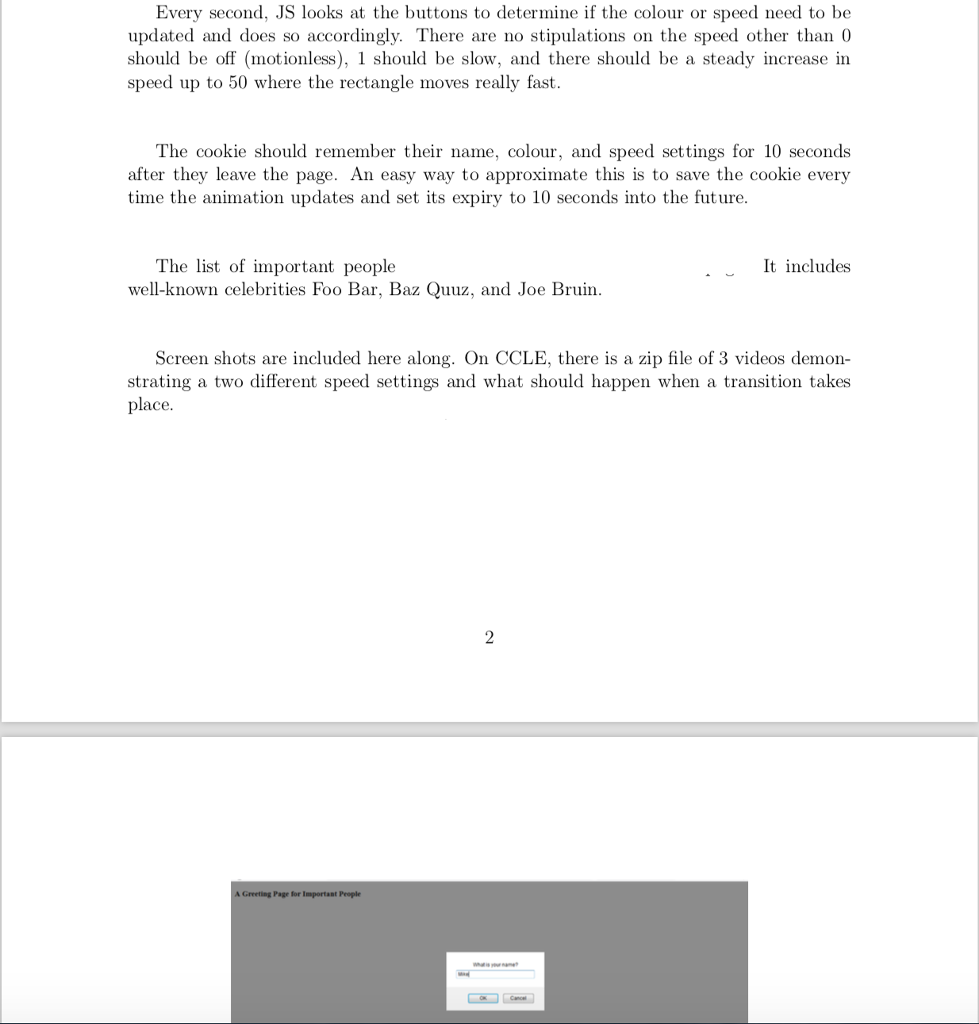
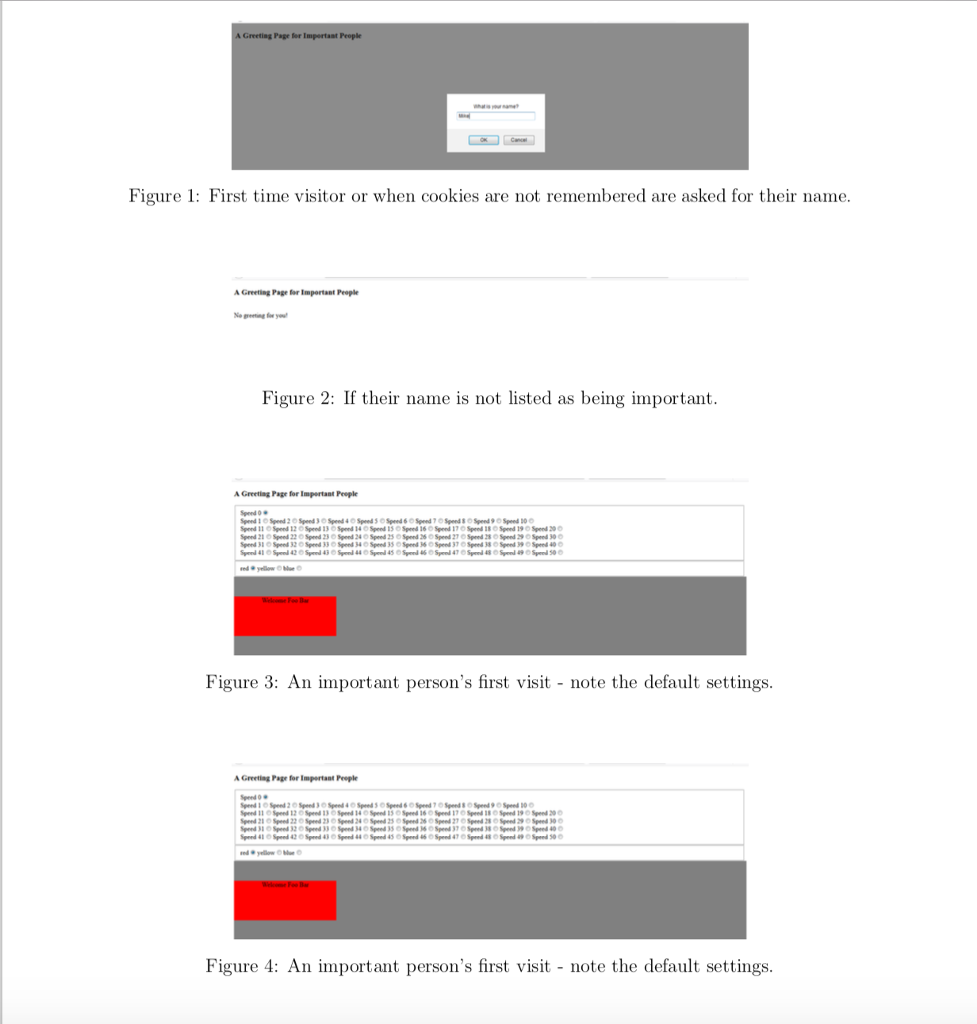
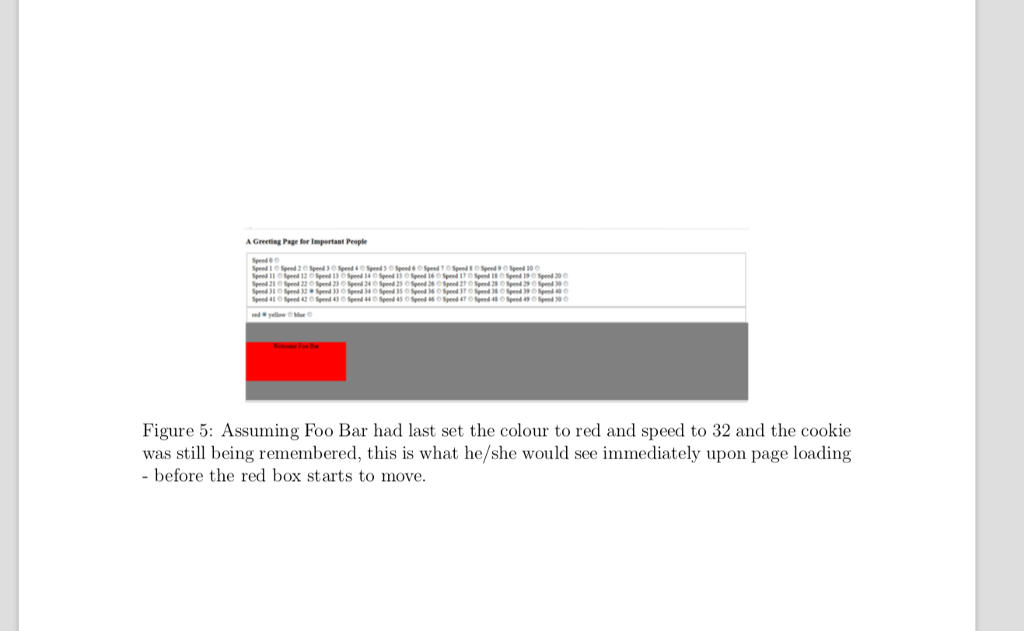
COOKIES AND ANIMATIONS This exercise combines many interactive features from JavaScript. You will build a greeting page. Here are the specifications, with screen shots to follow. . The page always has a heading "A Greeting Page for Important People" If it is a user's first time visiting the page or the cookies (to be discussed) have expired, they are prompted for their name . Otherwise, the name stored in the cookie is used Their name is then sought in a list of important people, "important.txt using an AJAX call If their name is not found, the page adds a message, "No greeting for you!" and their name is not saved, but o if their name is found the page can animate as follows: -They see a panel of 51 labelled buttons for animation speed settings (0off and 1-50 increase in speed) and a panel of 3 buttons for colours"red", "yellow" and "blue" If the cookie was there when the page loaded, their past choice of speed and colour should automatically be selected and the animation (to be described) begins. Otherwise, the form starts off with speed 0 and colour "red" selected. The animation consists of the text "Welcome [NAME]" where NAME is their name, centered in a coloured rectangle with a gray background. The rectangle always starts at the left of its gray container and moves right and left, back and forth. COOKIES AND ANIMATIONS This exercise combines many interactive features from JavaScript. You will build a greeting page. Here are the specifications, with screen shots to follow. . The page always has a heading "A Greeting Page for Important People" If it is a user's first time visiting the page or the cookies (to be discussed) have expired, they are prompted for their name . Otherwise, the name stored in the cookie is used Their name is then sought in a list of important people, "important.txt using an AJAX call If their name is not found, the page adds a message, "No greeting for you!" and their name is not saved, but o if their name is found the page can animate as follows: -They see a panel of 51 labelled buttons for animation speed settings (0off and 1-50 increase in speed) and a panel of 3 buttons for colours"red", "yellow" and "blue" If the cookie was there when the page loaded, their past choice of speed and colour should automatically be selected and the animation (to be described) begins. Otherwise, the form starts off with speed 0 and colour "red" selected. The animation consists of the text "Welcome [NAME]" where NAME is their name, centered in a coloured rectangle with a gray background. The rectangle always starts at the left of its gray container and moves right and left, back and forth
Step by Step Solution
There are 3 Steps involved in it

Get step-by-step solutions from verified subject matter experts
 Study Help