







Question: Copy dates as values. a . Select cell C 5 . Cell C 5 is a reference to the TODAY function in cell F 2
Copy dates as values.
a Select cell Cell is a reference to the TODAY function in cell F
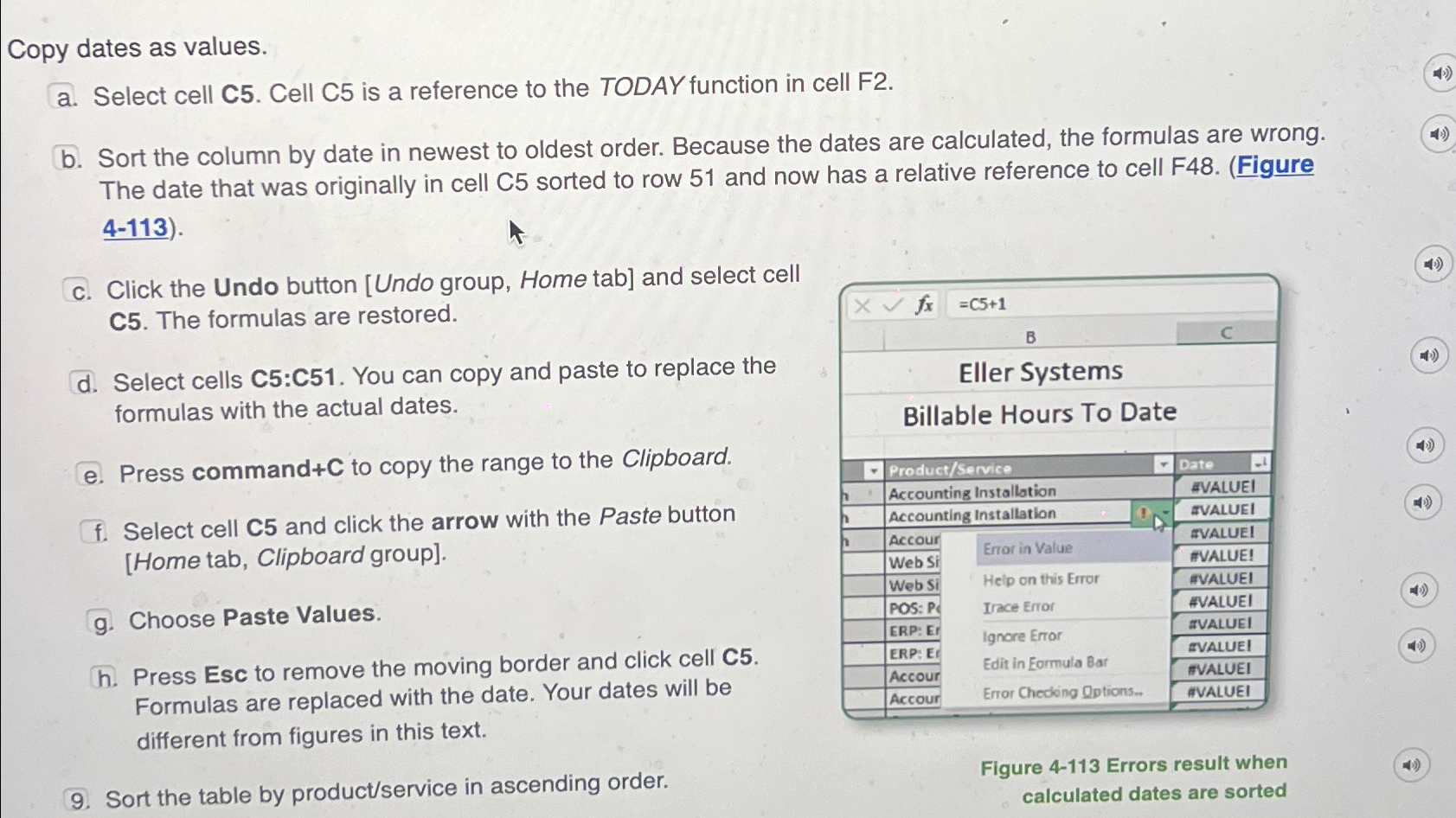
b Sort the column by date in newest to oldest order. Because the dates are calculated, the formulas are wrong. The date that was originally in cell sorted to row and now has a relative reference to cell FFigure
Click the Undo button Undo group, Home tab and select cell C The formulas are restored.
d Select cells C:C You can copy and paste to replace the formulas with the actual dates.
Press command to copy the range to the Clipboard.
Select cell and click the arrow with the Paste button Home tab, Clipboard group
g Choose Paste Values.
h Press Esc to remove the moving border and click cell Formulas are replaced with the date. Your dates will be different from figures in this text.
Sort the table by productservice in ascending order.
Figure Errors result when calculated dates are sorted
Step by Step Solution
There are 3 Steps involved in it
1 Expert Approved Answer
Step: 1 Unlock

Question Has Been Solved by an Expert!
Get step-by-step solutions from verified subject matter experts
Step: 2 Unlock
Step: 3 Unlock
 Study Help