





Question: Copy the All Grants Query to create a new query with the name Grant Types Query. Redesign the query so that the following fields display
Copy the All Grants Query to create a new query
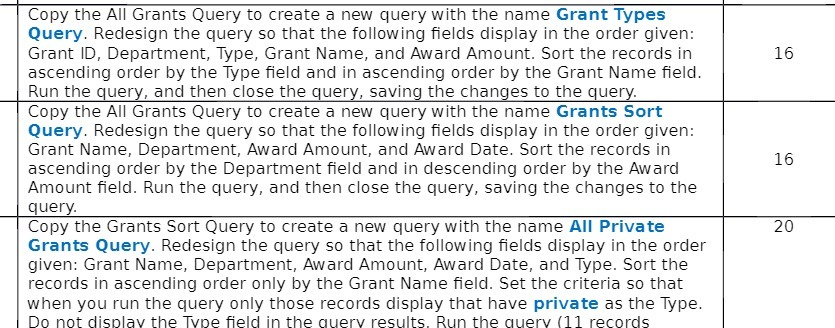
Copy the All Grants Query to create a new query with the name Grant Types Query. Redesign the query so that the following fields display in the order given: Grant ID, Department, Type, Grant Name, and Award Amount. Sort the records in 16 ascending order by the Type field and in ascending order by the Grant Name field. Run the query, and then close the query, saving the changes to the query. Copy the All Grants Query to create a new query with the name Grants Sort Query. Redesign the query so that the following fields display in the order given: Grant Name, Department, Award Amount, and Award Date. Sort the records in 16 ascending order by the Department field and in descending order by the Award Amount field. Run the query, and then close the query, saving the changes to the query. Copy the Grants Sort Query to create a new query with the name All Private 20 Grants Query. Redesign the query so that the following fields display in the order given: Grant Name, Department, Award Amount, Award Date, and Type. Sort the records in ascending order only by the Grant Name field. Set the criteria so that when you run the query only those records display that have private as the Type. Do not display the Type field in the query results. Run the query (11 records

Step by Step Solution

There are 3 Steps involved in it

1 Expert Approved Answer
Step: 1 Unlock blur-text-image

Question Has Been Solved by an Expert!

Get step-by-step solutions from verified subject matter experts

Step: 2 Unlock
Step: 3 Unlock

Students Have Also Explored These Related Accounting Questions!