







Question: could write it in Octave 1. Calculate the Laplace Transform using Matlab/Octave a. Calculating the Laplace F(s) transform of a function f(t) is quite simple
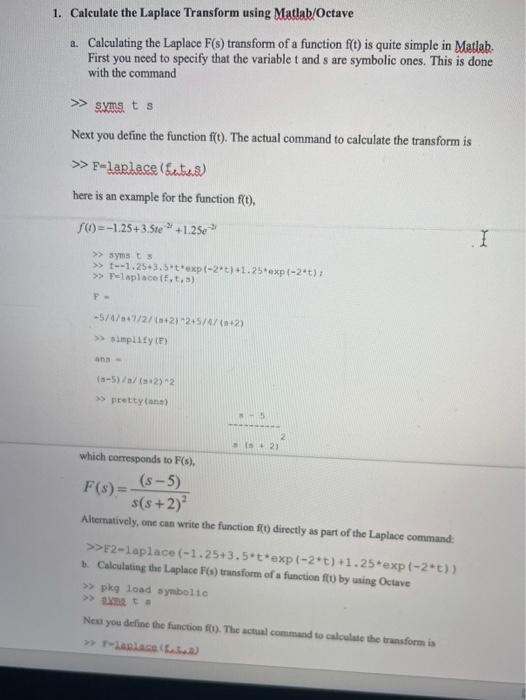
1. Calculate the Laplace Transform using Matlab/Octave a. Calculating the Laplace F(s) transform of a function f(t) is quite simple in Matlab First you need to specify that the variablet and s are symbolic ones. This is done with the command >> syms. ts Next you define the function f(t). The actual command to calculate the transform is >> F-larlace (Ita) here is an example for the function f(t). 56)=-1.25 +3.5te 2 +1.250-> I >> symsts >> t--1.25.3.5*t*exp(-2*2)+1.25*exp(-2*t)? >> Palaplace it,t.) F- -5/6/7/27 (2) 245/4/(+2) >> simplify (F) >> prettytana) 5+23 which corresponds to F(s). F(s) = (8-5) s(s+2) Alternatively, one can write the function () directly as part of the Laplace command: >>>F2-Laplace (-1.25+3.5*t*exp(-2*t) +1.25*exp(-2)) Calculating the Laplace F(s) transform of a function ft by using Octave >> pkg load symbolic Next you define the function ft). The actual command to calculate the transform is >> place
Step by Step Solution
There are 3 Steps involved in it

Get step-by-step solutions from verified subject matter experts
 Study Help