







Question: Create a C# code program in Visual Studios Windows Forms App (.NET Framework). Here are the directions and what the output should look like: These
Create a C# code program in Visual Studios Windows Forms App (.NET Framework). Here are the directions and what the output should look like:
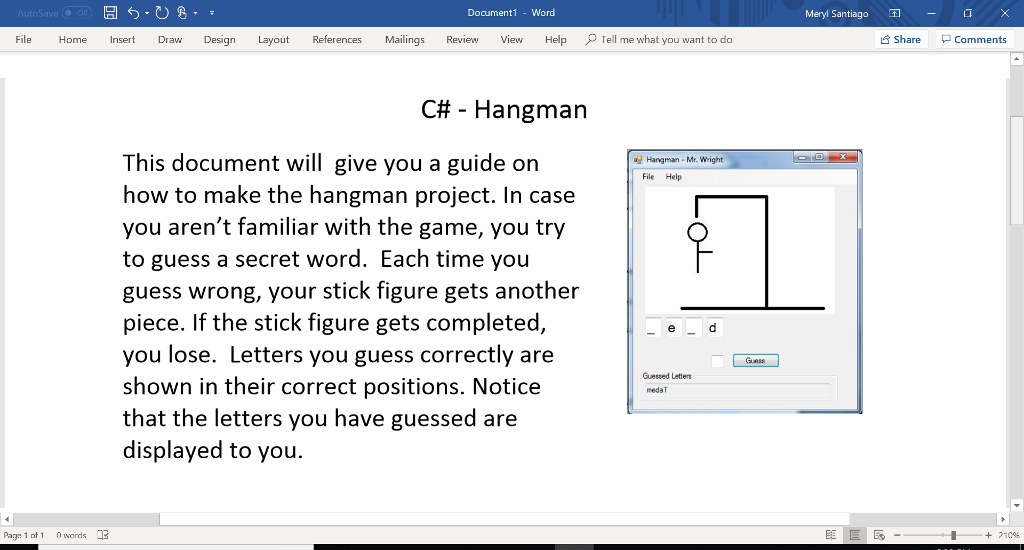
These images/ files below should be imported to show the hangman diagram:
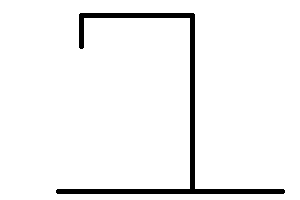 (image1.jpg)
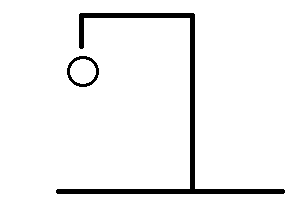 (image2.jpg)
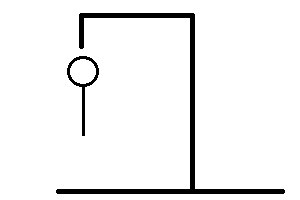 (image3.jpg)
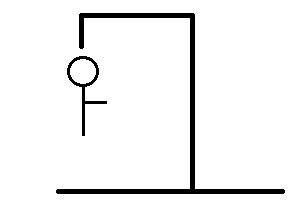 (image4.jpg)
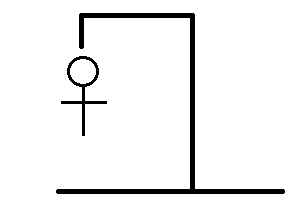 (image5.jpg)
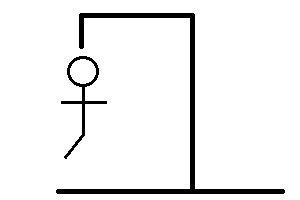 (image6.jpg)
![WordList { private static string []words = { "admiral", "anaconda", "beekeeper", "blabbering",](https://dsd5zvtm8ll6.cloudfront.net/si.experts.images/questions/2024/09/66f3b8a18553f_54566f3b8a12e110.jpg) (image7.jpg)
(image7.jpg)
Also, import a .cs file into the program to import the words given below to generate a random word:
using System; using System.Collections.Generic; using System.Linq; using System.Text; using System.Threading.Tasks; using System.IO; using System.Windows; using System.Reflection; using System.Windows.Forms;
namespace WordList { class WordList { private static string []words = { "admiral", "anaconda", "beekeeper", "blabbering", "bummer", "buzzer", "difficult", "dizzy", "fizzy", "fuzzy", "fluffy", "hound", "joking", "joker", "overjoyed", "poncho", "yellow", "zigzagging", "sausage", "blubber", "pencil", "cloud", "moon", "water", "computer", "school", "network", "hammer", "walking", "mediocre", "literature", "chair", "window", "cords", "musical", "zebra", "xylophone", "penguin", "home", "hound", "final", "inked", "teacher", "funny", "website", "banana", "uncle", "softly", "awesome", "attach", "blue", "internet", "bottle", "tight", "zone", "tomato", "prison", "hydro", "cleaning", "telivision", "send", "frog", "coffee", "book", "zooming", "falling", "evily", "gamer", "juice", "moniter", "captain", "bonding", "loudly", "thudding", "guitar", "shaving", "hair", "soccer", "water", "racket", "table", "late", "media", "desktop", "flipper", "club", "flying", "smooth", "monster", "purple", "guardian", "bold", "hyperlink", "presenter", "world", "national", "comment", "element", "magic", "lion", "sand", "crust", "toast", "hunter", "forest", "foraging", "silent", "pong", "waves" };
public static string GetWord() { Random r = new Random(); return words[r.Next(0, words.Length)]; }
}
}
Document1 - Word Meryl Santiago- File Home Insert Draw Deign LayouReferences Mailings Review V Help Tell me what you want to da Share Comments Cf# - Hangman This document will give you a guide on how to make the hangman project. In case you aren't familiar with the game, you try to guess a secret word. Each time you guess wrong, your stick figure gets another piece. If the stick figure gets completed, you lose. Letters you guess correctly are shown in their correct positions. Notice that the letters you have guessed are displayed to you. a Hangman-Mr. Wright File Help Guessed Letters medaT Page 1 af 1 E + 210% Document1 - Word Meryl Santiago- File Home Insert Draw Deign LayouReferences Mailings Review V Help Tell me what you want to da Share Comments Cf# - Hangman This document will give you a guide on how to make the hangman project. In case you aren't familiar with the game, you try to guess a secret word. Each time you guess wrong, your stick figure gets another piece. If the stick figure gets completed, you lose. Letters you guess correctly are shown in their correct positions. Notice that the letters you have guessed are displayed to you. a Hangman-Mr. Wright File Help Guessed Letters medaT Page 1 af 1 E + 210%
Step by Step Solution
There are 3 Steps involved in it

Get step-by-step solutions from verified subject matter experts
 Study Help